Building an Automatic Write-Off Tool in AL: Adding Overpayments with an Interface Pattern
This stream picked up mid-session on an app I’m building for AppSource: an automatic write-off tool that generates general journal lines for small remaining amounts on customer ledger entries. The previous stream had a frozen screen issue — VS Code appeared fine in my preview but wasn’t actually updating — so I restarted and recapped quickly before jumping back in. The full stream is on YouTube if you want to follow along.
The feature at this point handled underpayments (positive remaining amounts on invoices). Today’s goal: add overpayments — where a customer pays slightly more than the invoice and the payment has a small negative remaining amount.
Splitting into two codeunits
The underpayments logic lived in a single codeunit that implemented a WriteOffWOABG interface. I decided to split the customer write-off into two separate codeunits — one per direction — rather than branching inside a single implementation. Both implement the same interface; the enum value for each type points to the corresponding codeunit.
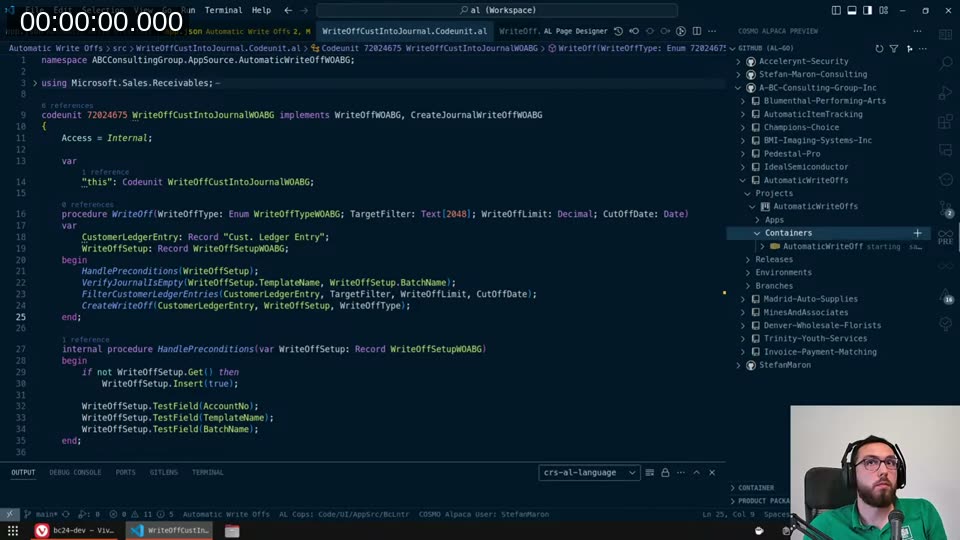
The main WriteOffCustIntoJournalWOABG codeunit now receives the CustomerLedgerEntry by reference from the caller, which meant I could remove the FilterCustomerLedgerEntries call from inside it. The caller filters first, then passes the entry in. That keeps HandlePreconditions, VerifyJournalIsEmpty, and CreateWriteOff as the only responsibilities of this codeunit.
For the overpayments codeunit (WriteOffCustJournalIOverWOABG), the filter is the inverse:
CustomerLedgerEntry.SetFilter("Remaining Amount", '<%1', 0);
CustomerLedgerEntry.SetFilter("Remaining Amount", '>=%1', -WriteOffLimit);
CustomerLedgerEntry.SetRange("Document Type", CustomerLedgerEntry."Document Type"::Payment);
I want entries with a negative remaining amount — that’s the overpaid payment — and I invert the limit comparison. I also invert the amount itself when writing it to the journal line, since the write-off needs to go the other direction.
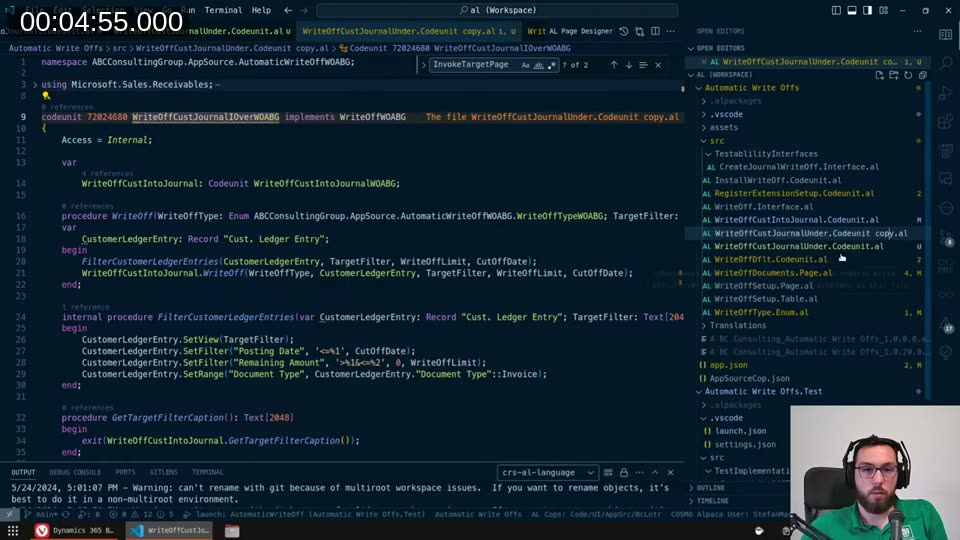
The differences between the two codeunits are really just those two filters and the sign inversion. Everything else — preconditions, journal setup, line creation — is identical and stays in the shared WriteOffCustIntoJournalWOABG codeunit that both delegate to.
Wiring up the enum
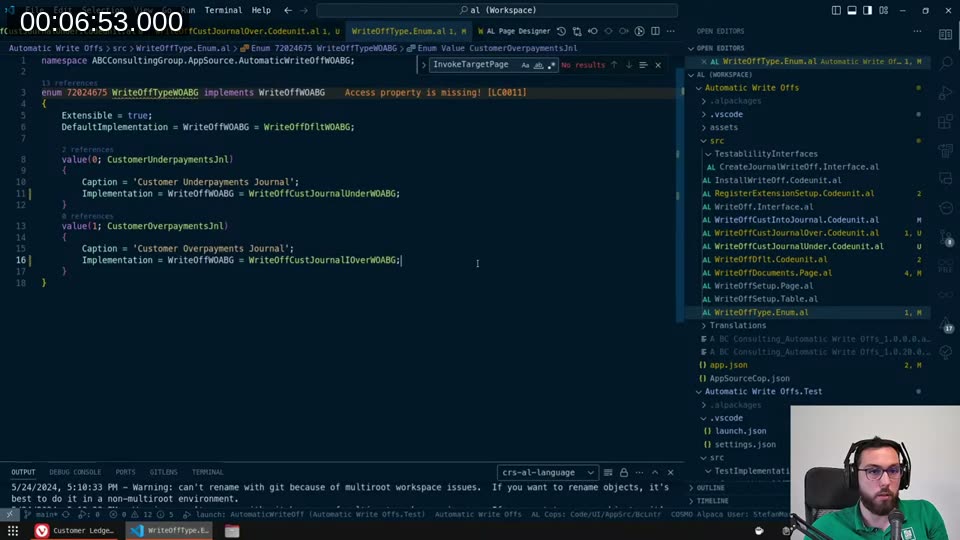
The WriteOffTypeWOABG extensible enum has two values and each points to its implementation:
enum 72024675 WriteOffTypeWOABG implements WriteOffWOABG
{
    Extensible = true;
    DefaultImplementation = WriteOffWOABG = WriteOffDfltWOABG;

    value(0; CustomerUnderpayments)
    {
        Caption = 'Underpayments => Journal (Customer)';
        Implementation = WriteOffWOABG = WriteOffCustJournalUnderWOABG;
    }
    value(1; CustomerOverpayments)
    {
        Caption = 'Overpayments => Journal (Customer)';
        Implementation = WriteOffWOABG = WriteOffCustJournalIOverWOABG;
    }
}
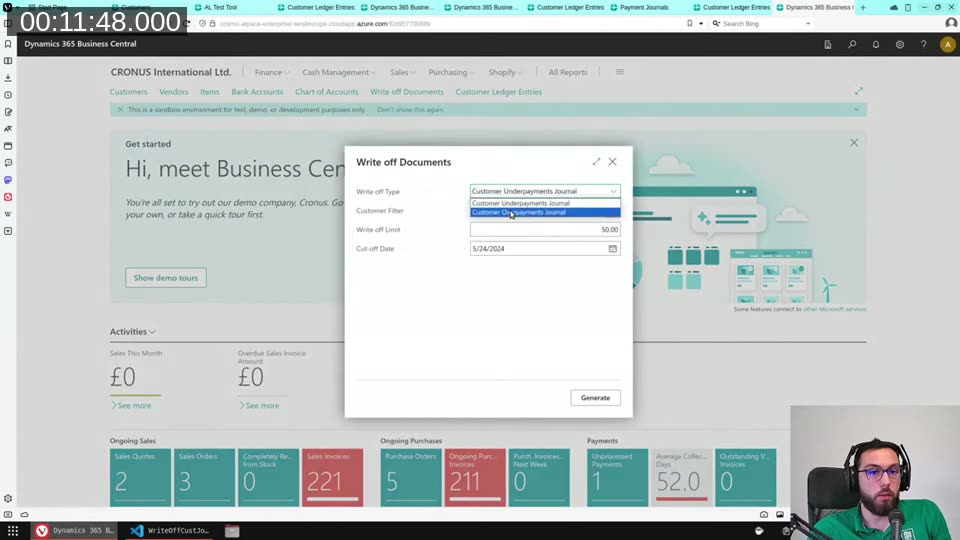
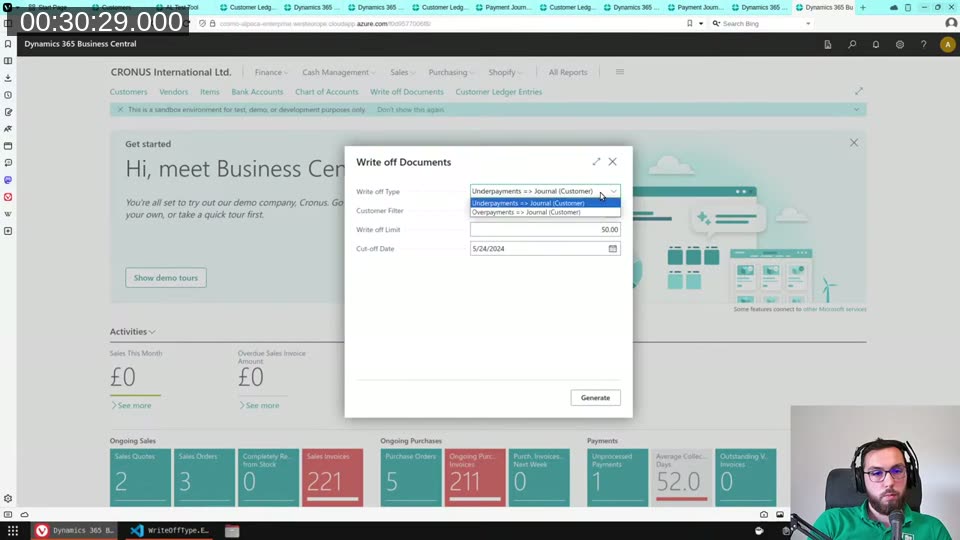
I spent some time on the captions. The initial captions (“Customer Underpayments Journal”, “Customer Overpayments Journal”) were reversed and unclear. I settled on Underpayments => Journal (Customer) — the arrow makes the direction obvious and the parenthetical leaves room for a future vendor variant.
📖 Docs: Interfaces in AL — when adding a new interface to an existing extensible enum,
DefaultImplementationis required so existing enum extensions don’t break. Extensible Enums covers the full pattern.
Debugging the number series
After the filter fix, the “Write off Documents” page generated a journal line correctly — but posting it threw a number series ordering error: “You have one or more documents that must be posted before you post document number according to your company’s No. Series setup.”
The issue was in the install codeunit. I had set up the number series with Manual Nos. only, and hadn’t set Default Nos. to true. The No. Series needs both:
NoSeries.Validate("Manual Nos.", true);
NoSeries.Validate("Default Nos.", true);
The Implementation field on the number series line also had to be set to Sequence (rather than Normal) to allow gaps — appropriate here since write-off document numbers don’t need to be gapless.
📖 Docs: Writing extensions installation code — the install codeunit with
SubType = Installis where you set up number series, journal templates, and batches that your app depends on.
Once that was fixed, Generate produced a journal line with a document number, and Preview Post → Post went through without errors.
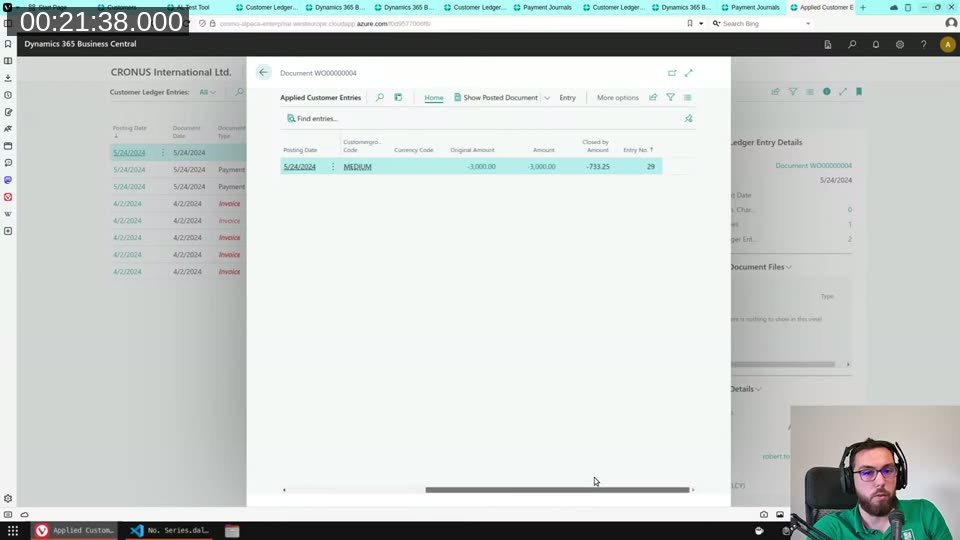
The applied entries confirmed the payment was fully closed out — no remaining amount remaining after the write-off journal was posted.
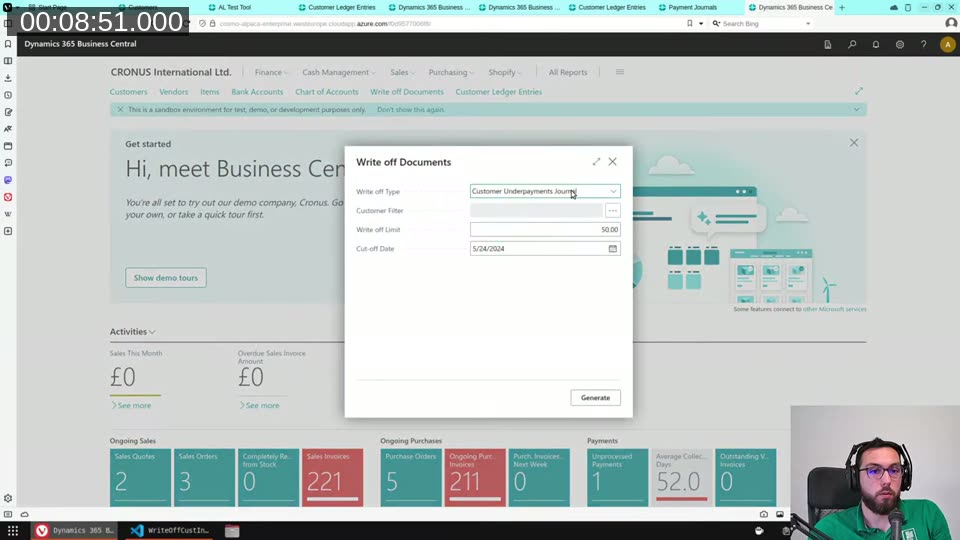
The type dropdown after both values are registered
With both enum values in place, the “Write off Type” dropdown on the page shows the updated captions:
GitHub Copilot digression
A viewer asked how I rate GitHub Copilot for Business Central AL development. Short answer: useful for repetitive patterns, less useful for complex domain logic.
In the test implementation codeunit I was building — a dummy CreateJournalWriteOffWOABG implementation that tracks whether each procedure was called — Copilot was genuinely helpful. It recognized the pattern of a WasCalled boolean per method plus a corresponding getter, and completed subsequent methods correctly once I established the first one. For that kind of structural boilerplate, it saves real time.
For anything requiring domain knowledge — which filters to apply, how the ledger entry relationships work, what the right write-off limit semantics are — Copilot’s suggestions were close but not close enough that adjusting them was faster than writing from scratch. I leave it on; I just don’t rely on it for the hard parts.
Adding instructional text to the page
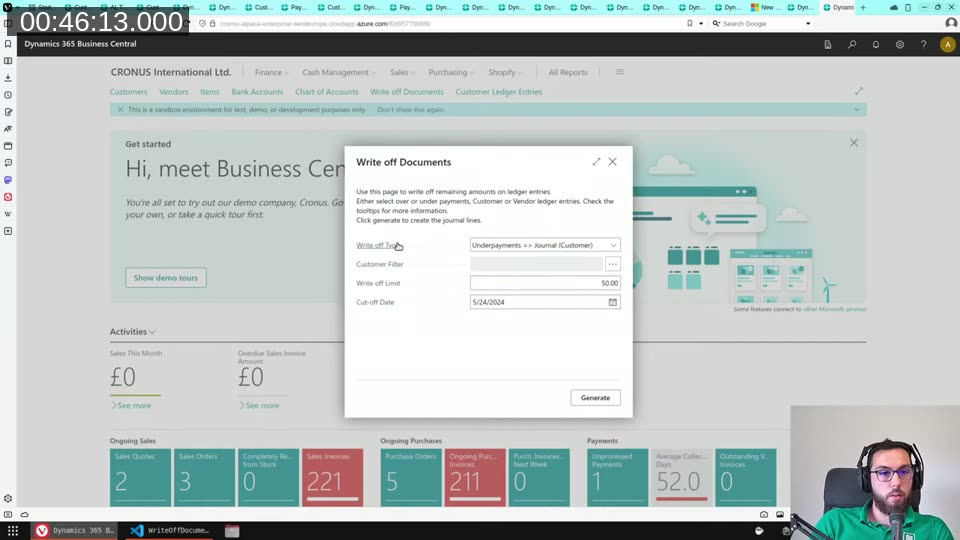
Navigate pages in Business Central can’t use the AboutTitle/AboutDescription properties for teaching tips — the compiler throws a warning that the web client doesn’t support teaching tips in this location. I worked around it by adding a non-editable, no-caption field bound to a label variable:
field(InstructionalTextFld; InstructionalTextLbl)
{
    ShowCaption = false;
    Editable = false;
    MultiLine = true;
}

var
    InstructionalTextLbl: Label 'Use this page to write off remaining amounts on ledger entries.\Either select over or under payments, Customer or Vendor ledger entries. Check the tooltips for more information. Click generate to create the journal lines.';
The \ character gives a line break inside the field. I tried markdown **bold** inside the label — it doesn’t work in field text (only in tooltips). Good enough for now; this will go through testing and can be adjusted.
What’s next
Vendors. The same three codeunits (interface, under, over) copy over almost unchanged — just substitute Vendor Ledger Entry for Cust. Ledger Entry and flip the account type. There’s also a possible “write off to documents” mode (create credit memos / invoices in batch instead of journal lines) that I want to leave room for, which is why the enum captions include the target explicitly.
This is a closed-source AppSource app, so the code won’t be on GitHub — but I’ll keep streaming the development as long as I’m allowed to show it.
This post was drafted by Claude Code from the stream transcript and video frames. The full stream is on YouTube if you want the unfiltered version. (I did read and check the output before posting, obviously 😄)