AL Development with Claude Code: A Multi-Agent Workflow
I’ve been using Claude Code quite a bit over the past year, and I think I finally have a process that actually works for AL development. One-off prompts don’t cut it for anything non-trivial — AL is niche enough that LLMs struggle without guidance, and large refactoring tasks blow up the context window within a few agent calls. What changed things for me was switching to a sub-agent workflow.
You can watch the full stream on YouTube if you want to follow along.
The inspiration came from a DIRECTIONS session by Vjeko last November. I’ve worked on my own take since then and recently made it public: StefanMaron/claude-configs . Everything in there was written by Claude Code — I didn’t type a single character in that repo myself. Use what’s useful, ignore the rest.
The Plugin System
Claude Code has a /plugin command with a marketplace UI where you can discover, install, and manage plugin profiles.
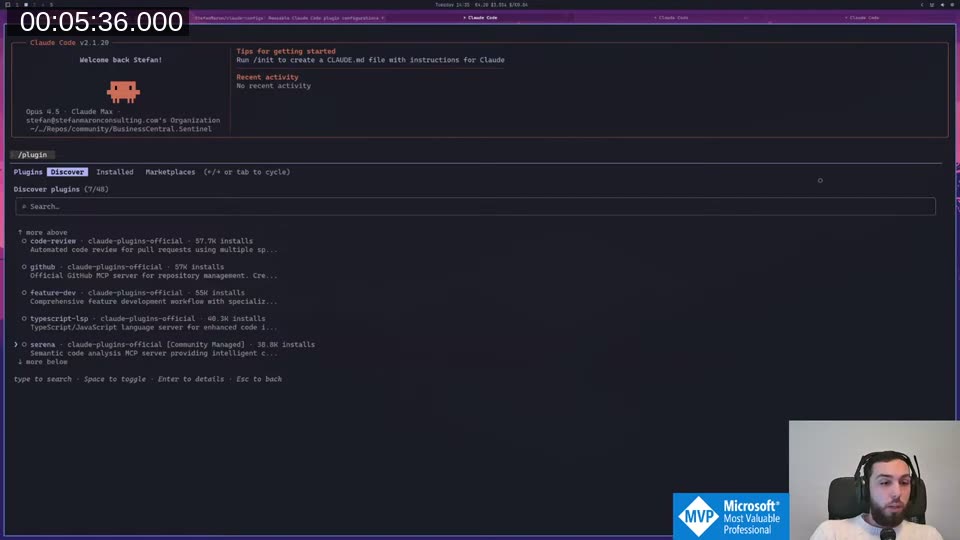
My config is registered as its own marketplace. Installing it gives you the profile-al-development plugin, which bundles all the commands and agents described below. The README in the repo explains how to link it up — if something’s unclear, open an issue.
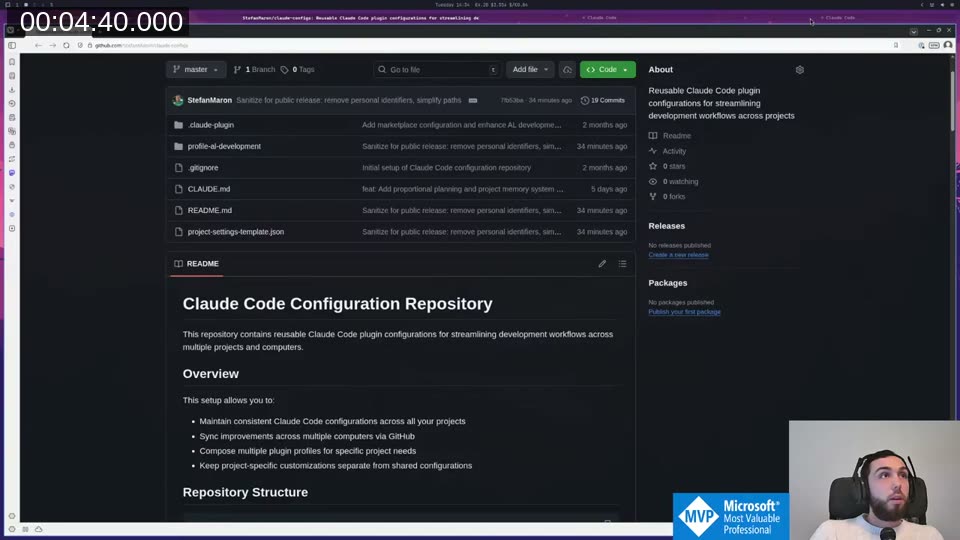
The Development Lifecycle
The profile exposes three main commands: /plan, /develop, and /test. There’s also /interview for brainstorming before planning, and /document for generating docs afterwards.
/plan runs two agents in sequence — a requirements engineer and a solution planner — with an approval gate between each. I deliberately didn’t want development to just run to completion before I noticed the requirements document was completely off. The approval gate stops everything and asks me to confirm before proceeding.
/develop runs development, code review, and diagnostics in sequence. /test handles test writing and review (we can’t easily execute tests in this setup, so it focuses on writing and reviewing them).
Document-Driven Development
The key design decision behind all of this is that agents write results to files and return only a one-line summary to the main session.
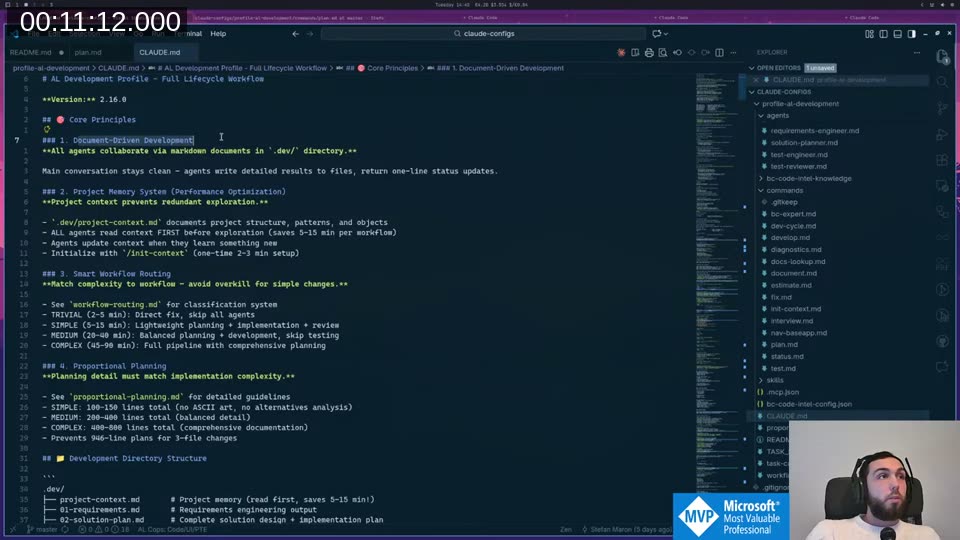
This does two things. First, it keeps the main session’s context small — after running 6 development phases for over an hour, I was at 69% context because the agents handled all the heavy lifting in their own fresh contexts. Without this, a few agent calls would overflow everything. Second, it means I can close the session, come back the next day, and pick up exactly where I left off. The documents are the state.
The output structure ends up as:
.dev/
  project-context.md    # project memory, agents read this first
  01-requirements.md
  02-solution-plan.md
  03-code-review.md
  04-diagnostics.md
  05-test-plan.md
  session-log.md
Each agent reads the relevant documents when it starts, does its work, and writes its output. The main session just orchestrates.
al-compile: Making the Compiler Usable for AI
Before I could get any of this working reliably, I needed to solve a practical problem: the AL compiler command is a nightmare to invoke correctly. You have to specify the compiler binary path, the project folder, all analyzers separately, the packages folder — it’s a long mess that AI tools constantly get wrong.
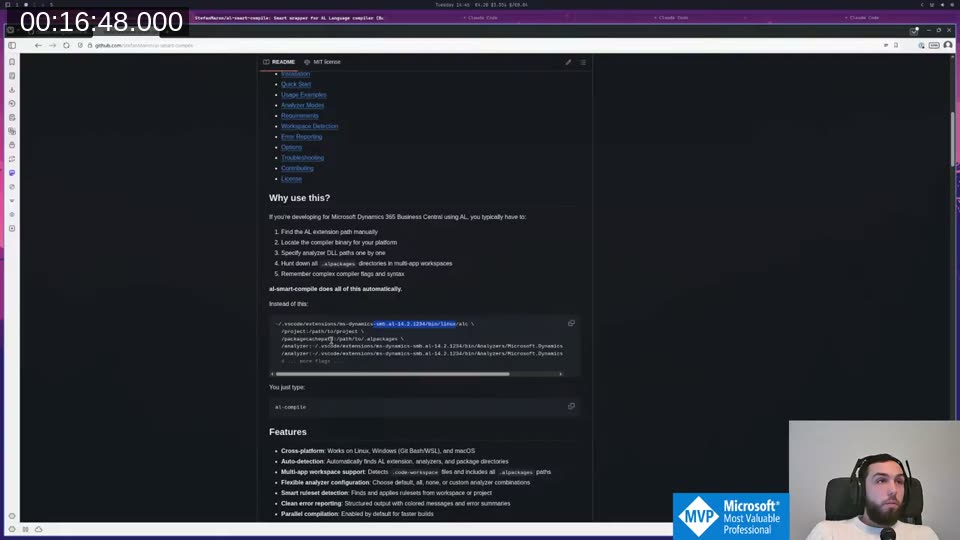
I built al-smart-compile
to solve this. It auto-detects your VS Code AL extension, grabs the latest compiler from there, finds the package cache and all analyzers, and just runs. You type al-compile and it works. I’ve made efforts to get it running on Windows via PowerShell too, though I haven’t tested that myself since I don’t run Windows anywhere.
This made a huge difference. The diagnostics-fixer agent runs al-compile, reads the JSON output from the compiler, fixes obvious issues, and recompiles until clean.
Live Demo: 1 Hour of Unattended Refactoring
I ran this on a real customer project — an integration extension I’ve been building with Claude Code over many sessions. The goal: refactor the codebase for testability without writing actual tests yet. The code works, but procedures are too coupled to infrastructure to write unit tests against.
Planning phase
I gave the planning command a prompt asking it to identify procedures that are hard to test and create a refactoring plan. The requirements engineer ran for 2+ minutes, burned ~50k tokens, and produced a requirements document identifying 35+ problematic procedures across 6 categories.
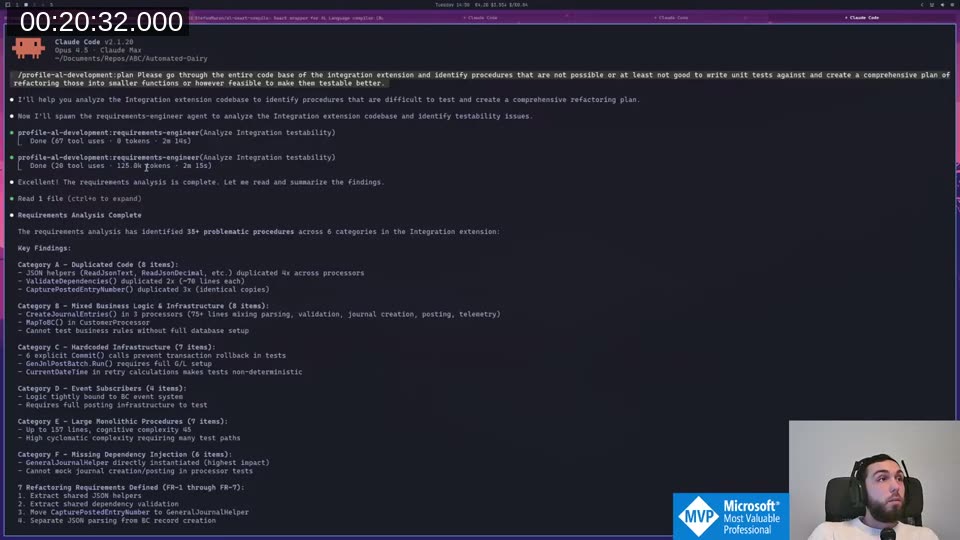
I reviewed the document, pushed back on some assumptions (the solution planner had incorrectly assumed codeunits can’t be assigned to interfaces — they can in BC v18+), and iterated.
📖 Docs: AL interfaces work by having codeunits declare
implements InterfaceName, and procedures can return or accept interface types directly. The full reference is on Microsoft Learn: Interfaces in AL After a second planning round with a refined prompt, the solution planner produced a 6-phase implementation plan: interfaces, shared JSON helpers, internal overloads, orchestration, scheduling, and event subscribers.
Development phase
I kicked off /develop and let it run. Six phases, sequentially:
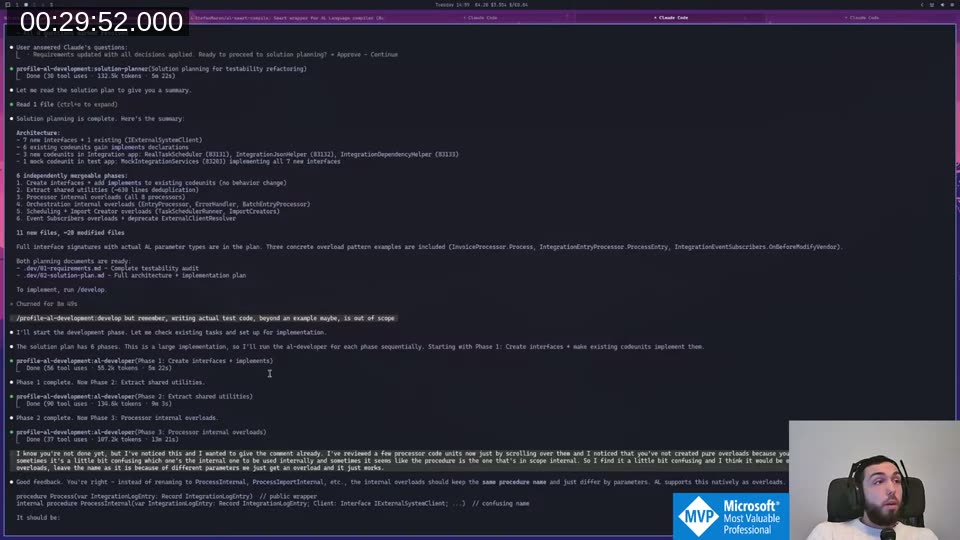
While phase 3 was running, I noticed it had named internal procedures ProcessInternal which was confusing. I typed the feedback into Claude Code while it was still working — it queued the message and picked it up immediately after phase 3 finished, before continuing to phase 4. That flow works really well in practice.
Code review
After development, the code-reviewer agent ran in its own fresh context and found 9 issues — 4 critical, 4 high, 1 non-blocking.
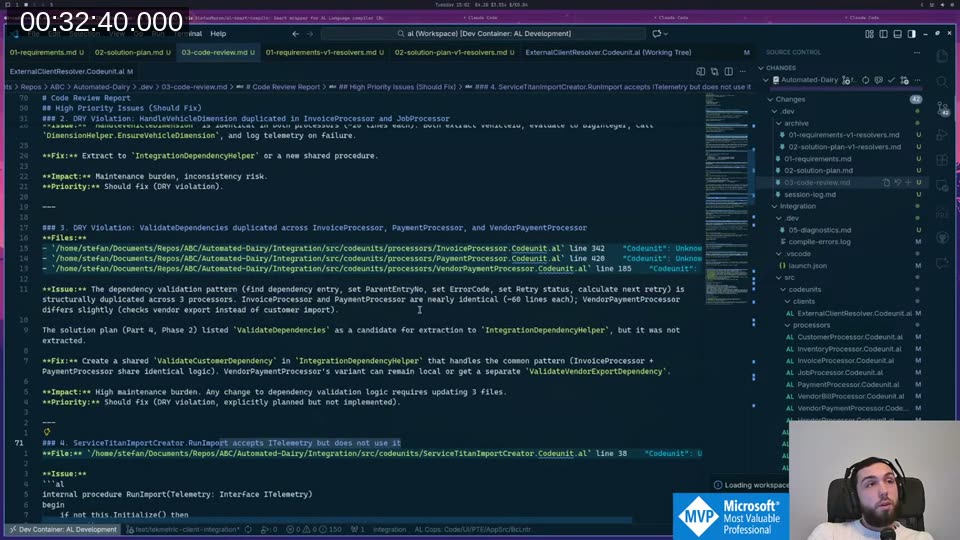
DRY violations it flagged were things I would have caught eventually, but probably not until I started writing tests. The reviewer found them before I even looked at the code. It went back to the developer agent, fixed the high-priority items, then ran diagnostics.
Final stats
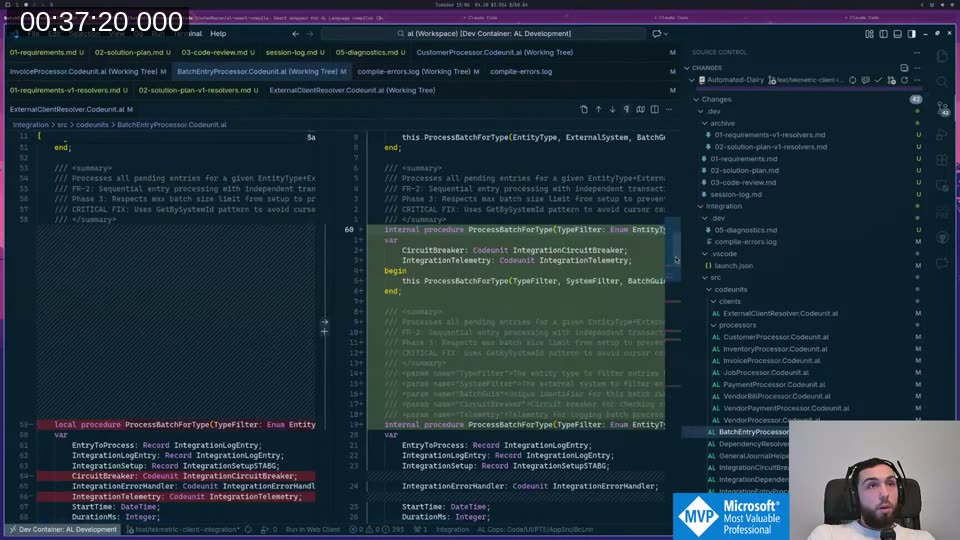
0 errors, 56 warnings (3 auto-fixed during diagnostics). 42 files touched. +8,000 lines written, −14,000 deleted. Done in about 1 hour. I ran al-compile live at the end of the stream and it compiled clean.
Why Agents Instead of One Long Session?
The main benefit is unpolluted context. Each agent starts fresh and reads only the documents it needs. It doesn’t carry the weight of everything that happened before. Combined with writing results to files instead of returning them to the main session, this lets you run much longer development cycles than would otherwise be possible.
📖 Docs: The Claude Code documentation covers how sub-agents work, how to define custom agents with scoped tool access, and how the Task tool delegates work between them. Sub-agents in Claude Code
The other thing I’ve started doing is using the end of a session to have Claude write a handoff prompt for the next session. If the context is getting full, ask it to document everything important, then start fresh with that prompt. It authors the next iteration for you.
The Philosophy Shift
My AL knowledge and experience with BC is worth more when I’m directing and reviewing than when I’m physically typing the code. I still write small bug fixes and quick changes myself — faster to just do it than explain it. But for something like this refactoring, I genuinely don’t know how long it would have taken me to do manually, or if the output quality would have been as consistent.
It’s similar to doing code review in a team where you’re the senior. I don’t have colleagues I work with directly on this, so this is my version of having a junior developer whose code I review. We’ll see where it goes.
This post was drafted by Claude Code from the stream transcript and video frames. The full stream is on YouTube if you want the unfiltered version. (I did read and check the output before posting, obviously 😄)