Writing testable AL code: building a write-off app for AppSource
I’ve been working on a small AppSource app that lets you write off under- or overpayments from customer ledger entries into GL accounts. It generates general journal lines automatically based on filters — customer range, write-off limit, cut-off date. Simple premise, but with enough moving parts that I wanted proper test coverage before shipping it.
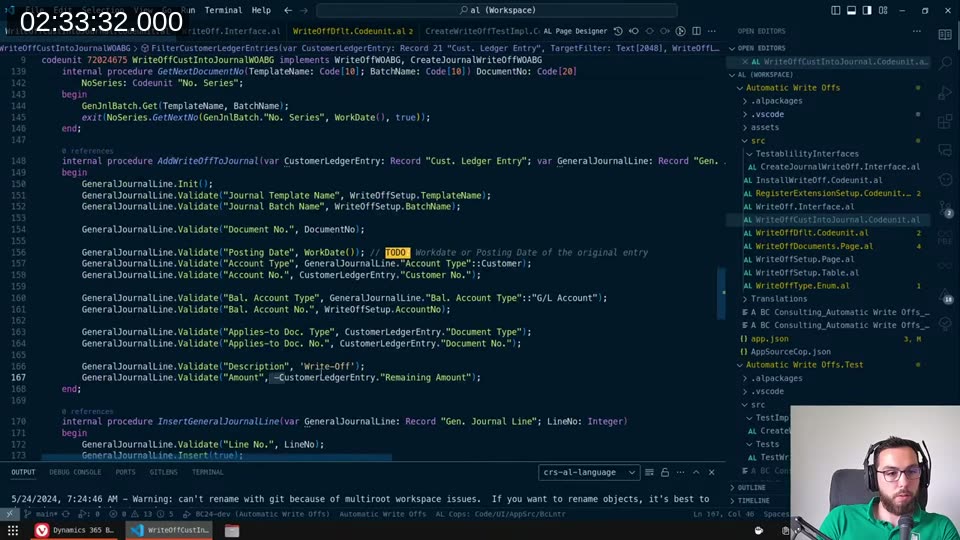
This stream was one working session: I went through the main codeunit, function by function, and wrote tests for each piece. The full session is on YouTube if you want to watch me stumble through it in real time.
The app in brief
The write-off page looks like this in Business Central: a filter page where you pick under- or overpayments, a customer filter, a write-off limit (e.g. everything under €50), and a cut-off date. Hit generate and it creates journal lines in your configured template and batch. Once you post those, the open ledger entries are gone.
Because I’m building this for AppSource, I can’t rely on any existing test data in the environment. Everything in my tests needs to be self-contained.
Avoiding the database in unit tests
My main rule when writing these tests: touch the database as little as possible. In AL, you can declare a record variable as temporary, which means all operations on it stay in memory — no actual DB writes or reads. Most of my test setup looks like this:
var
    TempWriteOffSetup: Record WriteOffSetupWOABG temporary;
    WriteOffIntoJournal: Codeunit WriteOffCustIntoJournalWOABG;
begin
    TempWriteOffSetup.AccountNo := 'SOMEACCOUNT';
    TempWriteOffSetup.TemplateName := 'WriteOffTe';
    TempWriteOffSetup.BatchName := 'WriteOffBa';
    TempWriteOffSetup.Insert(false);

    WriteOffIntoJournal.HandlePreconditions(TempWriteOffSetup);
Passing a temporary record by reference means the codeunit under test never goes to the database for that record. I can control exactly what’s in it. The test runs in a few milliseconds and has zero side effects on the environment.
📖 Docs: AL test pages — the test framework also includes
ModalPageHandlerandPageHandlermethods you can assign to intercept UI dialogs during tests.
Manual event subscribers and BindSubscription
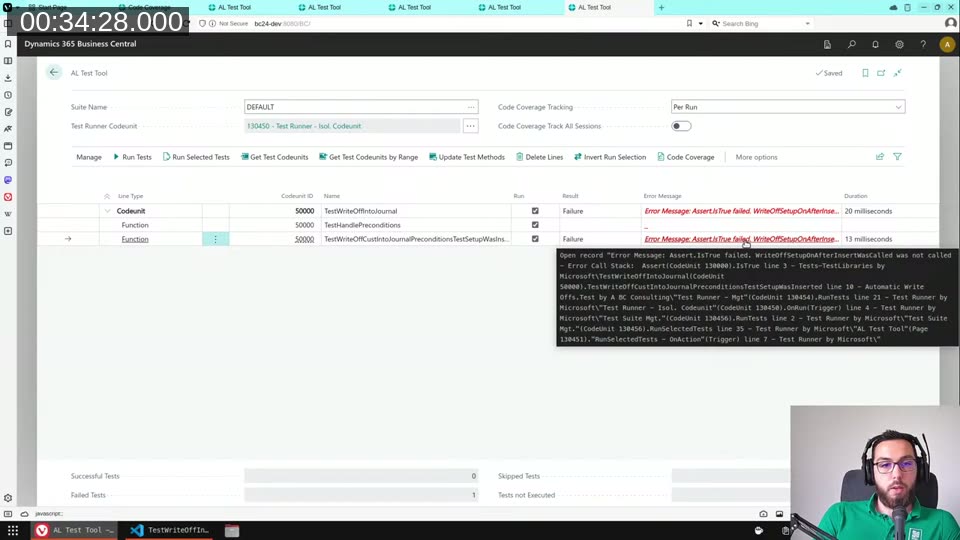
Testing that a database trigger actually fired is one of the trickier parts. In AL, event subscribers in test codeunits have to be set to Manual binding, otherwise they fire globally and cause havoc across all tests:
codeunit 50000 TestWriteOffIntoJournal
{
    Subtype = Test;
    Access = Internal;
    EventSubscriberInstance = Manual;
With EventSubscriberInstance = Manual, the subscriber is inert until you explicitly call BindSubscription. This lets you bind it only for the specific test that needs it, and unbind it immediately after. The pattern I use:
procedure TestWriteOffCustIntoJournalPreconditionsTestSetupWasInserted()
var
    TempWriteOffSetup: Record WriteOffSetupWOABG temporary;
    WriteOffIntoJournal: Codeunit WriteOffCustIntoJournalWOABG;
    "This": Codeunit TestWriteOffIntoJournal;
begin
    BindSubscription("This");
    asserterror WriteOffIntoJournal.HandlePreconditions(TempWriteOffSetup);
    UnbindSubscription("This");

    Assert.IsTrue("This".GetWriteOffSetupOnAfterInsertWasCalled(),
        'WriteOffSetupOnAfterInsertWasCalled was not called');
end;
The "This" keyword here is a workaround for what will be a proper feature in runtime 14 — once that ships, you’ll be able to bind the subscription for the current codeunit instance directly. For now, you need an extra GetXxxWasCalled() getter function because the variable inside the subscriber lives in a different instance.
One subtlety I hit: the OnAfterInsert event fires even when you call Insert(false) (the false means skip triggers). There’s a RunTrigger boolean parameter in the event, so I check that in the subscriber to make sure the trigger itself actually ran, not just the event.
Testing actionable errors
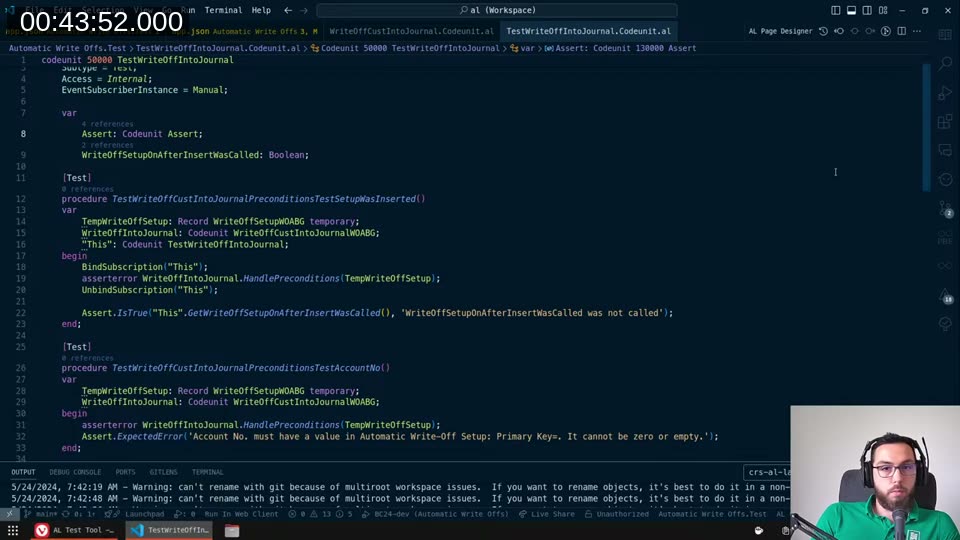
The VerifyJournalIsEmpty function checks whether the selected journal template and batch already has lines. If it does, rather than throwing a plain Error(), I use the ErrorInfo object to give the user two actions: navigate directly to the journal to review the lines, or delete them all in one click.
local procedure RaiseJournalNotEmptyError(WriteOffTemplateName: Code[10]; WriteOffBatchName: Code[10])
var
    GenJournalLine: Record "Gen. Journal Line";
    PageManagement: Codeunit "Page Management";
    CustomErrorDims: Dictionary of [Text, Text];
    BatchNotEmptyErrInfo: ErrorInfo;
    OpenJournalActionLbl: Label 'Open Journal';
    OpenLinesActionLbl: Label 'Open Lines';
begin
    BatchNotEmptyErrInfo.DataClassification := BatchNotEmptyErrInfo.DataClassification::SystemMetadata;
    BatchNotEmptyErrInfo.ErrorType := BatchNotEmptyErrInfo.ErrorType::Client;
    BatchNotEmptyErrInfo.Verbosity := BatchNotEmptyErrInfo.Verbosity::Error;
    BatchNotEmptyErrInfo.Message := StrSubstNo(GenJnlNotEmptyErr, WriteOffTemplateName, WriteOffBatchName);

    CustomErrorDims.Add('TemplateName', WriteOffTemplateName);
    CustomErrorDims.Add('BatchName', WriteOffBatchName);
    BatchNotEmptyErrInfo.CustomDimensions := CustomErrorDims;

    BatchNotEmptyErrInfo.AddNavigationAction(OpenJournalActionLbl);
    BatchNotEmptyErrInfo.PageNo := PageManagement.GetPageId(GenJournalLine);
    BatchNotEmptyErrInfo.RecordId := GenJournalLine.RecordId;

    Error(BatchNotEmptyErrInfo);
end;
I pass TemplateName and BatchName through CustomDimensions so the downstream action handler can retrieve them and know which journal to open or clear. The AddNavigationAction takes you straight to the journal — the PageNo + RecordId combination is what makes that work.
📖 Docs: Actionable errors — use
AddActionfor Fix-it actions (when you know the right value) andAddNavigationActionfor Show-it actions (when you want to show the user where to fix it).
One limitation I ran into: there’s no way I could find to test whether the navigation action was actually set up correctly from within the AL test framework. I can test that the error fires, and I can test the action codeunits independently. But there’s no way to assert that BatchNotEmptyErrInfo.AddNavigationAction(...) produced a button the user can actually click. If anyone knows a way, leave it in the comments.
Interface mocks for isolating logic
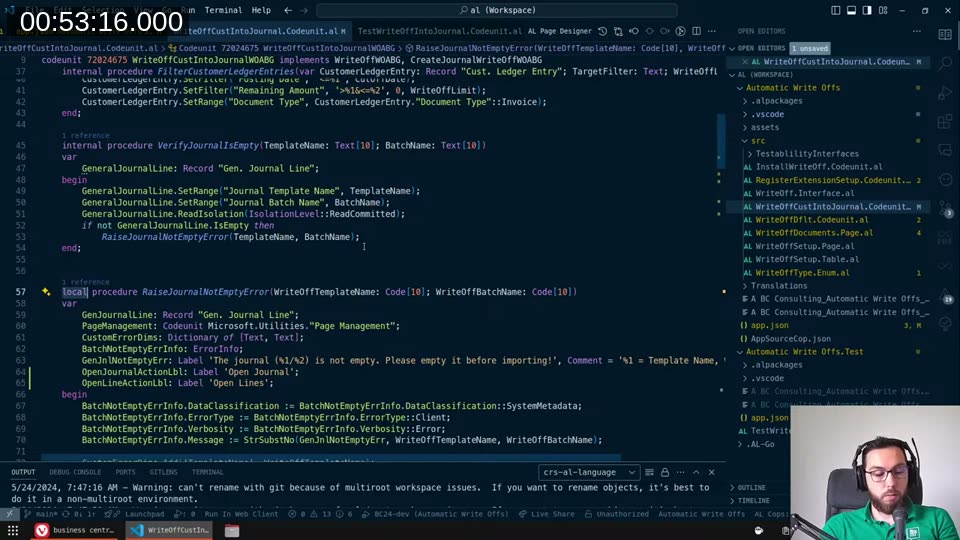
The main CreateWriteOff function calls two functions that are part of a CreateJournalWriteOffWOABG interface: AddWriteOffToJournal and InsertGeneralJournalLine. Extracting those into an interface means I can pass a test implementation that does nothing (or just records that it was called) instead of running the real code that writes to the journal.
I keep the test implementations in a dedicated TestImplementations folder:
codeunit 50001 CreateWriteOffTestImpl implements CreateJournalWriteOffWOABG
{
    var
        AddWriteOffToJournalWasCalled, InsertGeneralJournalLineWasCalled: Boolean;
        GetNextDocumentNoWasCalled: Boolean;
        DocumentNoTok: Label 'eda16527-6645-4fed-a', Locked = true;

    procedure AddWriteOffToJournal(var CustomerLedgerEntry: Record "Cust. Ledger Entry";
        var GeneralJournalLine: Record "Gen. Journal Line"; ...)
    begin
        AddWriteOffToJournalWasCalled := true;
        Assert.AreEqual(DocumentNoTok, DocumentNo, 'DocumentNo is not correct');
    end;

    procedure GetNextDocumentNo(TemplateName: Code[10]; BatchName: Code[20]) DocumentNo: Code[20]
    begin
        GetNextDocumentNoWasCalled := true;
        exit(DocumentNoTok);
    end;
    ...
I then wire this into the test by passing the test implementation codeunit as the interface parameter:
WriteOffIntoJournal.CreateWriteOff(
    TempCustomerLedgerEntry,
    TempWriteOffSetup,
    WriteOffType::CustomerUnderpayments,
    CreateWriteOffTestImpl);
The test doesn’t touch number series, doesn’t create journal lines, runs in milliseconds, and still validates the flow of the logic.
Testing page navigation with PageManagement
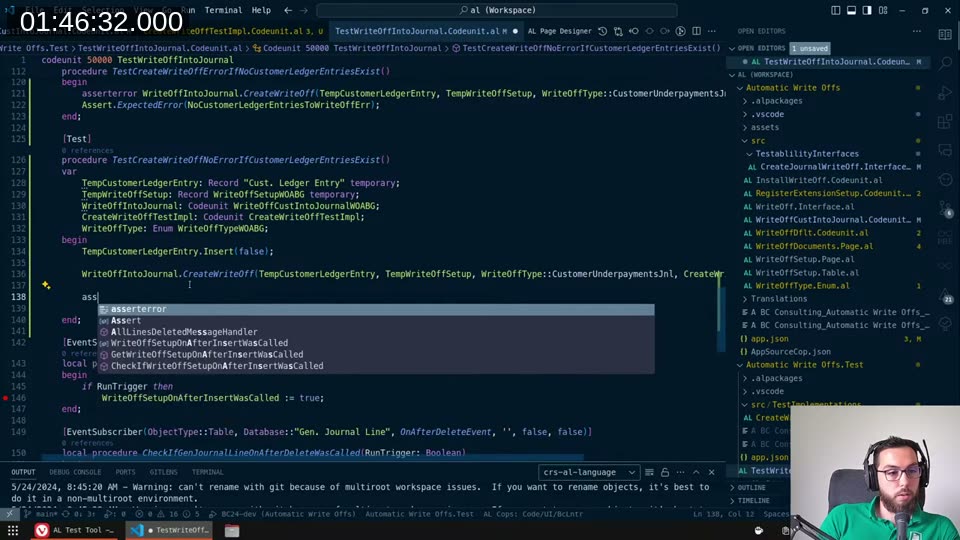
The InvokeTargetPage function uses the base app Page Management codeunit to open the correct journal page for the user. That codeunit is deep in the base app, full of RecordRef and FieldRef logic — exactly the kind of thing that could quietly break if Microsoft refactors it.
I decided to test it even though it requires actual database records (a Gen. Journal Template has to exist for Page Management to find the page ID). The test inserts a minimal template and cleans up after itself:
procedure TestInvokeTargetPage()
var
    TempGenJournalLine: Record "Gen. Journal Line" temporary;
    GenJournalTemplate: Record "Gen. Journal Template";
    TempSetup: Record WriteOffSetupWOABG temporary;
    WriteOffIntoJournal: Codeunit WriteOffCustIntoJournalWOABG;
begin
    TempSetup.TemplateName := 'Template';
    TempSetup.BatchName := 'Batch';
    TempSetup.Insert(false);

    TempGenJournalLine."Journal Template Name" := 'Template';
    TempGenJournalLine."Journal Batch Name" := 'Batch';
    TempGenJournalLine.Insert(false);

    GenJournalTemplate.Name := 'Template';
    GenJournalTemplate.Insert(false);

    WriteOffIntoJournal.InvokeTargetPage(TempSetup, TempGenJournalLine);

    GenJournalTemplate.Delete(false);
end;
The template type defaults to General, so Page Management returns page 39 (General Journal) — that’s exactly the page I want to open. The test expects an unhandled page dialog (since we’re in a test context), which I handle with a PageHandler:
[PageHandler]
procedure GeneralJournalHandler(var GeneralJournal: TestPage "General Journal")
begin
    // Just let it open — we're verifying it doesn't error out
end;
This test runs in about 100ms versus the 3–10ms for the pure-code tests. Worth it — if Microsoft ever changes how Page Management resolves page IDs for general journals, this test will tell me before my app breaks in production.
One gotcha: Code fields are always uppercase
Spent a few minutes confused about this one. I was asserting an error message that included the template name, and the assert kept failing even though the strings looked identical. Turns out Code fields in AL are automatically uppercased when you assign a value — so if I assign 'writeoffTe' to a Code[10] field, it becomes 'WRITEOFFTE'. The error message is case-sensitive, so the comparison was failing on the casing.
Solution: always use uppercase string literals when setting up test data for Code fields, or make sure you’re reading the value back from the field rather than using the literal you assigned.
What’s next
The app currently handles underpayments — where a customer paid a little short and I want to write off the remaining amount. Next up is implementing overpayments (customer paid too much). The filter logic is almost identical, just the sign on the remaining amount changes, so I’ll probably refactor the shared parts into a parameterised helper rather than duplicating code across two implementations.
Once both implementations are done and the tests pass, this goes to AppSource.
This post was drafted by Claude Code from the stream transcript and video frames. The full stream is on YouTube if you want the unfiltered version. (I did read and check the output before posting, obviously 😄)