How Do Database Transactions Actually Work in Business Central?
I thought I knew how transactions worked in Business Central. Then I started actually testing them, and I was genuinely shocked by a few things. This stream is me working through it live, building a small test extension and watching what commits and errors actually do to the database.
The full stream is on YouTube — this post covers the key findings. All the code from the stream ended up at github.com/StefanMaron/TransactionTest .
The setup
To make the tests observable, I created a minimal LogTable with an auto-increment EntryNo and a Text[250] message field, plus a LogList page sorted descending by entry. The idea: each test action inserts a row with a message, and I can see what survived and what got rolled back.
The basics — what you expect
If you insert a record and then call Error(...), the transaction rolls back and nothing lands in the database. That’s the baseline. If you Commit() first and then call Error(...), whatever happened before the commit is saved and only anything after gets rolled back. That’s also expected.
One small side-effect worth knowing: auto-increment fields don’t roll back. Even if your transaction is fully reverted, the EntryNo counter keeps incrementing. If you need gap-free numbering, you need a number series.
Codeunit.Run runs in its own transaction — and this will bite you
This is the part that surprised me.
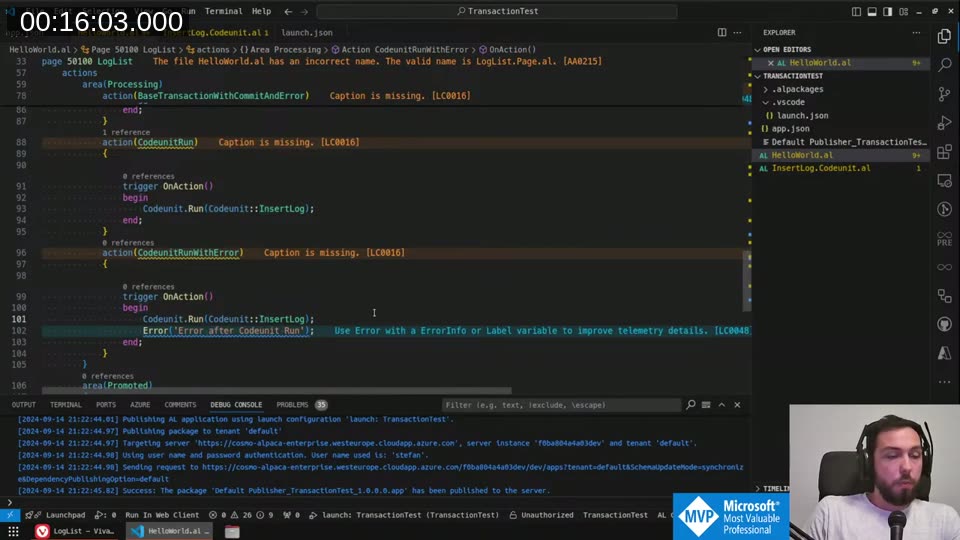
action(IfCodeunitRunWithError)
{
    trigger OnAction()
    begin
        if Codeunit.Run(Codeunit::InsertLog) then ;
        Error('Error after Codeunit Run');
    end;
}
What do you expect here? I expected the error thrown after Codeunit.Run to roll everything back, including whatever the codeunit inserted. It does not. The insert from inside Codeunit.Run is already committed to the database by the time you throw the error.
Codeunit.Run (and its if form) completes with an implicit commit at the end of the codeunit’s execution. That commit is fully independent from the calling transaction. The outer error only rolls back work done in the outer scope — the codeunit’s work is already written.
You also cannot call Codeunit.Run while you are inside a write transaction — BC will throw a runtime error. The codeunit run needs its own clean transaction context.
📖 Docs: Database write transactions in try methods — learn.microsoft.com
[CommitBehavior] — useful, but not a complete solution
AL has a [CommitBehavior] attribute you can put on a procedure. It has two options:
CommitBehavior::Ignore— anyCommit()calls within the scope of the procedure (and everything it calls) are silently swallowed.CommitBehavior::Error— anyCommit()call within that scope throws a runtime error instead.
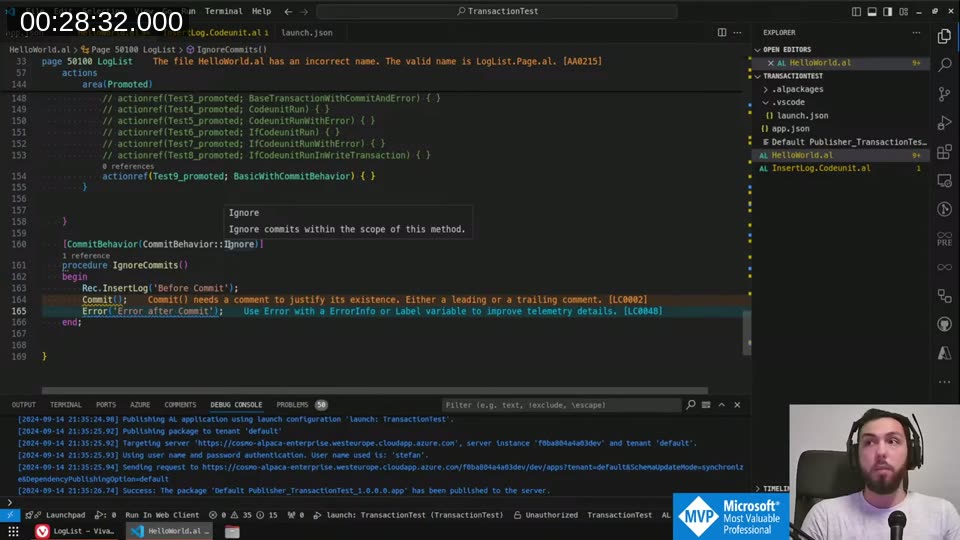
The intent is clear: Ignore lets you say “I guarantee nothing will commit inside this function.” Error lets you say “I want to know immediately if something is trying to commit — that’s a bug.”
The catch: CommitBehavior only controls explicit Commit() calls. It does not affect the implicit commit that happens at the end of a Codeunit.Run. So if the code you’re calling internally uses if Codeunit.Run(...), that run will still commit to the database even with CommitBehavior::Ignore in effect.
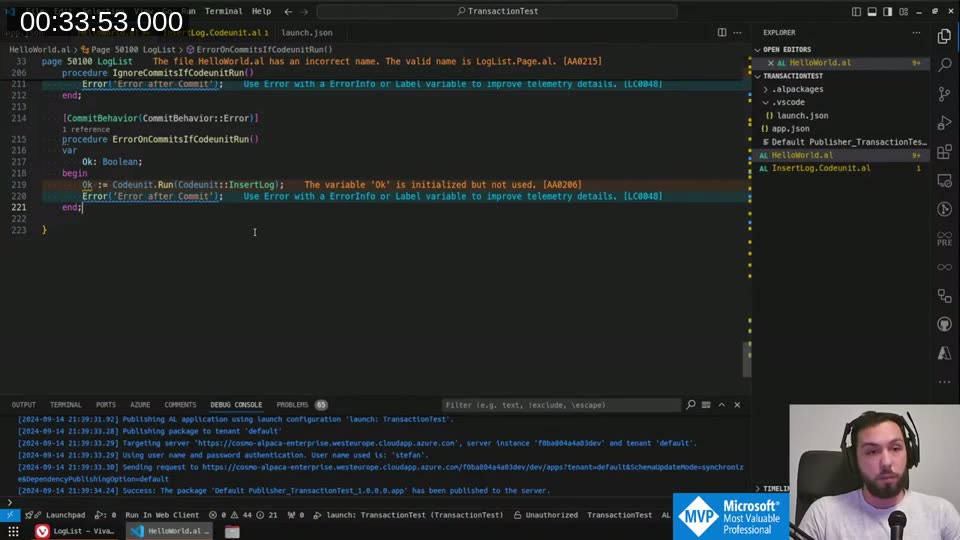
[CommitBehavior(CommitBehavior::Ignore)]
procedure IgnoreCommits()
var
    Ok: Boolean;
begin
    Rec.InsertLog('Before Commit');
    Commit();              // silently ignored
    Error('Error after Commit');
end;
💡 Added context: The
CommitBehaviorattribute is available from runtime 6.0. It only applies to explicit commits — the implicit commit fromCodeunit.Runis not covered. See the CommitBehavior attribute docs .
The import problem — and a partial workaround
Here’s the scenario that originally led me down this path. I wanted to write a “safe import” function:
[CommitBehavior(CommitBehavior::Error)]
procedure SecureImport()
begin
    Rec.InsertLog('Just to start the write transaction');
    // Do some logic
    // Call 3rd party code
    // If we encounter an error
    Error('Something went wrong');
end;
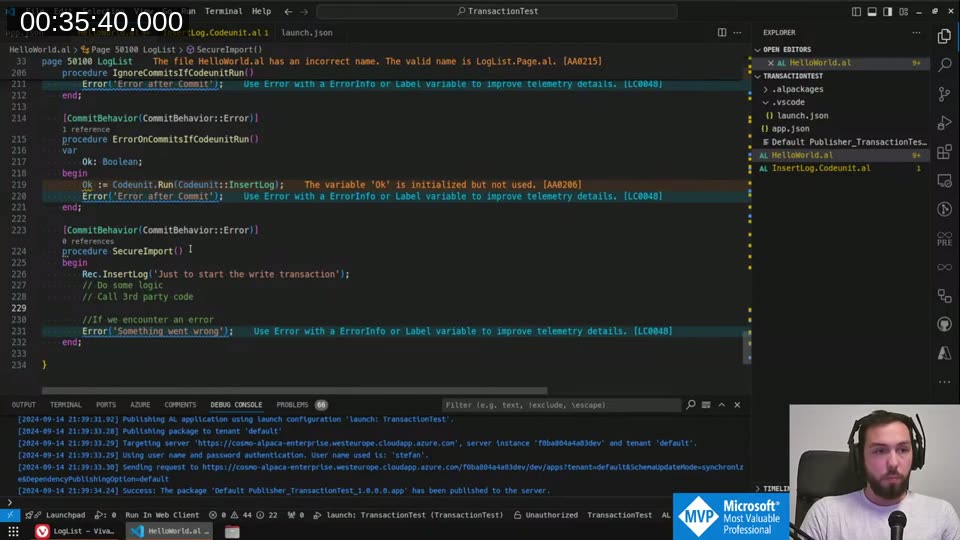
The intent: import some data, and if anything goes wrong, guarantee nothing was written to the database. Using CommitBehavior::Error means any explicit Commit() in the called code will immediately error — which at least tells you there’s a problem. Combining it with starting a write transaction yourself (the first InsertLog) means any attempt to use Codeunit.Run in the called code will error too, because you can’t use Codeunit.Run from within a write transaction.
It’s a half-solution. It doesn’t make the scenario just work, but it prevents silent data corruption by surfacing the incompatibility early.
Try functions — the sandbox vs. on-premise difference
I tried the same pattern with [TryFunction] and discovered a meaningful environment difference.
On-premises (Docker, pipelines): trying to do a database write inside a [TryFunction] is blocked by the BC Server configuration by default. You get a runtime error — in fact, calling a try function without capturing the return value isn’t treated as a try call at all, and it crashed my Docker container entirely.
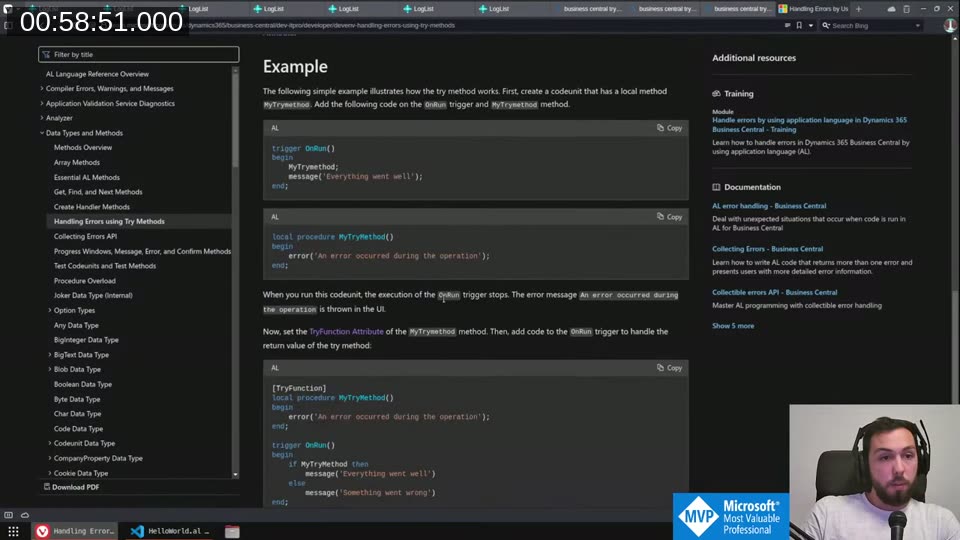
In a sandbox environment (BC online): no such restriction. Writes inside a [TryFunction] work fine. This is the dangerous part — you can develop against a sandbox, your code works, and then the moment you run it against a Docker container in a pipeline it blows up.
The documentation states that changes made inside a try method are not rolled back — but in practice, when I tested on sandbox, an error inside the try function did roll back the insert. The docs say this behavior may change in an upcoming release, which doesn’t inspire confidence in relying on either behavior.
The practical conclusion: don’t do database writes inside [TryFunction]. The behavior is inconsistent between environments and the docs explicitly say you shouldn’t.
CurrentTransactionType — transaction isolation levels in AL
Near the end of the stream I started poking at CurrentTransactionType and Database.IsInWriteTransaction(), which I’d never actually used.
The available transaction types are:
| Type | Behavior |
|---|---|
Browse | Read-only, reads uncommitted data (no locks) |
Snapshot | Read-only, repeatable read (shared locks until end of transaction) |
UpdateNoLocks | Read/write, starts with read uncommitted, switches to update locking on first write — this is the default |
Update | Read/write, repeatable read from the start |
Report | Maps to one of the other types depending on server config |
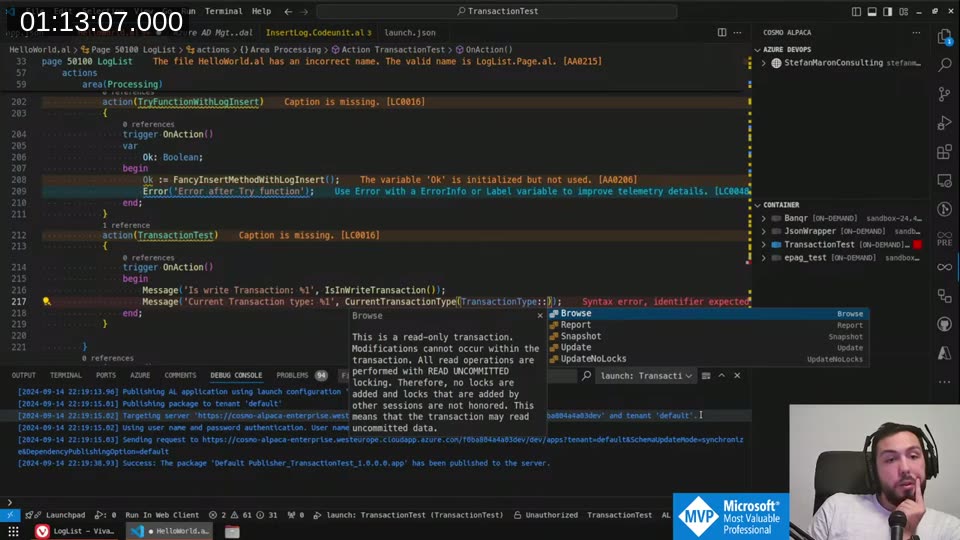
Setting TransactionType::Browse explicitly prevents any database write in that transaction — useful if you want to guarantee a function is read-only. Setting it to Snapshot gives you repeatable read, which prevents dirty reads at the cost of shared locks.
The important constraint: you must set the transaction type before the transaction starts (before the first database call). Setting it mid-transaction is ignored if you try to go to a less-isolated type, and throws an error if you try to go to a more-isolated type. After a Commit() you can reset it.
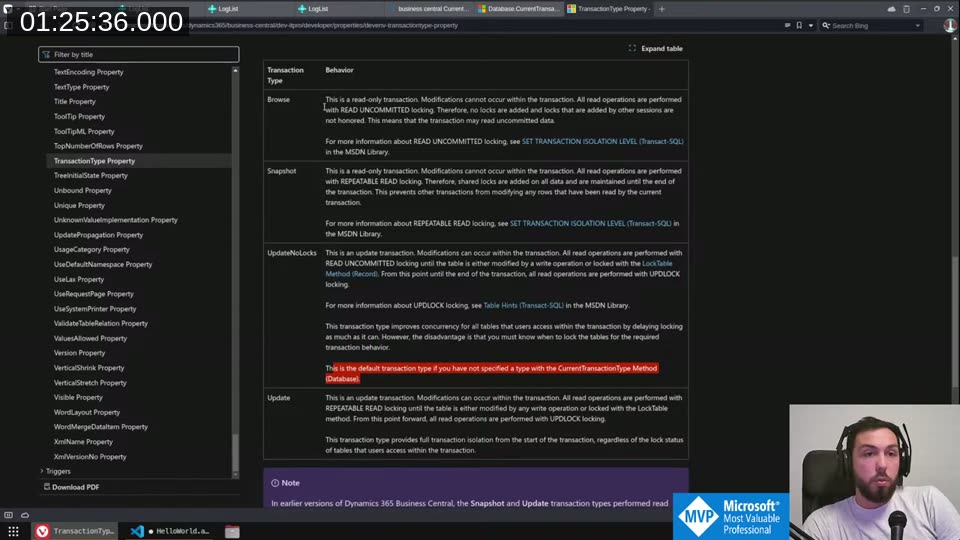
📖 Docs: Database.CurrentTransactionType method — learn.microsoft.com
What I took away from all of this
Codeunit.Run/if Codeunit.Runcommits independently of the calling transaction. This is by design, but it’s a foot-gun if you don’t know it.- This is actually useful for logging — delegate the insert to a separate
Codeunit.Runand it will persist even if the outer transaction rolls back. [CommitBehavior]is a valuable defensive tool, but it only covers explicit commits. Don’t assume it protects you fromCodeunit.Run.- Never do database writes in
[TryFunction]. The sandbox/on-premise behavior difference will catch you in CI. Database.IsInWriteTransaction()can be used to defensively check before callingCodeunit.Run, so you can commit first if needed.
This post was drafted by Claude Code from the stream transcript and video frames. The full stream is on YouTube if you want the unfiltered version. (I did read and check the output before posting, obviously 😄)