Is Linux ready for BC Development?
Three years ago I installed Linux on a second partition, thinking I’d boot back into Windows within a week. I never did. In this episode of the BC Coding Stream I invited fellow MVP Tine Starič to go through all the questions a BC developer would actually ask before making that switch.
You can watch the full stream on YouTube if you want to follow along.
The short answer: yes, Linux works for BC development. But there are two areas where you still need a Windows fallback, and it’s worth knowing about them before you commit.
VS Code and AL Extensions
The core concern everyone has is whether the AL tooling actually runs on Linux. The answer is yes — everything in the AL ecosystem works.
The AL language extension from Microsoft, AL CodeActions from David Feldhoff, AZ AL Dev Tools, LinterCop — all of these work without any issues today. There was a period early on where some extensions had Linux-specific bugs, but those have been fixed. In my daily use I don’t notice any difference compared to Windows.
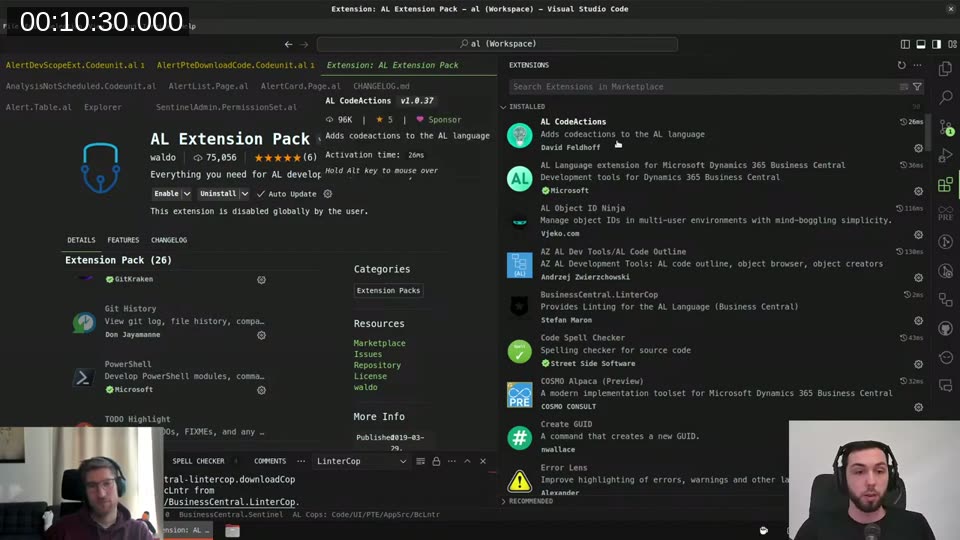
📖 Docs: Microsoft officially released AL Language extension support for Linux as part of the 2023 wave 2 release plan. The extension installs directly from the VS Code Marketplace — no special setup needed.
The Path Problem
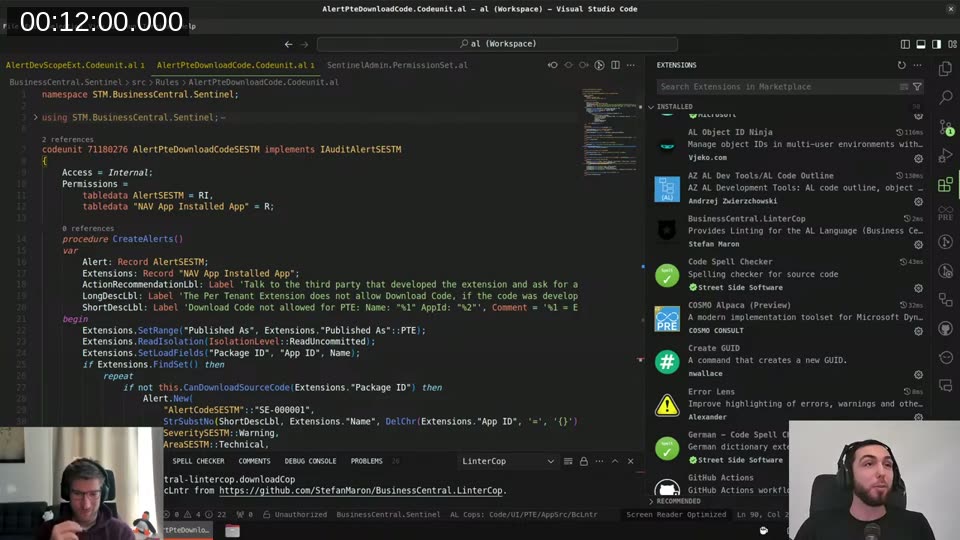
This one catches people out. When you clone AL repositories from Microsoft — BCApps, for example — you’ll often find backslashes in file paths inside the AL source:
Scripts = 'Resources\BusinessChart\js\BusinessChartAddIn.js',
          'https://...';
Linux uses forward slashes, so those paths break at compile time. The good news: forward slashes work on Windows too. If you switch all your AL projects to forward slashes you get cross-platform compatibility for free. I spent a regex session replacing them across my first repository and haven’t thought about it since.
Office 365 Without Desktop Apps
There’s no native Microsoft Office on Linux. I run everything through the web versions — Outlook, Teams, Word, Excel, PowerPoint. For day-to-day work this is fine. The one limitation I’ve hit in the web version of PowerPoint is the presenter mode, and Word’s advanced layout features aren’t fully there.
What I actually gained from this: browser profiles. As a freelancer with multiple customer Microsoft accounts, I have one profile per customer. Switching between them is instant and everything — cookies, saved logins, session tokens — stays completely separate. I’d keep doing this even if I went back to Windows.
Updates Without Fear
System updates on Linux feel nothing like Windows updates. I use Nala
instead of apt directly — it shows you exactly what’s changing, old version, new version, download size, before you confirm anything.
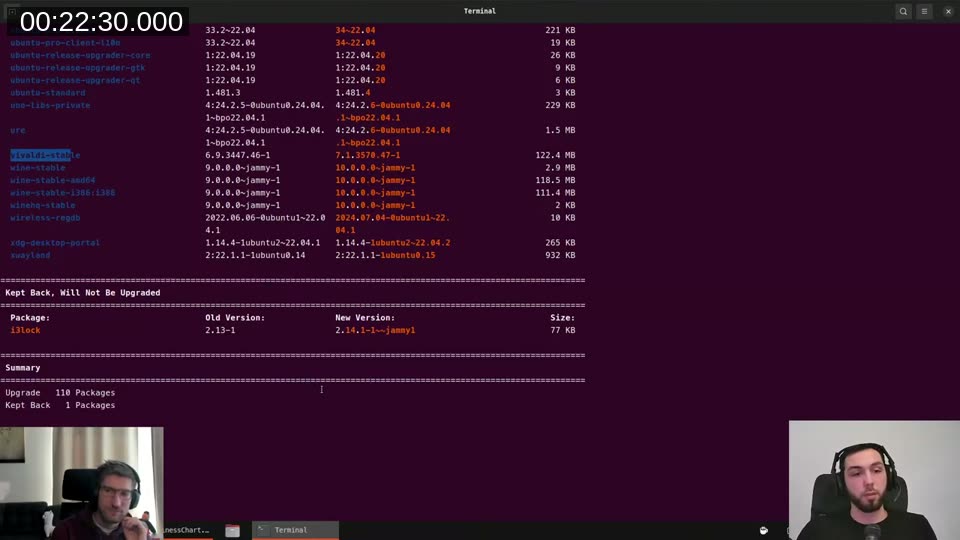
In three years I’ve had one thing break after an update — Discord’s audio stopped working for a day, then an update fixed it. No reboot required for most updates. When I do restart, my Ubuntu VM comes back up in about 15 seconds.
Reports: The One Real Blocker
This is the most honest answer I can give: report development is not possible directly on Linux. I’ve tried running the RDLC report designer via Wine multiple times. There’s one specific component in the Win32 layer that isn’t implemented and it just refuses to start. Word layouts require a desktop Word app, and the web version of Word doesn’t support that either.
My workaround: a stripped-down Windows 10 VM. I reduced it from ~150 background processes to around 50 by removing everything I don’t need. It starts fast enough that it’s not really inconvenient. I transfer report layouts in and out via an SMB client from the terminal.
If you’re doing a lot of report work, this is the one friction point you’ll regularly feel. If you mostly write AL code and deal with reports occasionally, a slim VM is manageable.
💡 Added context: Word layouts in Business Central use
.docxfiles edited in Word. These require the full desktop Word application — the web version of Word doesn’t support the content controls that BC uses for field mapping. This applies on any non-Windows OS.
Docker and BC Containers
Windows containers cannot run on Linux. That’s not a Linux limitation specifically — it’s how Docker works. A container shares the kernel with the host, so Windows containers require a Windows host. When you run Linux containers on Windows, Docker actually runs them inside a lightweight Linux VM.
I run my BC Docker containers inside the same Windows VM I use for reports. I then use SSH port forwarding to tunnel the BC ports to localhost on my Linux machine — something like:
ssh -L 8080:localhost:8080 -L 7049:localhost:7049 -N user@windows-vm
After that, VS Code and the AL debugger just see localhost and have no idea there’s an SSH tunnel in the middle. The -N flag keeps the tunnel open without launching a shell. I just do localhost:8080 and everything works.
BC Natively on Linux: The Experiment
During the stream I mentioned that Torben Leth had done a “see if I could” project to run the BC service tier natively on Linux using Wine. He forked Wine and patched it to fill in the missing Windows API pieces that BC depends on. At the time I couldn’t say much more than “proof of concept, not daily-driver usable.”
Since then, Torben published the full details. He got compilation, app publishing, and test runs working. The web client was still broken when he wrote it up, but the numbers he measured on GitHub Actions runners are striking:
| Linux | Windows | |
|---|---|---|
| First working build | 13.4 min | 18.4 min |
| Optimized build | 6.3 min | 18 min |
| Container startup | ~5 min | ~16 min |
The implementation required patching Wine’s HTTP.sys layer (missing connection lifecycle functions), adding Kerberos key derivation support to Wine’s bcrypt, and bypassing PowerShell for database setup entirely. It’s not simple, but it’s real.
📖 Read more: Torben’s write-up Business Central on Linux? Here, hold my beer! has the full implementation notes and links to the Docker images, including a
BCOnLinuxBaseimage I put together once the approach was proven.
GitHub Codespaces for AL Development
This one people often overlook: GitHub Codespaces runs on Linux. Since AL development works on Linux, it also works in a Codespace. You get a full VS Code environment in the browser, or you can attach your local VS Code to it.
The setup is a .devcontainer/devcontainer.json that specifies which image to use and which extensions to install. Once that file is in the repo, anyone can spin up a ready-to-go AL environment with one click.
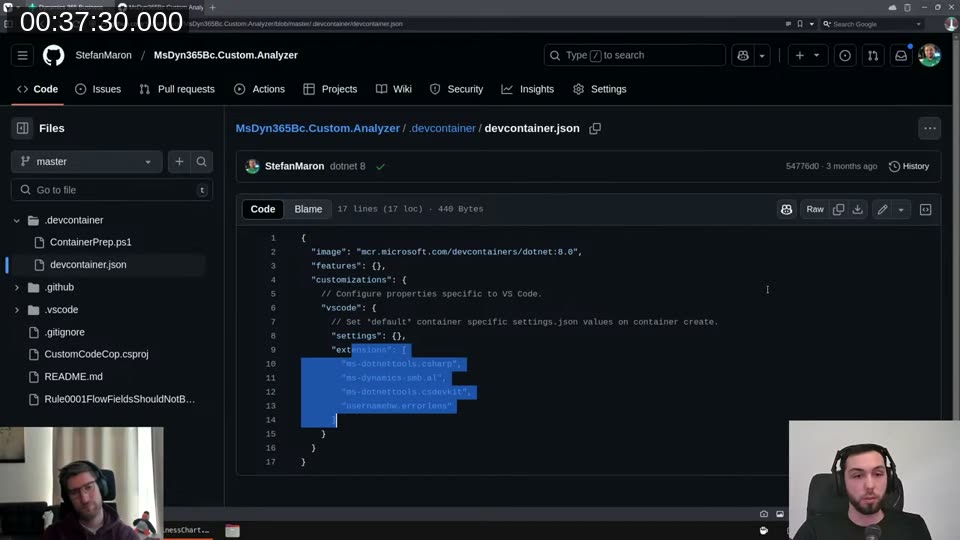
Free tier is something like 120 hours per month. Enough for occasional work. You can also run the same .devcontainer configuration locally using the Dev Containers extension
— same container, no cloud required.
📖 Docs: GitHub has a good overview of Codespaces for development and the devcontainer specification covers the full configuration format.
Process Monitoring
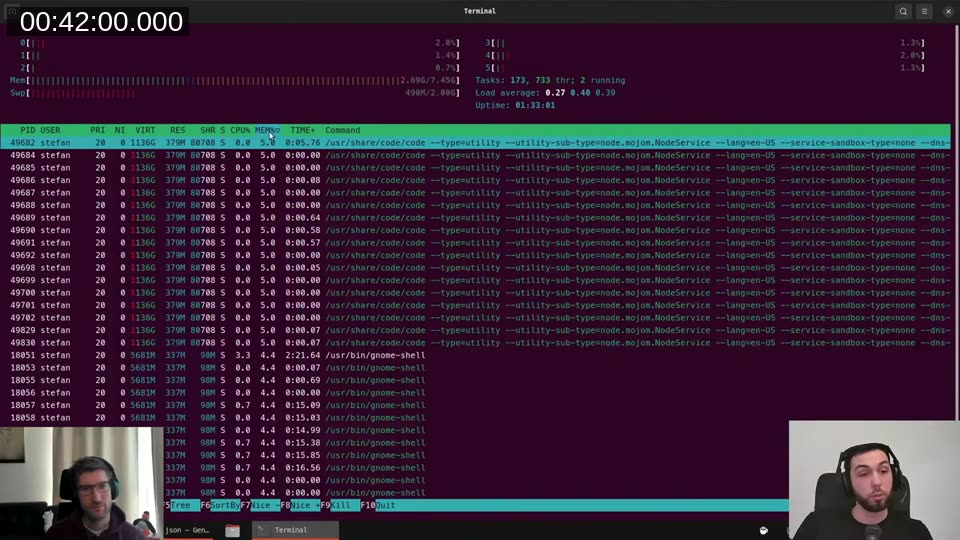
Windows Task Manager has two good equivalents on Linux. The first one everyone finds is htop — a terminal-based process viewer with CPU and memory bars at the top and a sortable process list below.
The better-looking one is btop, which a chat viewer suggested during the stream. I installed it live — one command, confirm, done.
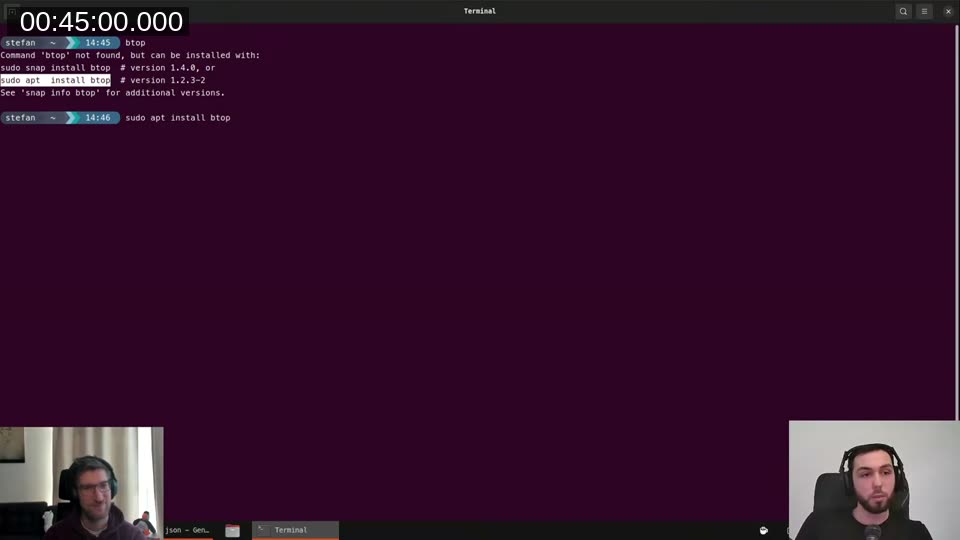
That’s the general experience for installing any tool on Linux. You don’t download an .exe from a website. You run sudo apt install <name>, confirm the disk usage, done. The packages come from signed repositories so the security risk is much lower than the Windows habit of downloading executables.
In three years on Linux I think I’ve killed a process twice. Compare that to Task Manager visits on Windows.
Getting Started: The Safe Way
If you want to try Linux without destroying your Windows installation, do what I did: create a new partition (or get a second drive), install Linux side by side. On boot you’ll get a menu to choose which OS to start. You can navigate to your Windows drive from within Linux to copy over files.
For distribution, start with Ubuntu. It has the best hardware support, the largest community, and the most beginner-friendly tooling. Once you’re comfortable, you can explore Debian (what Ubuntu is built on, more minimal), and eventually Arch if you want full control over everything — though Arch is not a good starting point.
I’ve gone Ubuntu → Debian → Arch over three years. On my current Arch setup I’m also running i3, a tiling window manager. I showed this briefly during the stream: I logged out of GNOME, selected i3 at the login screen (it coexists with GNOME — you can switch on every login), and opened a few terminals. They tiled side by side automatically. Opening VS Code put it on a third workspace; I switched between them with a keyboard shortcut. No mouse, no overlapping windows, no taskbar.
If you’re used to Alt+Tab, this sounds weird. After a while it makes the workflow feel faster because nothing is ever hidden behind something else. Way less overhead than GNOME, and nothing you need to configure to work with BC development. But it’s firmly in the “once you’re comfortable” category — start with GNOME.
Performance
Tine ran through a quick comparison: his Windows machine with several VS Code instances and BCApps loaded was using 37.5 GB of RAM. My Linux machine with the full streaming setup, OBS, browser profiles, and a VM was using 14 GB. That’s not a fair comparison since the setups aren’t identical, but the direction is clear. Windows carries a lot of overhead at idle that Linux doesn’t.
For AL compilation specifically I don’t have hard numbers, but AL-Go pipelines run noticeably faster on Linux GitHub Actions runners than on Windows runners. That’s the same runtime, just without the Windows overhead. It’s a data point.
📖 Docs: AL-Go has a
runs-onsetting that controls which runner handles non-build jobs, and you can point it atubuntu-latest. Build jobs still require Windows (BC compiles against Windows DLLs), but everything else — validation, checks, publishing — runs on Linux and is noticeably faster. See the AL-Go settings reference for the full list of runner options.
Should You Switch?
If you’re a BC developer who does a lot of report design, Linux will add friction. You’ll need a VM and a workflow around it. Whether that’s acceptable depends on how much of your work involves reports.
If you mostly write AL code, run CI pipelines, and deal with reports occasionally — Linux works well. The VS Code experience is identical, GitHub Actions are faster on Linux runners, and the day-to-day is genuinely less annoying than Windows updates.
My recommendation: don’t start on a corporate machine. Set it up on a personal machine first, keep Windows on a second partition for the first few months, and see how the friction actually feels in practice.
This post was drafted by Claude Code from the stream transcript and video frames. The full stream is on YouTube if you want the unfiltered version. (I did read and check the output before posting, obviously 😄)