Build a better way to catch errors 2 – without the test framework
In the first stream on this topic I built a way to reliably catch and log errors during Business Central imports using the test framework — running code inside a test codeunit so that any database changes roll back automatically when an error is thrown. The idea worked. But then I tried to run it in production Online, and it blew up immediately: the test framework is not available in production SaaS tenants.
So I had to rethink it. This stream is the second attempt: same goal, no test framework. The full stream is on YouTube if you want to see it unfold live.
The code is on GitHub: StefanMaron/AnalayseTransactions (yes, the typo in the repo name is mine).
The problem, again
The core challenge with error logging in imports is a write-transaction trap. If you call Validate on a field, and that field trigger modifies the database (locks a table, runs a Modify), you’re now inside a write transaction. Any subsequent Codeunit.Run call will fail with a runtime error because you can’t start a sub-transaction inside a write transaction. This means you can’t safely check multiple fields in sequence using the standard “try, catch, continue” pattern.
TryFunctions hit the same wall — they disallow database write access inside them, which is fine for pure validation, but anything calling code you don’t control might someday add a Modify and silently break your error handling at runtime.
The test runner worked around this by always rolling back. The challenge now is replicating that rollback guarantee with plain codeunits.
The plan: inner + outer codeunit
The sketch I drew before starting to code:
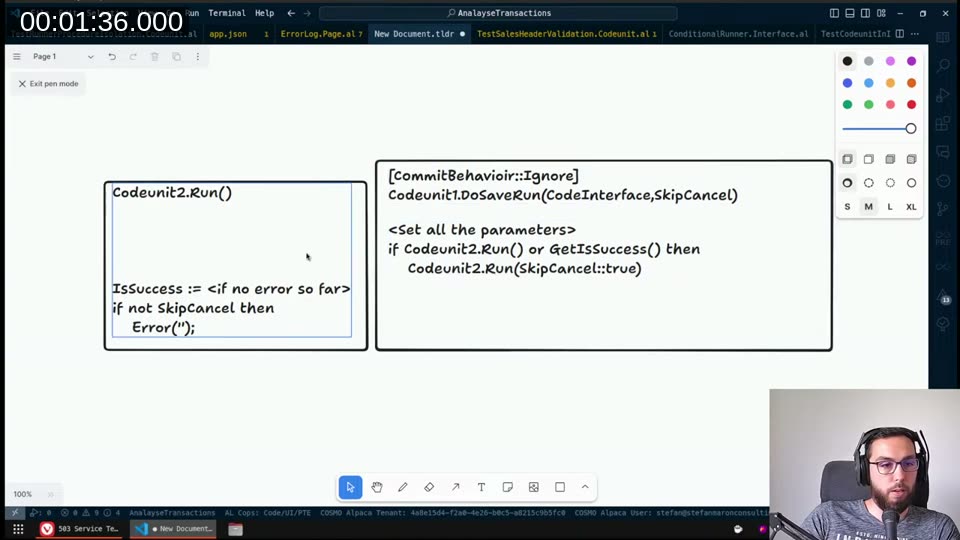
The idea is two codeunits:
- InnerCodeunit runs the actual code inside its own transaction, with
CommitBehavior::Ignoreset on the method so any commits the called code attempts are silently swallowed. At the end ofOnRun, it always throwsError('')— an empty error — which rolls back the transaction. Before throwing, it records whether the code reached completion without an error. - OuterCodeunit calls the inner one, reads the success flag, and if it was successful it calls the same code again — this time without the rollback — so the changes actually persist.
📖 Docs:
CommitBehavioroptions —Ignoresilently swallows anyCommit()calls inside the method scope.Errorthrows instead. We useIgnorebecause the code under test may callCommitand we don’t want a runtime error, we just want it to have no effect.
Building the inner codeunit
The InnerCodeunit takes a ConditionalRunner interface — that’s the pluggable code we want to check. It has two variables: ConditionalRunner (the interface) and SkipRollback/ConditionalCodeWasSuccessful (Booleans).
OnRun looks like this:
trigger OnRun()
begin
    ConditionalCodeWasSuccessful := false;

    RunCodeWithoutCommits();

    ConditionalCodeWasSuccessful := true;
    if not SkipRollback then
        Error('');
end;

[CommitBehavior(CommitBehavior::Ignore)]
local procedure RunCodeWithoutCommits()
begin
    ConditionalRunner.ConditionalRun();
end;
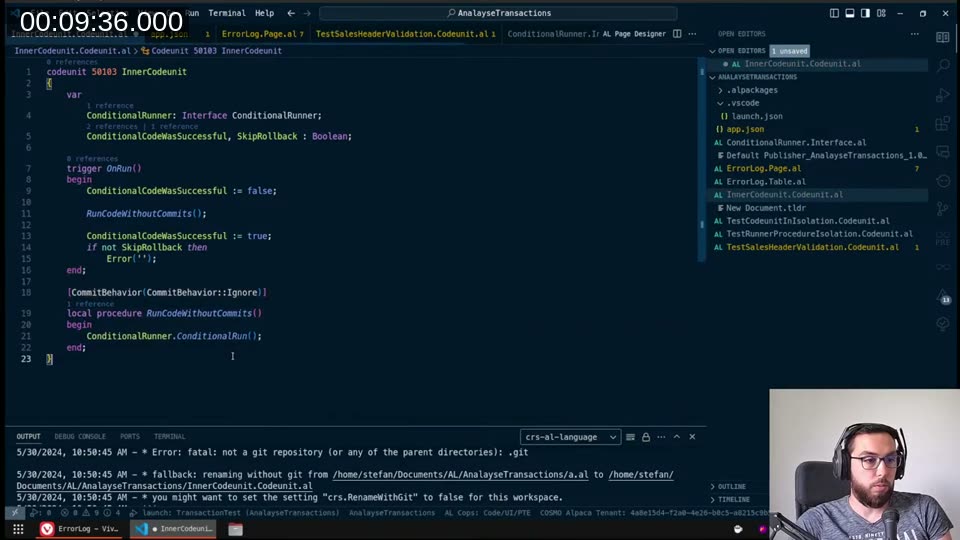
If ConditionalRunner.ConditionalRun() throws, execution never reaches ConditionalCodeWasSuccessful := true, so it stays false. Either way, the empty Error('') at the end rolls back the transaction. The outer codeunit can then call GetWasSuccessful() to find out what happened.
📖 Docs:
Codeunit.Runtransaction semantics — when you useif Codeunit.Run() then, changes are committed on success; if the codeunit errors, they’re rolled back. The key here is we always error at the end, so we always roll back — but we extract the success flag before the rollback fires.
Building the outer codeunit
OuterCodeunit.SaveRun takes a List of [Interface ConditionalRunner] and an ErrorLogger interface. It loops through all the runners, checks each one for errors, collects them via the logger, and if there were no errors it runs the whole batch again — this time for real — and commits.
procedure SaveRun(ConditionalRunners: List of [Interface ConditionalRunner];
                  ErrorLogger: Interface ErrorLogger)
var
    InnerCodeunit: Codeunit "InnerCodeunit";
    ConditionalRunner: Interface ConditionalRunner;
begin
    foreach ConditionalRunner in ConditionalRunners do begin
        InnerCodeunit.SetInterface(ConditionalRunner);
        if InnerCodeunit.Run() or (not InnerCodeunit.GetWasSuccessful()) then
            ErrorLogger.Append(GetLastErrorText(), GetLastErrorCallStack());
    end;

    if not ErrorLogger.IsEmpty() then begin
        ErrorLogger.SaveToDatabase();
        exit;
    end;

    foreach ConditionalRunner in ConditionalRunners do
        ConditionalRunner.ConditionalRun();

    Commit();
end;
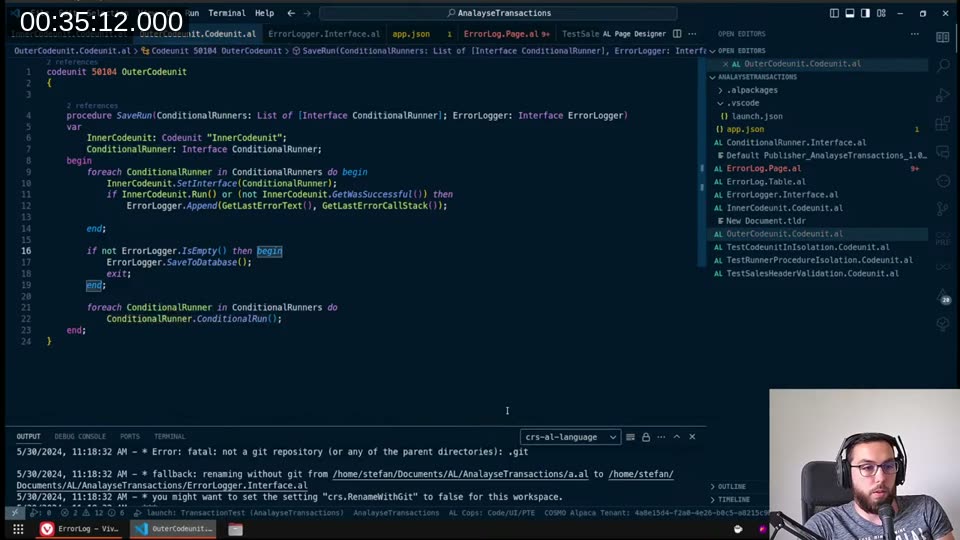
The ErrorLogger is also an interface, so you can plug in whatever error-storing strategy makes sense for your scenario — write to a table, push to telemetry, store in memory only.
The error logger implementation
MyErrorLogger implements ErrorLogger uses a temporary ErrorLog record to accumulate errors in memory (no database writes during the check phase), then flushes them all at once in SaveToDatabase:
codeunit 50105 MyErrorLogger implements ErrorLogger
var
    TempErrorLog: Record ErrorLog temporary;

procedure Append(LastErrorMessage: Text; LastErrorCallStack: Text)
begin
    TempErrorLog.Init();
    TempErrorLog.ErrorText := CopyStr(LastErrorMessage, 1, MaxStrLen(TempErrorLog.ErrorText));
    TempErrorLog."ErrorCallStack" := CopyStr(LastErrorCallStack, 1, MaxStrLen(TempErrorLog."ErrorCallStack"));
    TempErrorLog.Insert();
end;

procedure SaveToDatabase()
var
    ErrorLog: Record ErrorLog;
begin
    if TempErrorLog.FindSet() then
        repeat
            ErrorLog.Init();
            ErrorLog := TempErrorLog;
            ErrorLog.Insert();
        until TempErrorLog.Next() = 0;
end;

procedure IsEmpty(): Boolean
begin
    exit(TempErrorLog.IsEmpty());
end;
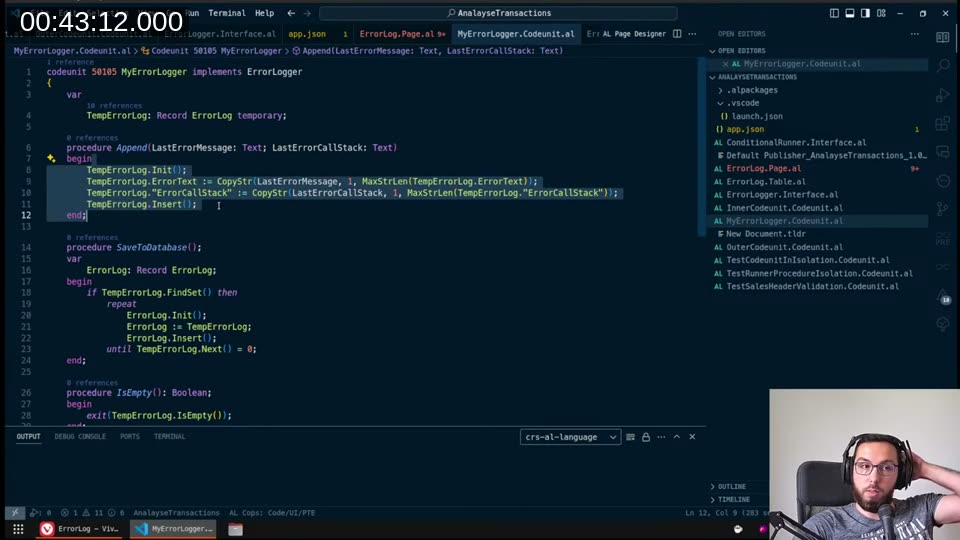
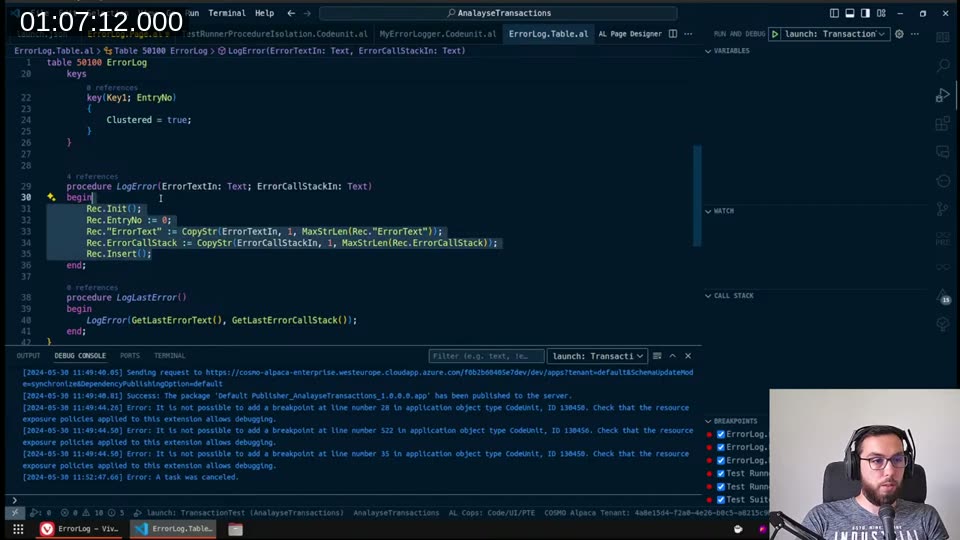
One gotcha I hit: when you copy a record and insert it in a loop, the auto-increment field (EntryNo) doesn’t reset automatically. You need to explicitly set ErrorLog.EntryNo := 0 before each insert so the database can assign a new primary key. With a temporary table there is no database-backed auto-increment at all, so the insert just uses whatever value is in the field — you need TempErrorLog.Init() to reset it before each Insert.
Hitting a BC version wall: List of [Interface ...]
While building the outer codeunit, I tried passing the runners as List of [Interface ConditionalRunner]. The AL compiler in VS Code accepted it. But publishing to a BC 24 container failed with:
error AL0400: The type 'Interface' cannot be used as a type argument in this context.
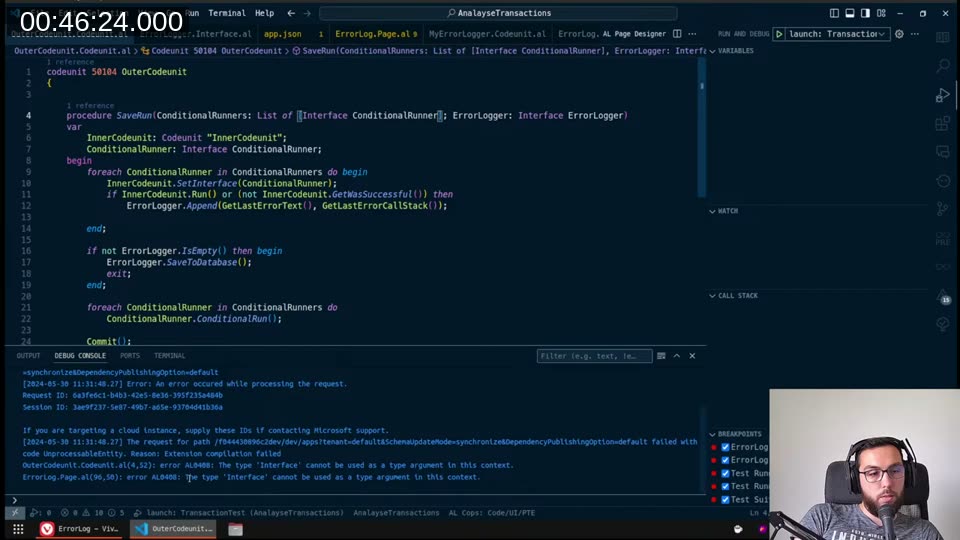
The compiler allows it because I had the pre-release AL extension installed — it targets a newer runtime. But the BC 24 server-side runtime doesn’t support it yet. I spun up a BC 25 container via Cosmo Alpaca to test, and it published and ran cleanly there.
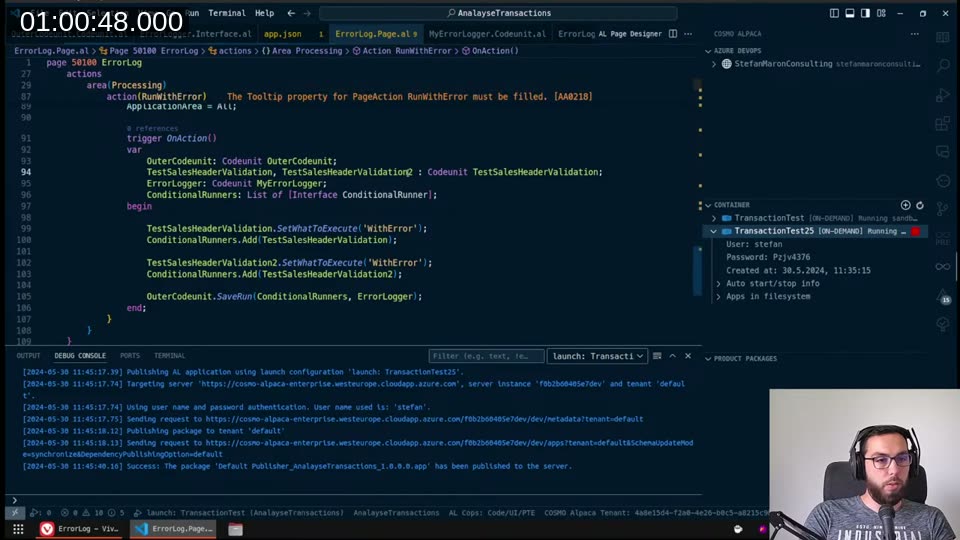
So List of [Interface ...] is a BC 25 feature. If you’re targeting BC 24, you need a workaround — running one conditional runner at a time and calling the outer SaveRun separately for each, or using an enum-based dispatch pattern (which gets messy fast).
Calling it from a page
This is what the calling code looks like in the test page action:
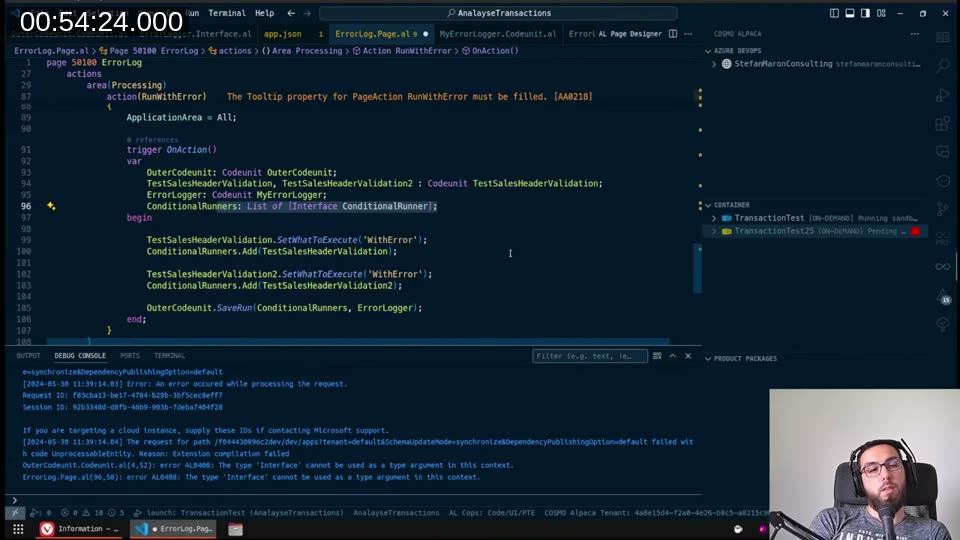
var
    OuterCodeunit: Codeunit OuterCodeunit;
    TestSalesHeaderValidation, TestSalesHeaderValidation2: Codeunit TestSalesHeaderValidation;
    ErrorLogger: Codeunit MyErrorLogger;
    ConditionalRunners: List of [Interface ConditionalRunner];
begin
    TestSalesHeaderValidation.SetWhatToExecute('WithError');
    ConditionalRunners.Add(TestSalesHeaderValidation);

    TestSalesHeaderValidation2.SetWhatToExecute('WithError');
    ConditionalRunners.Add(TestSalesHeaderValidation2);

    OuterCodeunit.SaveRun(ConditionalRunners, ErrorLogger);
end;
Each codeunit in the list implements ConditionalRunner. They get checked in the first pass (with rollback), errors are collected, and if everything is clean they all run again in the second pass (without rollback) followed by a commit.
What this doesn’t solve
The one thing the test framework gave us that this approach can’t replicate: running inside a write transaction. Codeunit.Run can’t be called when you’re already in a write transaction — so you have to call SaveRun before any write transactions have started in your flow. That means structuring your import code as a series of “check batch → commit → check next batch” loops rather than interleaving checks with writes.
It’s also a valid question whether something like this belongs in the System App. I’m thinking about contributing it. If you have an opinion, drop it in the YouTube comments.
This post was drafted by Claude Code from the stream transcript and video frames. The full stream is on YouTube if you want the unfiltered version. (I did read and check the output before posting, obviously 😄)