Documenting BusinessCentral.Sentinel — AI-Generated Docs, Better Alert Descriptions, and Company Deletion Fun
This is episode two of the BusinessCentral.Sentinel coding stream. If you missed the first one, Sentinel is a free AppSource app that runs a set of checks against your Business Central environment and flags potential issues — extensions in DEV scope, missing source code access, evaluation companies in production, that kind of thing.
A lot happened between the two streams. I shipped a release off-stream, fixed a bug where extensions weren’t showing a name in some sandboxes, and got a community pull request. This session was mostly about two things: improving the alert descriptions so they’re actually useful, and setting up AI-generated documentation for the wiki using the Anthropic Claude API.
The full stream is on YouTube if you want to watch the whole thing.
Merging the Community PR
First order of business: there was an open pull request from pri-kise adding JobsSetup to the number series gap checks. The existing rule (SE-000006) was already checking Purchase and Sales setup number series, but Jobs was missing. The PR also added a guard to skip the check when the number series code field is empty — which makes sense, no point warning about a field that isn’t even configured.
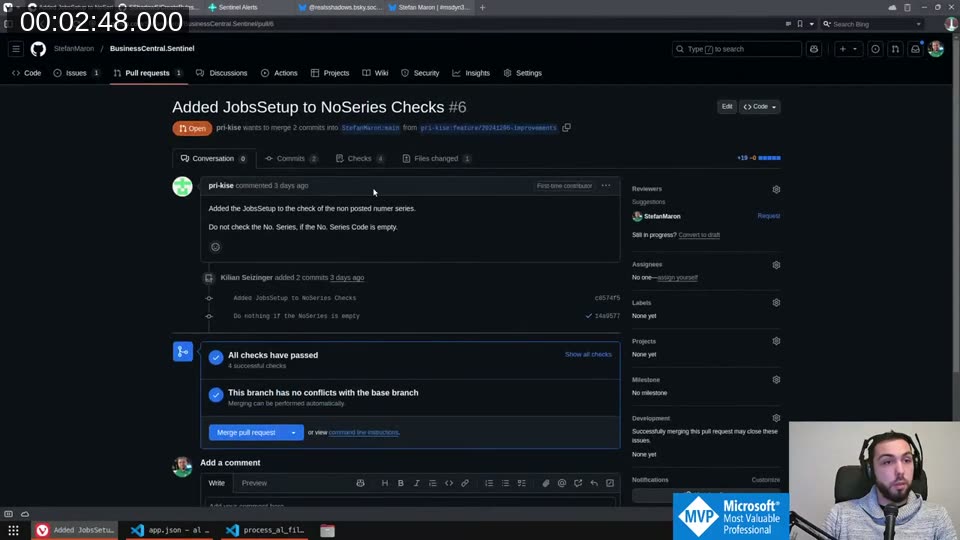
All checks passed, no conflicts, so I merged it directly from VS Code using the GitHub Pull Requests extension. Works great for quick reviews like this.
AI-Generated Rule Documentation
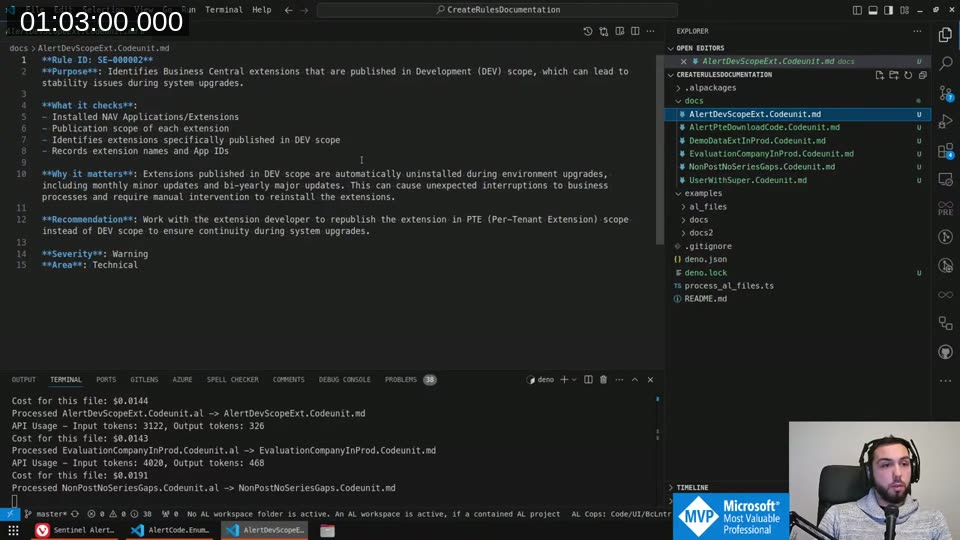
Before I started writing descriptions myself, a community member (SShadow5 on GitHub) had already built a tool called CreateRulesDocumentation that processes the AL source files for each rule and uses the Claude API to generate markdown documentation. I’d already run it locally to see what it produced — and it’s genuinely impressive.
The tool reads each .al file, sends it to Claude with a prompt asking for rule ID, purpose, what it checks, why it matters, and a recommendation. At around 1.5 cents per rule, the total for all rules came in at about 10 cents. Not worth skipping.
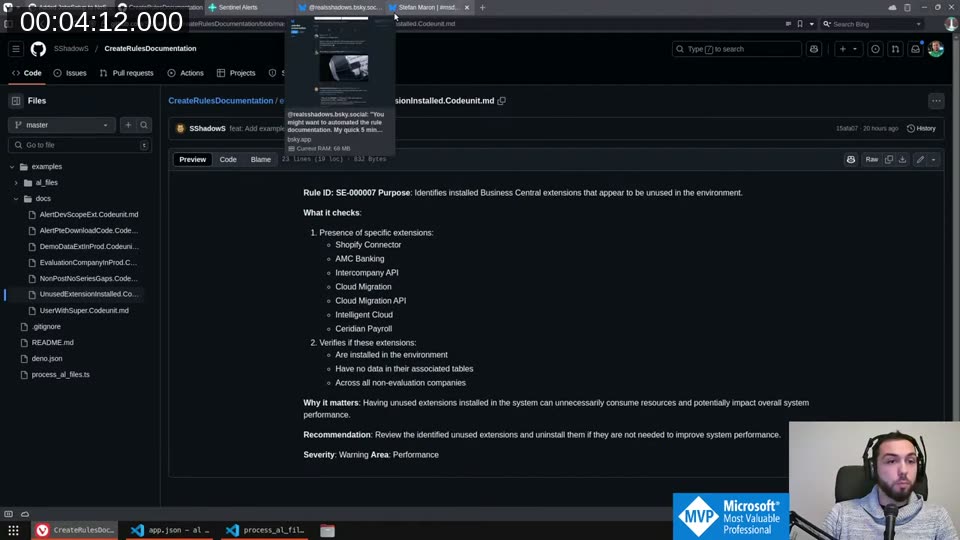
📖 Docs: The CreateRulesDocumentation tool and its README are at github.com/SShadow5/CreateRulesDocumentation . You need a Deno runtime and an Anthropic API key to run it.
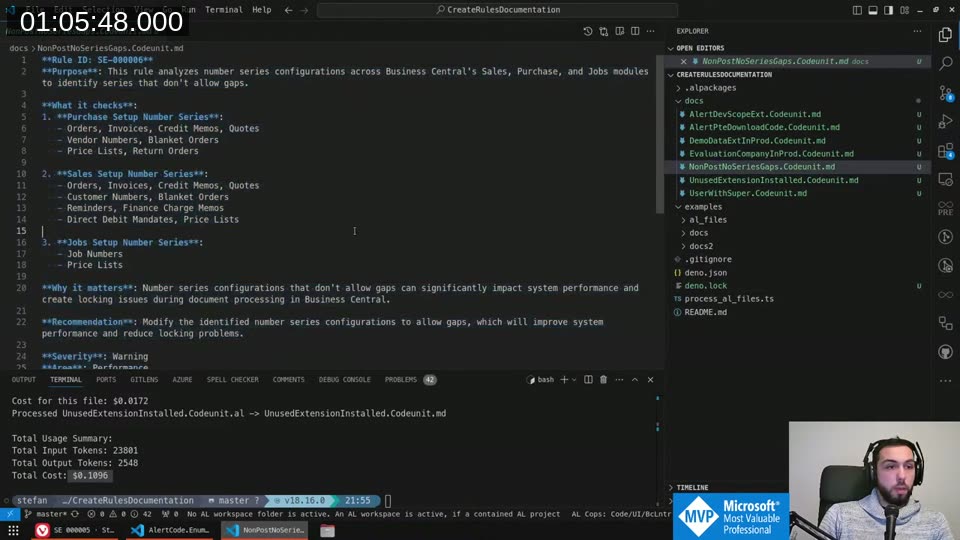
What I liked: it picks up context from the code itself — the hardcoded app IDs, the table filters, the logic — and writes documentation that’s more accurate than what I’d write from memory. The output for SE-000006 (number series gaps) correctly lists all the setup tables and explains why gaps cause locking issues during document posting.
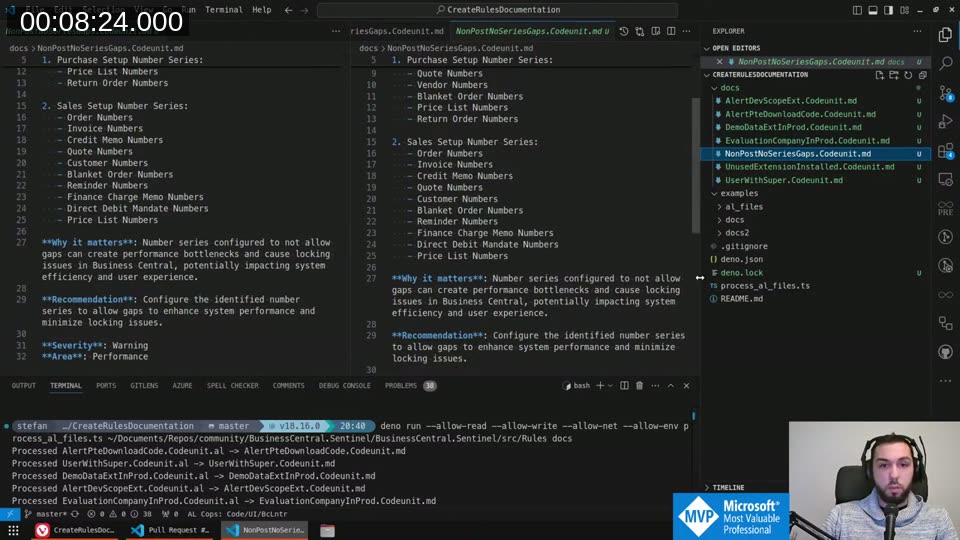
I ran a full regeneration after making changes to rules 1, 2, and 3 on-stream, then pasted the output into the GitHub wiki.
Improving the Alert Descriptions
The in-app alert descriptions were fairly thin before this session. I went through rules SE-000001 through SE-000003 and fleshed them out properly.
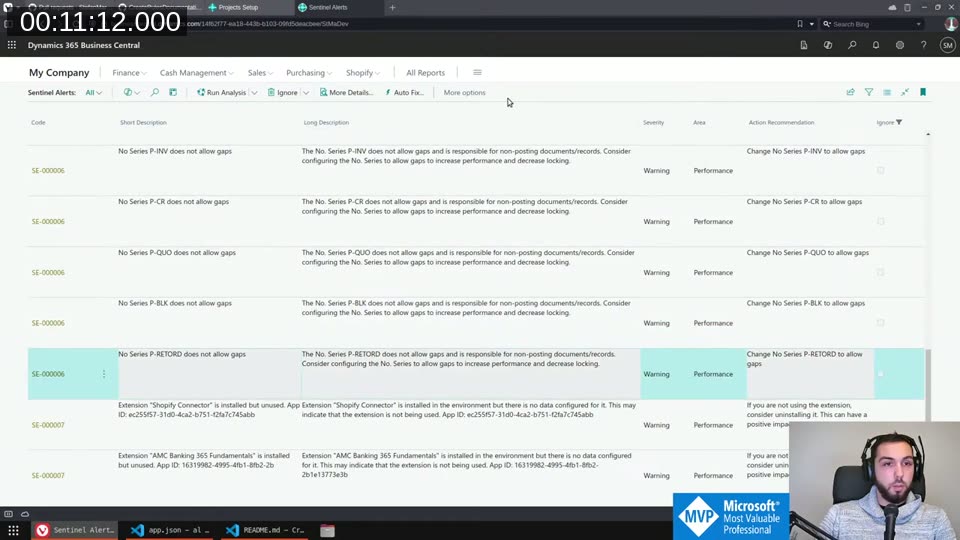
SE-000001 (No download code for PTE): The short description now shows the extension name and App ID. The long description explains that if you don’t have source access and the third-party developer becomes unavailable, you may be stuck — and gives an out: if you do have access through another means like GitHub, you can safely ignore the alert.
SE-000002 (Extension in DEV scope): Added context that both minor (monthly) and major (bi-yearly) BC updates will uninstall DEV-scope extensions. Publishing in PTE scope prevents this and keeps business processes running.
📖 Docs: The official explanation of what happens to DEV extensions during environment upgrades (and why PTEs survive but DEV extensions don’t) is in the Extension types and scope article on Microsoft Learn. The short version: DEV extensions are uninstalled on every sandbox upgrade or relocation. Data is preserved, but you have to republish manually.
SE-000003 (Evaluation company in production): Noted that evaluation companies are copied to sandboxes when you spin one from production, which is an annoyance most people don’t think about. The recommendation is simply to delete it if you don’t need it.
For the App ID display: instead of formatting the GUID with curly braces (which looked messy), I used DelChr with a character list to strip {, =, and } in one call. Shorter and cleaner than Format().
Adding a Usage Instructions Panel
One thing that’s been on my mind: Sentinel isn’t a “fix everything it tells you” tool. Some alerts will be false positives for your environment. I wanted to make that clear somewhere visible.
I added a collapsible group at the top of the Sentinel Alerts page with a Label control that explains this. Getting the text right took a few tries — AL doesn’t support \n in label strings for line breaks, but \\ works as a line separator in a multiline label. The MultiLine property on the field is what actually makes it wrap instead of truncating.
The group defaults to expanded, so first-time users see the disclaimer. It remembers the collapsed state, so if you close it once it stays closed.
📖 Docs: The
MultiLineproperty for AL controls is documented at learn.microsoft.com — MultiLine property . Setting it totrueallows a field to display multiple lines of text. Without it, the label truncates at one line regardless of content length.
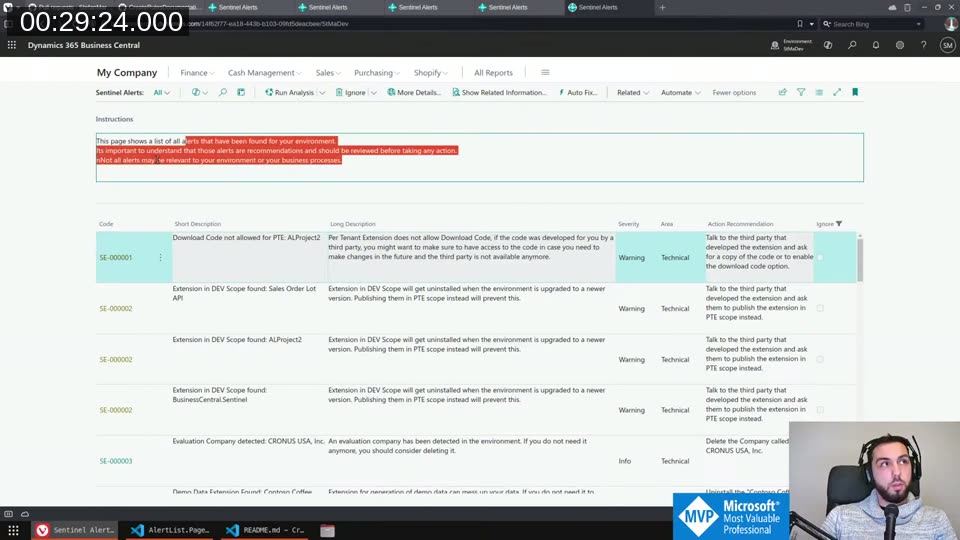
The final text: “This page shows a list of all alerts that have been found for your environment. It’s important to understand that those alerts are recommendations and should be reviewed before taking any action. Not all alerts may be relevant to your environment or your business processes.”
The “Show Related Information” Action
I added a Show Related Information action to the alert action bar. For extension-related rules (SE-000001, SE-000002), it opens the Extension Management page. For SE-000003, it opens the Companies page filtered to the specific company.
This required a confirmation dialog before navigating — clicking a button that immediately sends you somewhere else without warning is bad UX. The Confirm() call handles that.
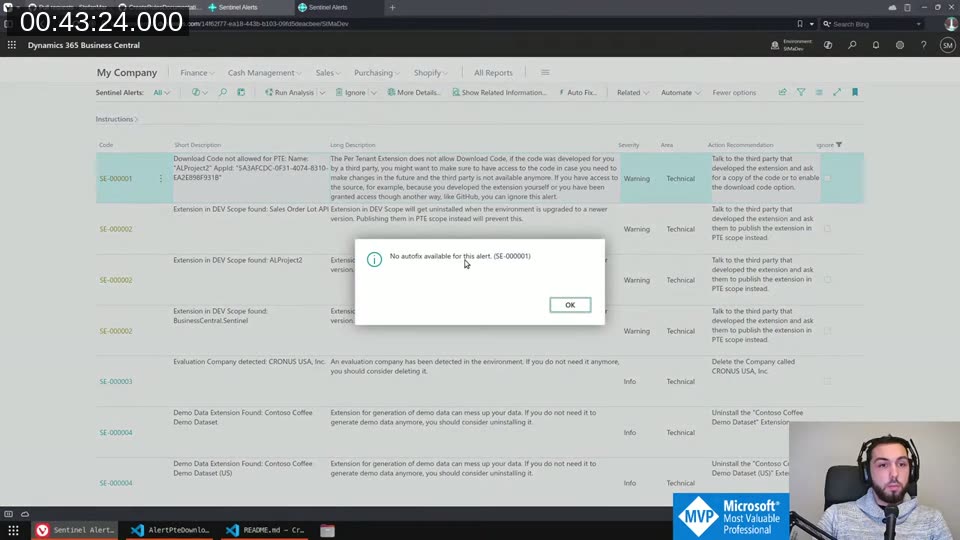
Auto Fix: For rules where there’s nothing we can actually do programmatically, I added an explicit “No autofix available for this alert. (SE-000001)” message rather than just letting the button do nothing silently. The alert code is included in the message so you know exactly which rule triggered it.
Company Deletion — Why It Can’t Auto-Fix
For SE-000003 (evaluation company detected), I tried to implement a real auto-fix that deletes the company directly from code. I found the Company.Delete(true) call, which works — but there’s a catch.
The standard Business Central Companies.dal page has its own delete logic with multiple confirmation dialogs, audit logging, and safety checks baked into OnDeleteRecord. That logic isn’t exposed to extensions — it lives on the page, not in a codeunit you can call. So if I implement my own delete, I bypass all of that.
I decided the right answer is: no auto-fix. The Show Related Information action opens the Companies page filtered to the specific company. One extra click is worth the safety. I left a comment in the code explaining exactly why:
// The base BC logic that happens on delete company is on the page
// and cannot be reused.
// Therefore the user has to use the Show Related Information action
// to open the page and delete from there.
💡 Added context: The company deletion flow in BC involves scheduler cleanup, audit entries, and a “you’re about to permanently delete” confirmation. All of that lives in
Companies.dal. Extensions can’t hook into it directly — this is a known limitation for extension developers building anything that touches company management.
Generating and Publishing the Wiki Docs
After the on-stream coding was done, I ran the CreateRulesDocumentation tool over all the changed rule files and used the output to update the GitHub wiki.
Total cost for the full run: $0.1096. That covers all seven rules, complete with purpose, what it checks, why it matters, and recommendation. The generated markdown is genuinely better than what I’d write in a hurry — particularly for the more complex rules like SE-000007 (unused extensions), where the AI picks up the hardcoded app ID list from the source and documents each one.
One limitation I noticed: for SE-000007, the tool doesn’t yet see why certain app IDs are hardcoded — the code has no comments explaining what each one represents. Adding brief comments above each entry would let the AI produce much richer output. That’s on the list for next time.
The Final State
By the end of the stream, the Sentinel Alerts page had the instructions panel, enriched long descriptions with App IDs, the Show Related Information action, and explicit “no autofix” messages for rules that can’t be fixed programmatically.
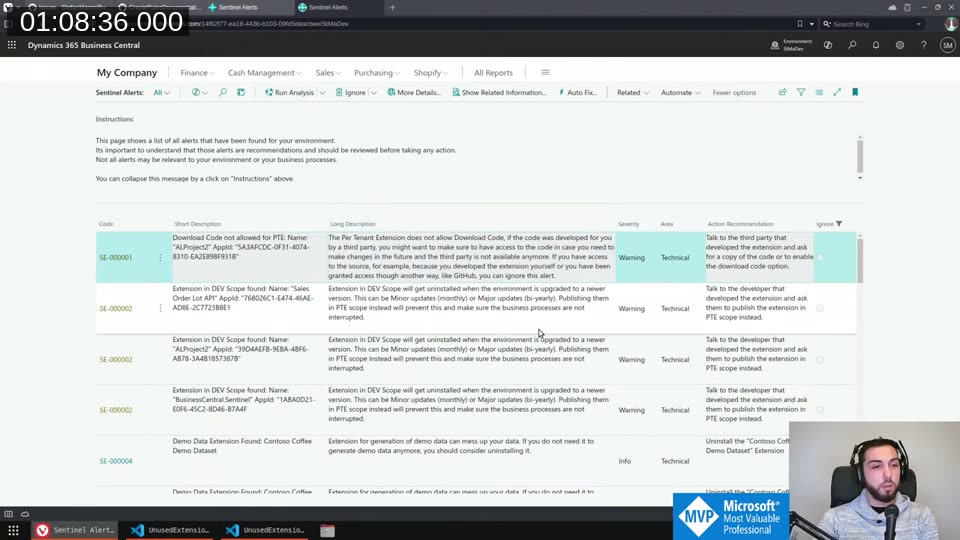
The changes will go to AppSource the following morning. If you’re already using Sentinel, the update will come through automatically.
The app is free on AppSource: BusinessCentral.Sentinel on AppSource
Source is on GitHub: StefanMaron/BusinessCentral.Sentinel
This post was drafted by Claude Code from the stream transcript and video frames. The full stream is on YouTube if you want the unfiltered version. (I did read and check the output before posting, obviously 😄)