Building BusinessCentral.Sentinel from Scratch: The First Six Rules
The idea came to me while driving home from BC Days Poland in Warsaw, listening to Episode 348 of the Dynamics Corner podcast — “Source Code Management and You in Business Central” with Steve Endow as guest. They were talking about customer projects gone wrong — partners going out of business, customers left without access to the source code of their own extensions. I pulled over and texted Steve, then called him once I got home. We needed to talk through the idea.
You can watch the full stream on YouTube if you want to follow along.
The concept: an extension you install in your BC environment that analyzes whatever makes sense to analyze, then shows you a list of warnings, infos, and errors — things that are wrong or could be improved. A static analyzer for your live environment.
The Data Model
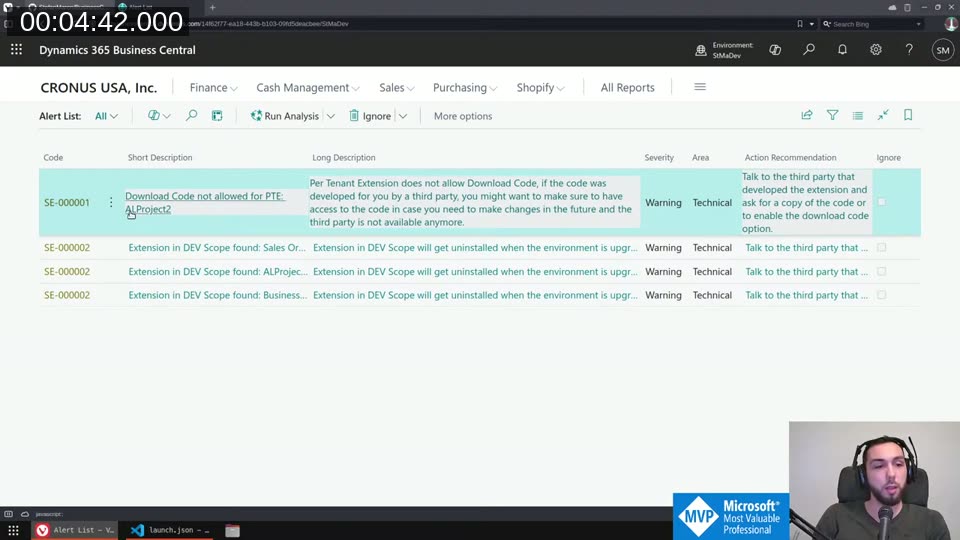
The core is a single table, AlertSESTM. Each row is one alert with a code, short description, long description, severity (Info / Warning / Error / Critical), area, and an action recommendation field. Alerts are generated fresh on each run, but one thing needs to survive reruns: the Ignore state.
The UniqueIdentifier field (Text[100]) solves this. The same alert code can fire multiple times — SE-000002 fires once per DEV scope extension installed. You need a stable, deterministic identifier per instance so “Ignore” persists. For extension rules that’s the App ID. For the evaluation company rule it’s the company’s System ID. The identifier is stored in a separate IgnoredAlerts table and looked up via a FlowField on the main table.
The Rule Interface
Every rule implements IAuditAlertSESTM:
procedure CreateAlerts();
procedure ShowMoreDetails(var Alert: Record AlertSESTM);
procedure RunActionRecommendations(var Alert: Record AlertSESTM);
CreateAlerts does the detection and inserts rows. ShowMoreDetails can open a custom page or show a detailed message. RunActionRecommendations handles the “fix it” action — always behind a confirm dialog so the user knows what will happen before anything changes.
Rules are registered by adding an enum value to AlertCodeSESTM with the Implementation property pointing to the codeunit. This means anyone can extend Sentinel with custom rules by creating a dependency, writing an enum extension, and implementing the interface — without touching the core.
The First Six Rules
SE-000001 — Download Code not allowed for PTE
A Per Tenant Extension with ResourceExposurePolicy set to not allow download is a liability. If the partner disappears you can’t get at the code. The rule loops through installed extensions and calls GetExtensionSource on the Package ID to check. Action recommendation: contact the extension developer to enable the download code option.
SE-000002 — Extension in DEV Scope
DEV scope extensions get uninstalled on every environment upgrade or relocation. The rule filters NAV App Installed App on Published As = Dev and inserts a warning for each match.
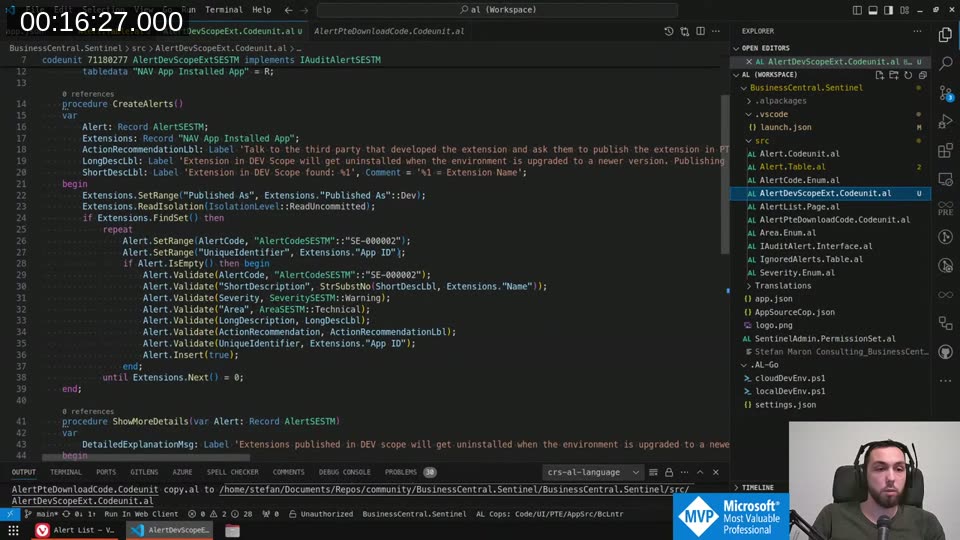
Severity is always Warning — there’s no good reason to have DEV scope extensions hanging around in production or sandbox long-term.
📖 Docs: Extension types and scope on Microsoft Learn explains the difference between DEV, PTE, and AppSource scope and why DEV extensions are removed on sandbox upgrades or relocations.
SE-000003 — Evaluation Company in Production
Filters the Company table for "Evaluation Company" = true. Warning in production, Info in sandbox — you might have a Cronus company around during initial setup, but after go-live there’s no reason to keep it.
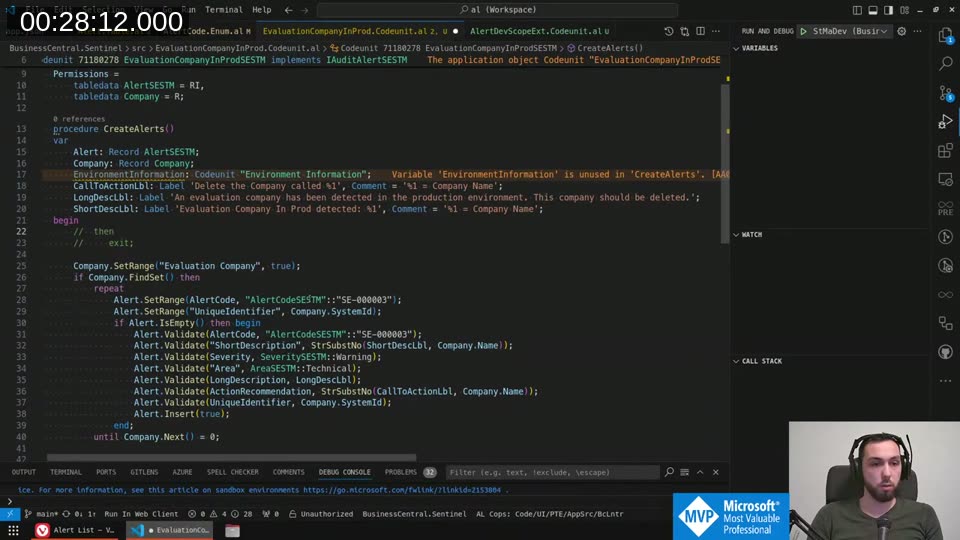
The action recommendation opens the Companies page directly so you can delete the evaluation company without hunting for the right menu.
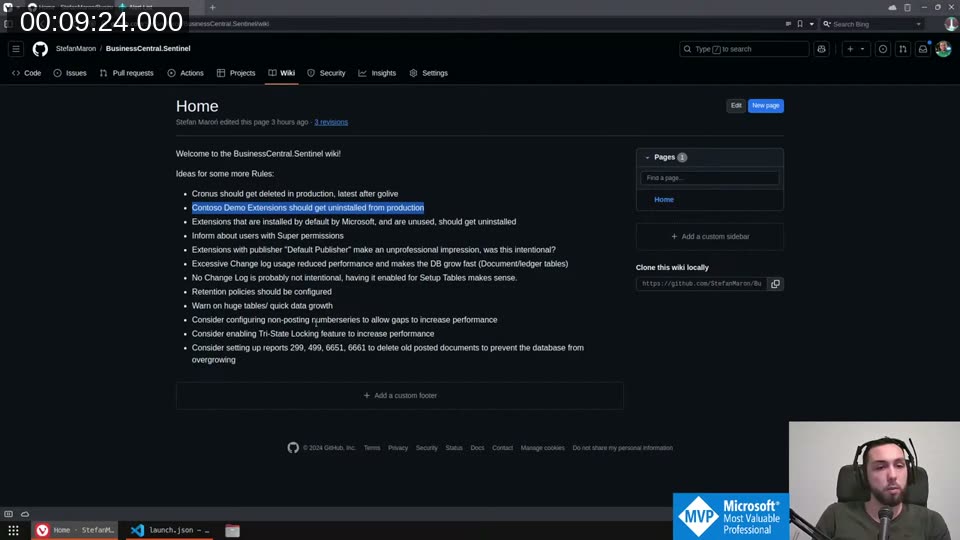
SE-000004 — Contoso Demo Data Extensions
Three hardcoded App IDs: the Contoso Coffee demo dataset, the US variant, and the Sustainability Contoso extension. If they’re installed and you’re past the demo phase, extensions that generate demo data can interfere with real data. Same severity pattern — Warning in production, Info in sandbox.
SE-000005 — Users with SUPER Permissions
Queries the Access Control table filtered to Role ID = 'SUPER'. The rule first filters out external users and AAD group accounts via the User table’s License Type field, so you don’t get flooded with system accounts you can’t do anything about. The Unique Identifier is User Security ID + '/' + Role ID + '/' + Company Name — enough to identify a specific user having SUPER in a specific company.
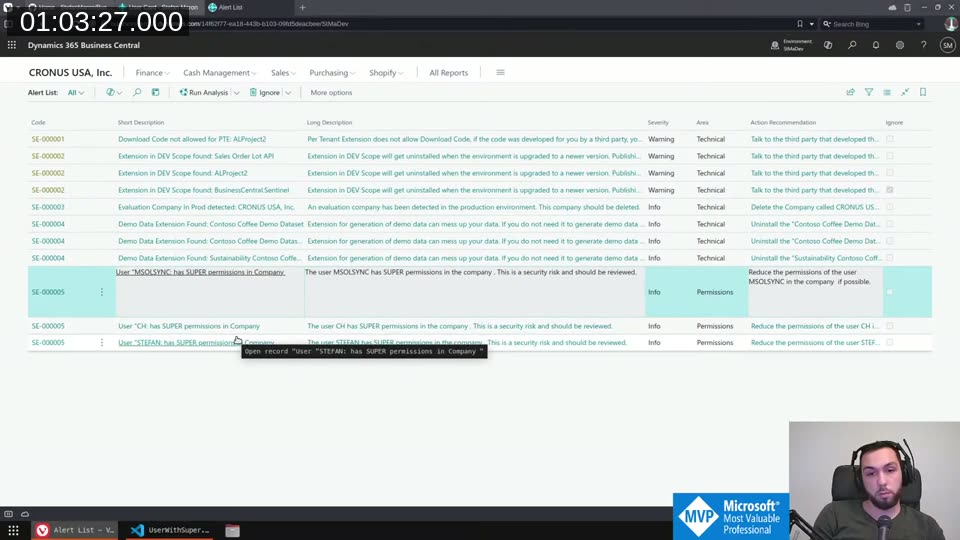
The action recommendation for SE-000005 opens the User Card directly. From there you can review and reduce permissions without leaving the context of the alert.
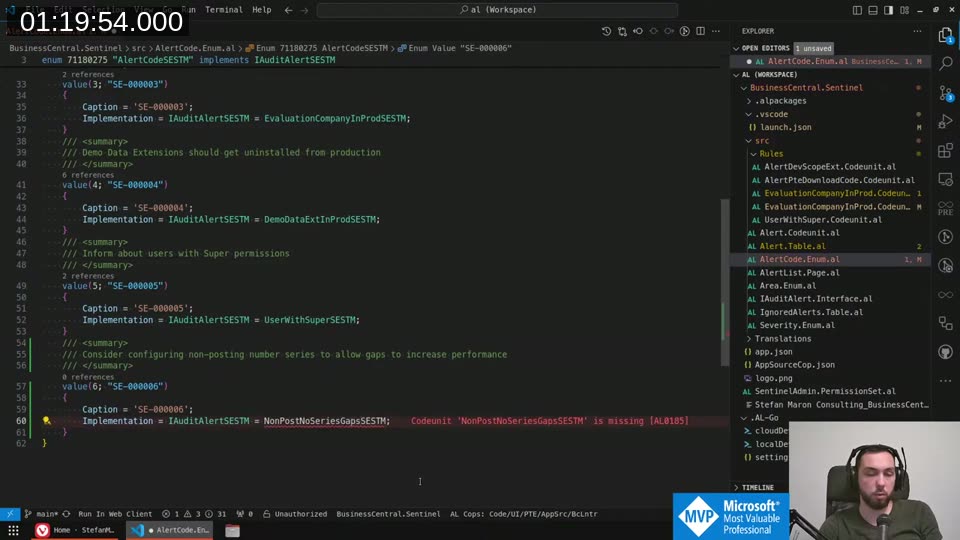
SE-000006 — Non-Posting Number Series Without Allow Gaps
This one required some digging into the number series internals. The No. Series - Single interface exposes a MayProduceGaps() method. The rule iterates through number series referenced in Sales & Receivables Setup and Purchases & Payables Setup (orders, invoices, credit memos, quotes, blanket orders, return orders) and flags any that have Allow Gaps disabled.
For posting documents (posted invoices, posted shipments) gaps would be a legal or audit concern. For non-posting documents — sales orders, quotes — preventing gaps forces BC to use table locking to guarantee sequence, and that’s usually unnecessary overhead.
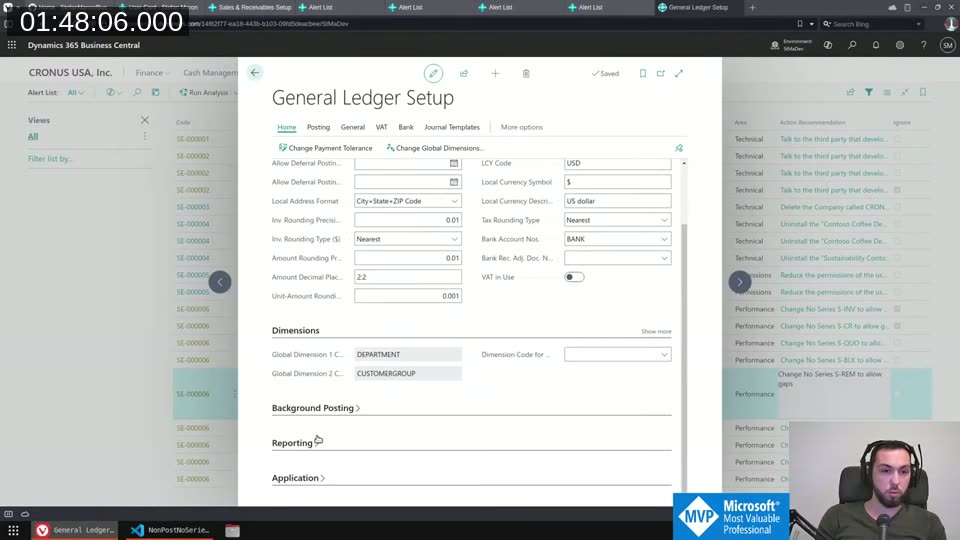
The action recommendation opens the specific number series card. Flip the Allow Gaps toggle, do a full rerun, and the alert clears.
💡 Added context: Preventing gaps forces BC to acquire a table lock on the No. Series Line record for the duration of the transaction. For high-volume non-posting documents this can become a significant source of blocking. The Number Series documentation on Microsoft Learn covers the Allow Gaps setting and when gaps are acceptable — by default gaps are disallowed for audit compliance, but for non-financial records like sales orders and quotes they’re usually fine to enable.
What’s Next
The project is already on AL-Go with CI/CD running. AppSource submission is the target within a few weeks. Before publishing I want to get feedback on the engine design — specifically the interface approach and the unique identifier scheme — to avoid having to obsolete half the codebase after it goes live. If you have rule ideas or want to review the architecture, the repo is at StefanMaron/BusinessCentral.Sentinel .
This post was drafted by Claude Code from the stream transcript and video frames. The full stream is on YouTube if you want the unfiltered version. (I did read and check the output before posting, obviously 😄)