Indirect Permissions in Business Central — What They Are and Why They Matter
Permissions in Business Central are one of those topics that seem simple on the surface until you hit a runtime error that has nothing to do with the permission sets you actually assigned. I ran into exactly that problem — and I decided to stream through it properly, live, including the things I got wrong along the way.
The full stream is on YouTube if you want to see every detour. This post covers the key concepts.
The error that started this
I had a page extension that inserted a Sales Invoice Header record in OnOpenPage. Simple enough. Published it to a sandbox — and it immediately threw a runtime error:
Sorry, the current permissions prevented the action. (TableData 112 Sales Invoice Header Insert: IndirectTableAccess)

The error message just told me the name of my own extension. Not exactly helpful. The user had SUPER — so it wasn’t a missing permission set. What was actually going on?
What indirect permissions are
If you go to Users → Effective Permissions and filter by “Indirect” in the Insert Permission column, you’ll see something like this: tables like Sales Invoice Header, General Ledger Entry, Sales Shipment Header all show Indirect for insert and modify, even when the user has SUPER.
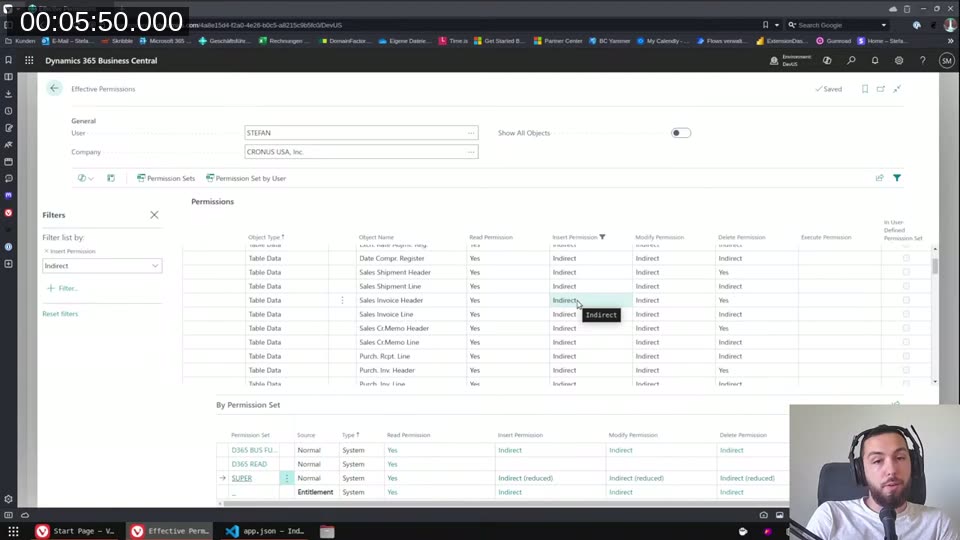
This isn’t about the permission sets you’ve assigned — it’s coming from the license. Microsoft uses the license to enforce that certain tables can only be written to via code, not directly by users. The intent for posted tables like Sales Invoice Header is that users should never be able to just open a page and click “Insert” — all writes have to go through a posting routine.
Direct permission = the user (or code) can do it directly, unconditionally. Indirect permission = the user can only do it when a codeunit (or other object) with explicit permission runs on their behalf.
Permission sets: the admin side
When an admin creates a permission set, they see the same distinction. Choosing Yes for a table data permission means direct access. Choosing Indirect means the user only gets access when the right object runs.
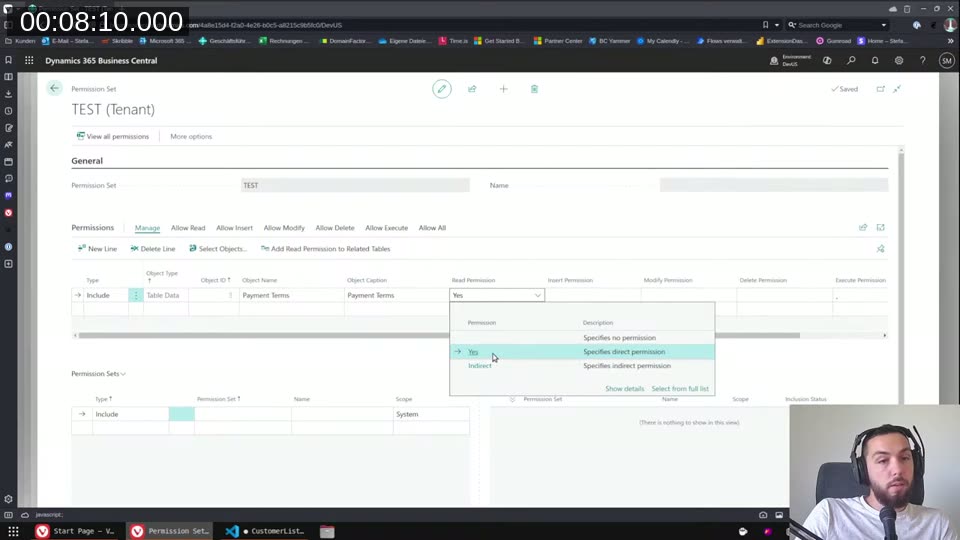
So if you want users to be able to work with data they shouldn’t be able to view directly — like payment terms during a posting run — you give them indirect read on the table, and the codeunit that needs to read it declares that permission explicitly.
Fixing it: the Permissions property on a codeunit
The fix is to move the table access into a codeunit and declare the Permissions property on that codeunit:
codeunit 50100 MyCodunit
{
    Permissions =
        tabledata "Sales Invoice Header" = i;

    procedure InsertSalesInvoiceHeader()
    var
        SalesInvoiceHeader: Record "Sales Invoice Header";
    begin
        SalesInvoiceHeader.Init();
        SalesInvoiceHeader."No." := '10000';
        SalesInvoiceHeader.Insert(true);
    end;
}
The i means indirect insert. Capital I would mean direct — but on license-restricted tables, direct permissions in the Permissions property don’t actually elevate anything. You can’t use this property to give yourself direct access where the license says no. It only works for indirect.
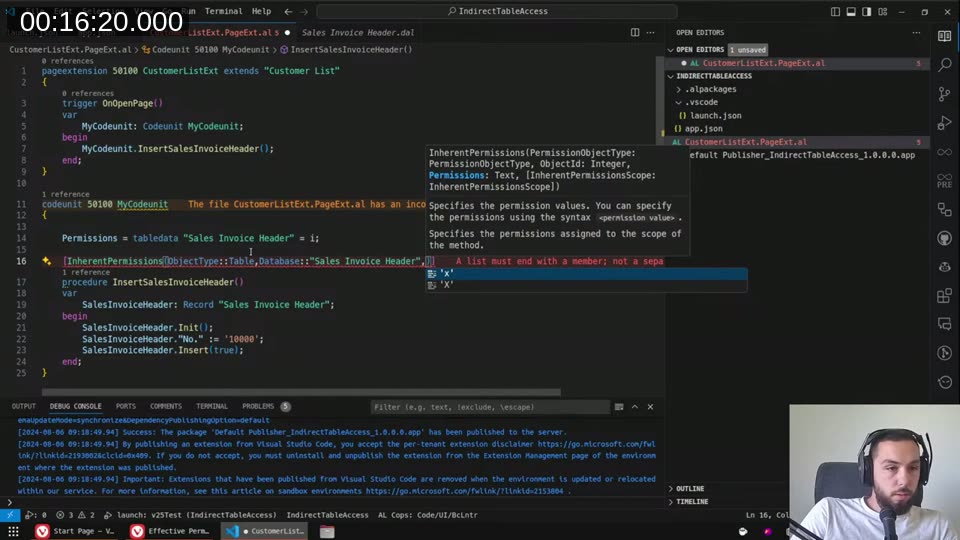
Once the page extension calls the codeunit instead of inserting directly, the runtime error goes away. The user’s indirect insert permission plus the codeunit’s declared indirect permission = the operation is allowed.
📖 Docs: Permissions property — Business Central — syntax and valid values for
R,r,I,i,M,m,D,d(uppercase = direct, lowercase = indirect).
Inherent permissions are different
I also explored InherentPermissions during the stream. That attribute is for a completely different purpose: it lets a method run with elevated permissions regardless of what the calling user has. The platform grants the permission for the duration of the method execution.
The key limitation I hit: InherentPermissions only works for objects within your own extension. You can’t use it to grant indirect access to base app tables like Sales Invoice Header — you’ll get a compile error saying the object isn’t in scope.
📖 Docs: Inherent Permissions — Business Central — covers when to use
InherentPermissionsvsPermissionsproperty.
The Sent Email table — indirect read permissions
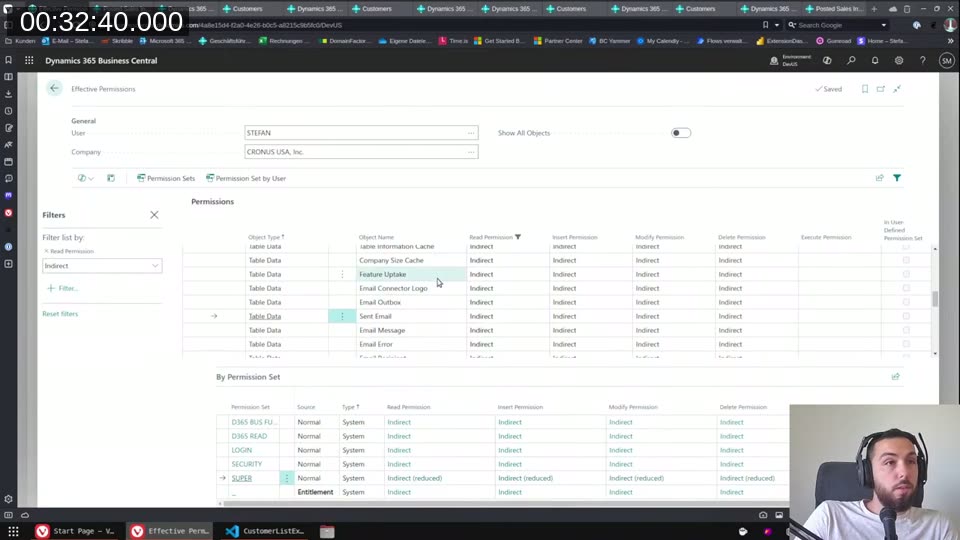
The most interesting discovery in the stream: license restrictions can also apply to read permissions, not just write. The Sent Email table is a real example — Business Central uses “Email View Policies” to control which emails users can see (own emails vs. all emails), and the table itself is locked to indirect read at the license level.
When I tried to read Sent Email directly in a codeunit without declaring the permission, I got a runtime error. Adding tabledata "Sent Email" = ri to the Permissions property fixed it — the r for indirect read plus the i for indirect insert.
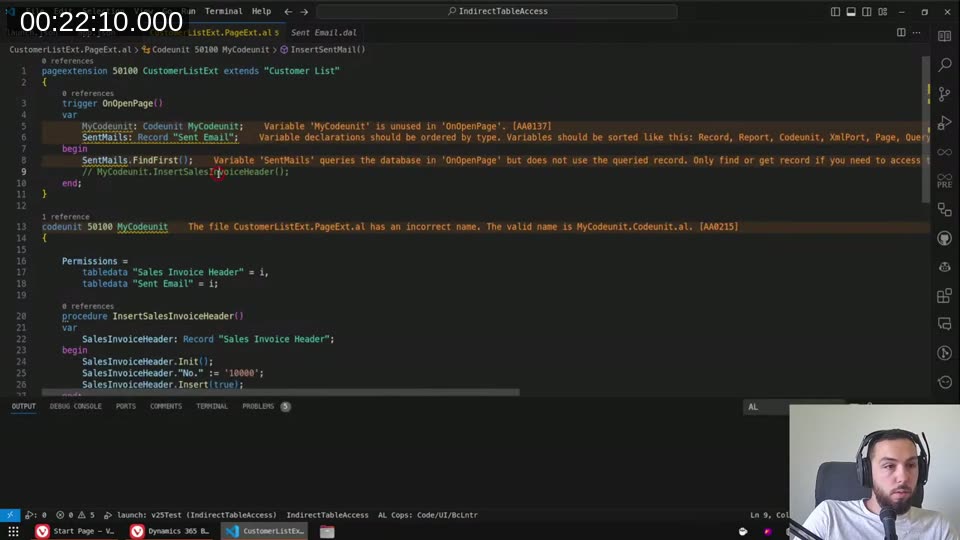
The Effective Permissions page confirms it — the Sent Email table shows Indirect for all operations, right alongside other email-related tables:
It’s not just codeunits — pages work too
I was corrected live during the stream on this: the Permissions property isn’t codeunit-only. It works on pages too (and likely most non-extension objects). A chat viewer pointed this out, I tested it, and it worked. Extension objects (page extensions, table extensions) do not support it.
The practical implication: any object you write that accesses license-restricted tables should have the Permissions property set. If you don’t, admins who want to use indirect permissions in their permission sets for your tables will have to give everyone direct access instead — which defeats the purpose of indirect permissions entirely.
Developer license: the hidden trap
This is the part that can burn you badly. When you’re developing against a Docker container (or Cosmo Alpaka on-demand), your development environment uses a developer license that doesn’t have the same license restrictions. Everything works fine locally. You deploy to the customer’s sandbox or on-prem environment, and suddenly you’re seeing runtime errors the developer never saw.
I demonstrated this live: same code, same extension. Published to Docker — works. Published to cloud sandbox — runtime error.
The only reliable way to catch this before shipping is to run your AL tests with TestPermissions = Restrictive (the default). With that setting, the test runner enforces permission checks at the level of a regular user. If you set TestPermissions = Disabled, the tests bypass permission checks entirely and you’re back to the developer-license false sense of security.
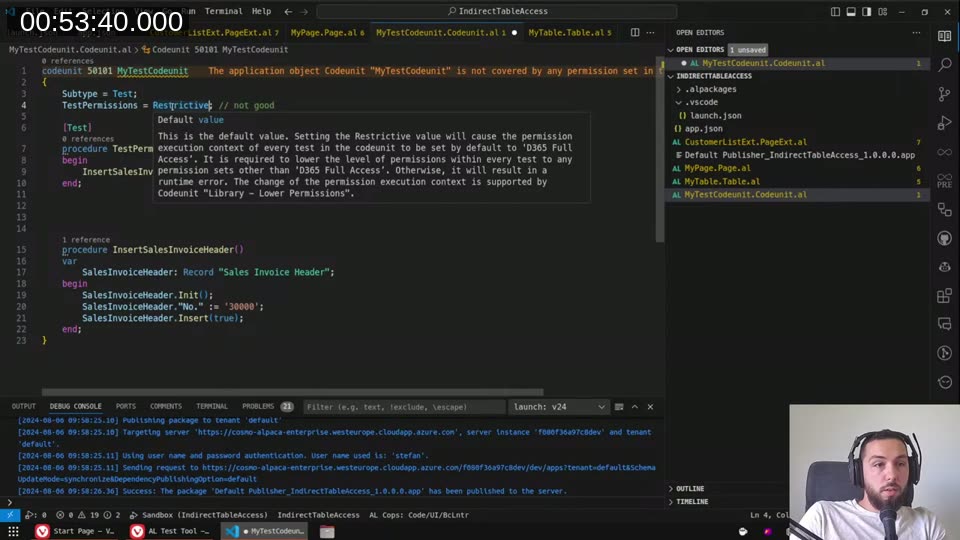
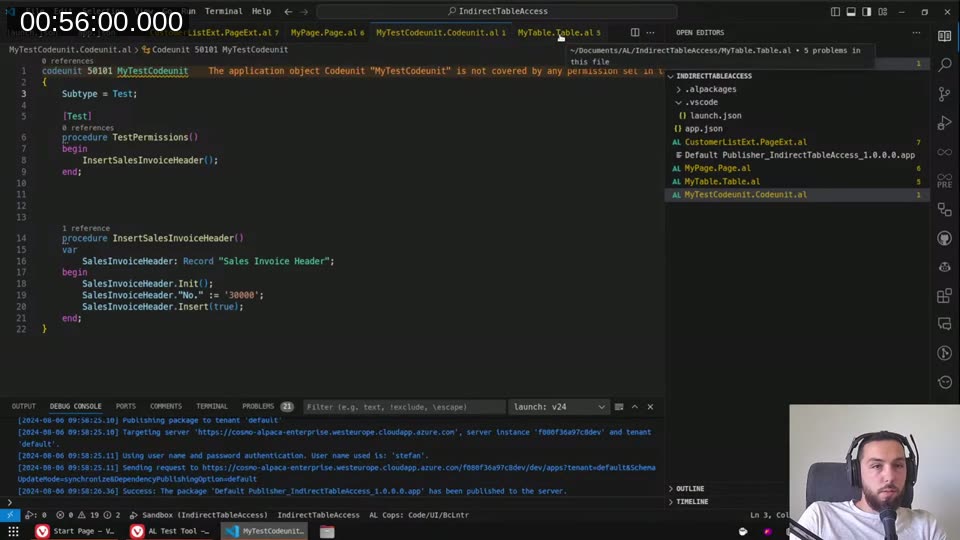
Once the test codeunit was clean — Permissions property set correctly on the helper codeunit — the test passed with Restrictive:
📖 Docs: Testing With Permission Sets — Business Central — explains
TestPermissionsvalues and how to wire up test runner codeunits for full permission testing.
What I’d like to see
There’s no compile-time way to know which tables in the base app have license-enforced indirect-only permissions. You find out at runtime, in a customer environment, if you’re not testing properly. I’d love to see a table property that explicitly declares the access level restriction — something LinterCop could then enforce with a warning at compile time. Worth a GitHub issue or a tweet to get some traction on it.
This post was drafted by Claude Code from the stream transcript and video frames. The full stream is on YouTube if you want the unfiltered version. (I did read and check the output before posting, obviously 😄)