How to use Interfaces in Business Central
Interfaces still cause a fair amount of confusion, even among developers who have been writing AL for a while. I wanted to do a proper walkthrough — from the basics to real-world patterns like testing with fake implementations and the enum+interface combination that I use most often in practice.
You can watch the full stream on YouTube if you want to follow along.
The basic idea
The classic vehicle example works well here. Imagine you have a Car codeunit and a Motorbike codeunit, both with a GetNoOfWheels() procedure. If you want to write code that works with either, the old approach is an enum + case statement. That quickly gets messy the moment someone wants to extend the enum from a different app.
An interface lets you define a contract: any codeunit that implements it must expose certain procedures. You declare the interface once:
interface Vehicle
{
    procedure GetNoOfWheels(): Integer;
}
Then each codeunit opts in:
codeunit 50100 Car implements Vehicle
{
    procedure GetNoOfWheels(): Integer
    begin
        exit(4);
    end;
}
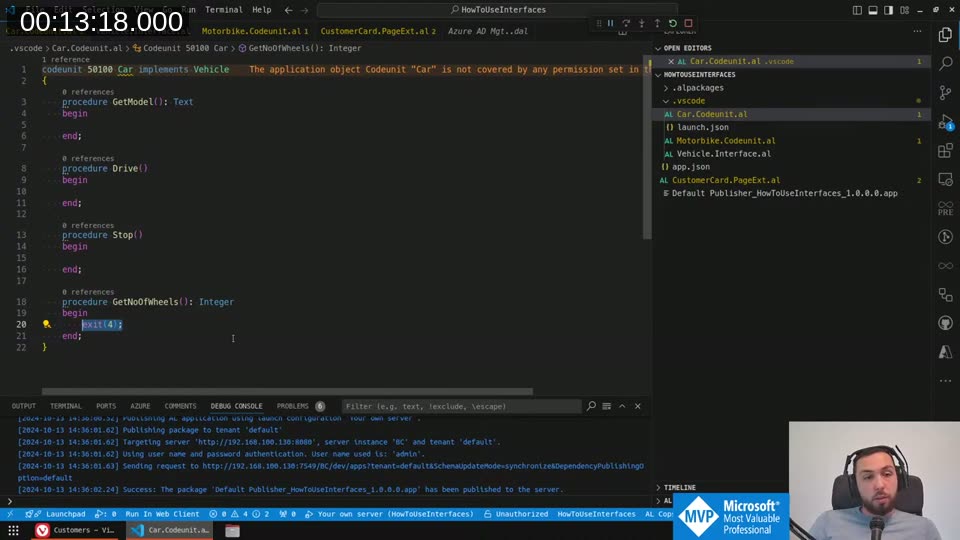
Your calling code now accepts any Interface Vehicle variable and doesn’t care about the concrete type:
procedure ShowNoOfWheels(Vehicle: Interface Vehicle)
begin
    Message(Format(Vehicle.GetNoOfWheels()));
end;
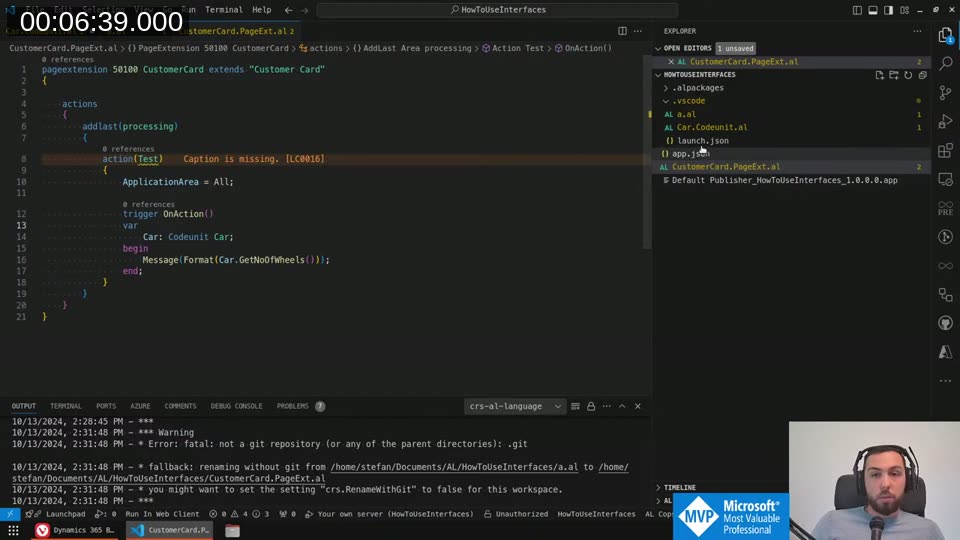
Interface not initialized
One thing that catches people off guard the first time: you can’t just call methods on an interface variable before assigning a concrete implementation to it. BC will throw an “Interface not initialized” error at runtime.
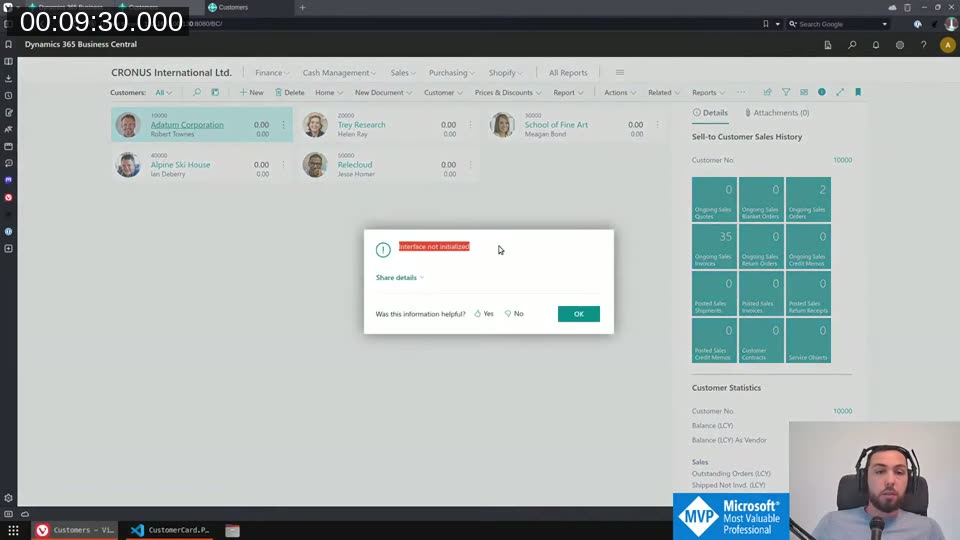
You initialize it by assigning a codeunit that implements the interface, either directly or by passing it from an enum (see below).
Enums with interfaces — the pattern I use most
This is where interfaces really pay off. Instead of a case statement scattered throughout your code, you put the implementation assignment directly on the enum value:
enum 50100 Vehicles implements Vehicle
{
    Extensible = true;
    DefaultImplementation = Vehicle = EmptyVehicle;
    UnknownValueImplementation = Vehicle = EmptyVehicle;

    value(0; " ")
    {
        Caption = ' ';
        Locked = true;
    }
    value(1; "Car")
    {
        Caption = 'Car';
        Implementation = Vehicle = Car;
    }
    value(2; "Motorbike")
    {
        Caption = 'Motorbike';
        Implementation = Vehicle = Motorbike;
    }
}
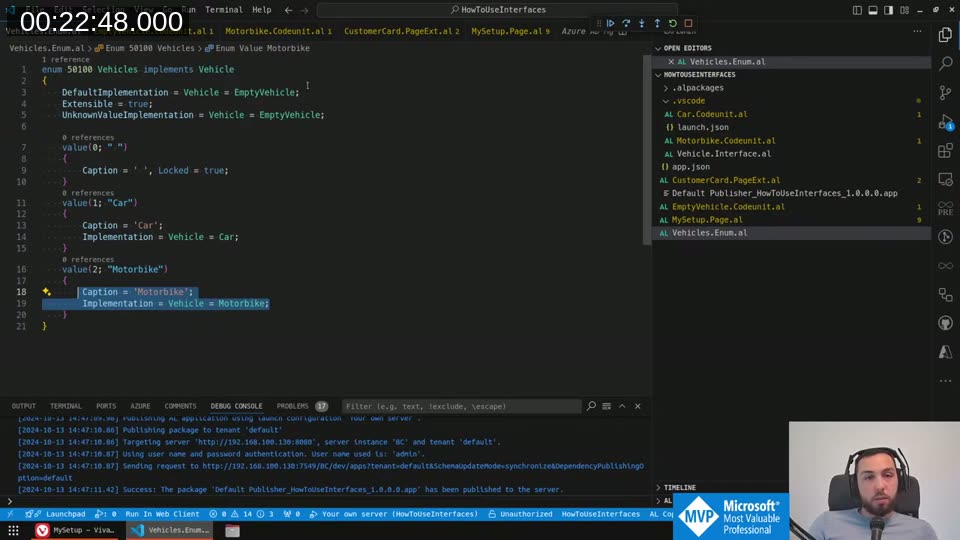
Now you can pass the enum directly wherever you need the interface. The runtime resolves the correct codeunit automatically:
ShowNoOfWheels(Vehicles);
DefaultImplementation handles the blank/unset case. UnknownValueImplementation handles the scenario where an extension adds a new value, gets installed, sets that value in the database, and then gets uninstalled — the enum value is now “unknown” and this fallback kicks in.
If another developer wants to add a Boat vehicle type from their extension, they just add an enum extension with their new value and its implementation. No event subscribers, no “find all callers” hunting through the codebase.
📖 Docs: The AL interface and enum syntax is documented in the Interfaces in AL reference on Microsoft Learn.
Using interfaces for testability
The testing angle is less obvious but genuinely useful. Imagine a CreateSalesInvoice procedure that does several things: validates setup, creates the header, creates lines, does post-creation validation, logs, and sends a notification.
The clean-code version extracts each step into its own local procedure:
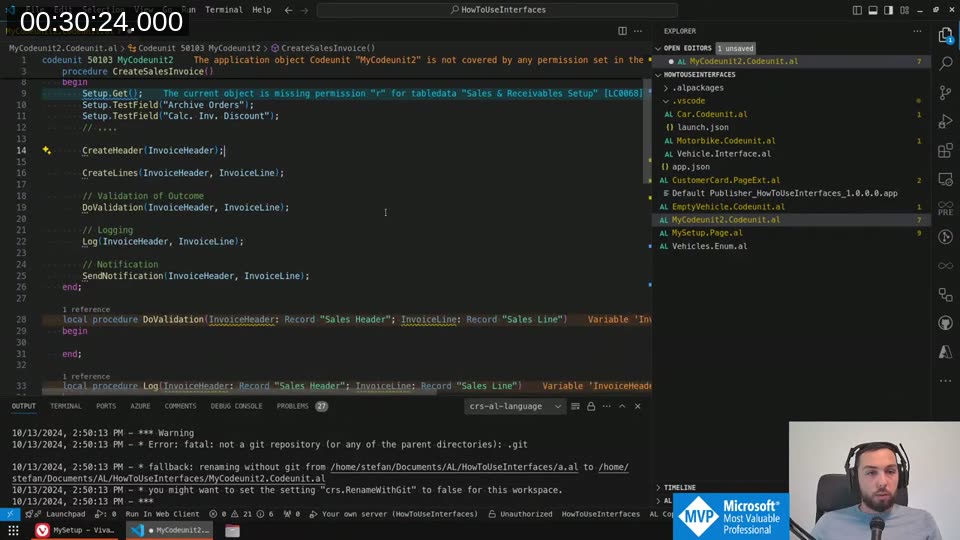
Testing the individual steps (CreateHeader, DoValidation, etc.) is straightforward. But how do you test that the orchestrating procedure calls all of them in the right order, without having to satisfy all the database preconditions for a real invoice? You extract those steps into an interface:
interface InvoiceCreator
{
    procedure GetSetup();
    procedure CreateHeader(var InvoiceHeader: Record "Sales Header");
    procedure CreateLines(var InvoiceHeader: Record "Sales Header"; var InvoiceLine: Record "Sales Line");
    procedure DoValidation(var InvoiceHeader: Record "Sales Header"; var InvoiceLine: Record "Sales Line");
    procedure Log(var InvoiceHeader: Record "Sales Header"; var InvoiceLine: Record "Sales Line");
    procedure SendNotification(var InvoiceHeader: Record "Sales Header"; var InvoiceLine: Record "Sales Line");
}
Then your CreateSalesInvoice takes it as a parameter:
procedure CreateSalesInvoice(InvoiceCreator: Interface InvoiceCreator)
begin
    InvoiceCreator.GetSetup();
    InvoiceCreator.CreateHeader(InvoiceHeader);
    InvoiceCreator.CreateLines(InvoiceHeader, InvoiceLine);
    InvoiceCreator.DoValidation(InvoiceHeader, InvoiceLine);
    InvoiceCreator.Log(InvoiceHeader, InvoiceLine);
    InvoiceCreator.SendNotification(InvoiceHeader, InvoiceLine);
end;
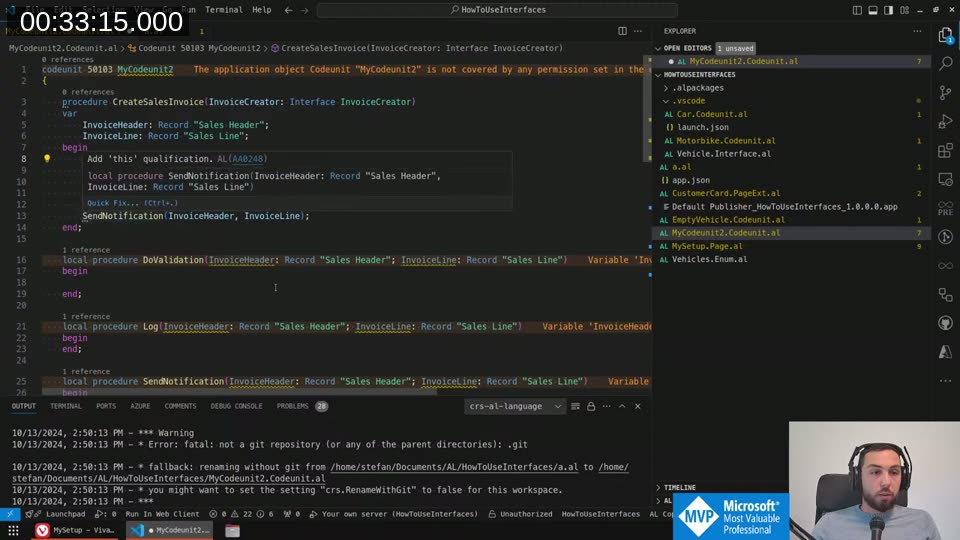
In your test app you create a FakeInvoiceCreator codeunit that implements the same interface. Each procedure just sets a boolean flag:
codeunit 50104 FakeInvoiceCreator implements InvoiceCreator
{
    var
        ValidationWasCalled: Boolean;

    procedure DoValidation(...)
    begin
        ValidationWasCalled := true;
    end;

    procedure GetValidationWasCalled(): Boolean
    begin
        exit(ValidationWasCalled);
    end;
    // ... other procedures similarly
}
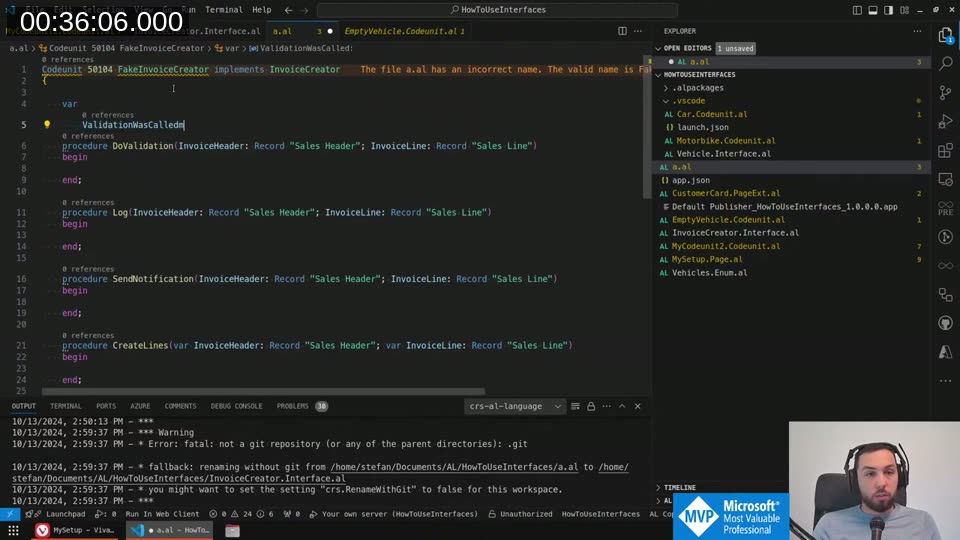
Now you can test the orchestration logic without touching a real database. You pass in your fake, run the function, and assert which methods were called.
Overloading for the “normal” call path
You don’t want callers to have to instantiate the interface every time they call CreateSalesInvoice in production code. The clean solution is an overload that doesn’t take a parameter and just defaults to the real implementation:
procedure CreateSalesInvoice()
var
    InvoiceCreator: Codeunit MyCodeunit2;
begin
    CreateSalesInvoice(InvoiceCreator);
end;
BC handles this cleanly since you can overload procedures. Regular code calls the zero-parameter version; tests call the one with the interface parameter.
📖 Docs: Overloading is supported in AL — procedure names can be reused with different signatures.
How Microsoft uses this in the base app
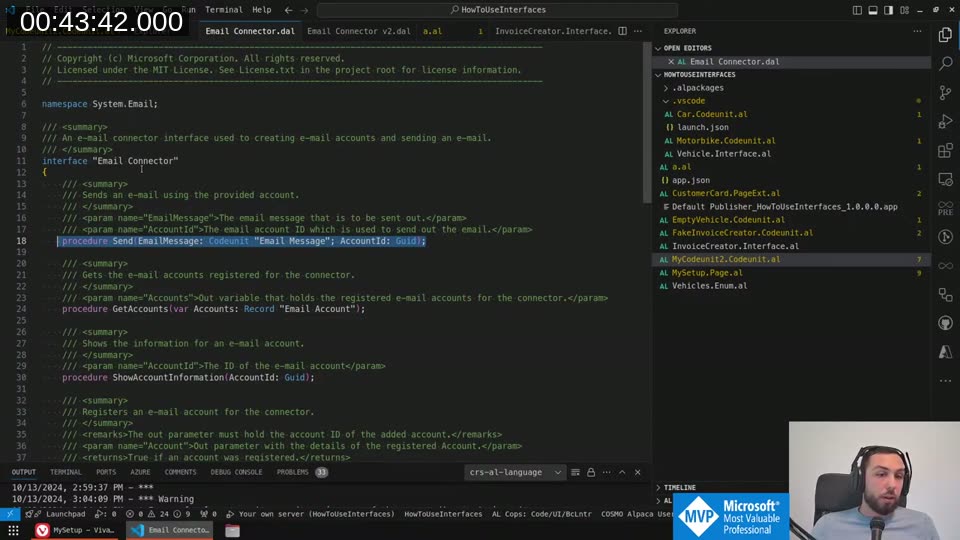
It’s worth looking at real examples. The Email Connector interface in the System Application is a good one: it defines Send, GetAccounts, ShowAccountInformation, RegisterAccount, and DeleteAccount. Any app that implements this interface can plug in as a custom email provider and the base app’s email sending logic will work with it without any modification.
Extending interfaces in BC v25
Before v25, once you published an interface you couldn’t add new procedures to it — that’s a breaking change for anyone who implemented it. The workaround was to obsolete the whole interface and introduce a new one.
BC v25 adds interface extension syntax: interface "Email Connector v2" extends "Email Connector". The extended interface adds new procedures, and code that only needs the base interface still works. Code that needs the new procedures can check for and cast to the extended interface.
I haven’t had my first real use case for this yet, so I’ll do a follow-up stream once I do.
If there’s something I missed or something you’d like explained in more detail, let me know in the YouTube comments or on Discord.
This post was drafted by Claude Code from the stream transcript and video frames. The full stream is on YouTube if you want the unfiltered version. (I did read and check the output before posting, obviously 😄)