Continuing the NuGet Installer - BC Coding Stream
This stream picked up where the previous one left off: building a Business Central extension that can browse NuGet feeds, pull down .app packages, and install them directly from within BC. My brother Christian joined for a pair-programming session — first time doing a dual-stream — so there was a lot of live code review and back-and-forth alongside the actual development.
You can watch the full stream on YouTube if you want the unfiltered version.
Where we left off
The previous session ended with a working proof-of-concept: a NuGet feed list, a temporary table to hold apps pulled from the feed, and a quick-and-dirty action that fetched a package and called ExtensionManagement.UploadExtension(). It worked, but it was a mess.
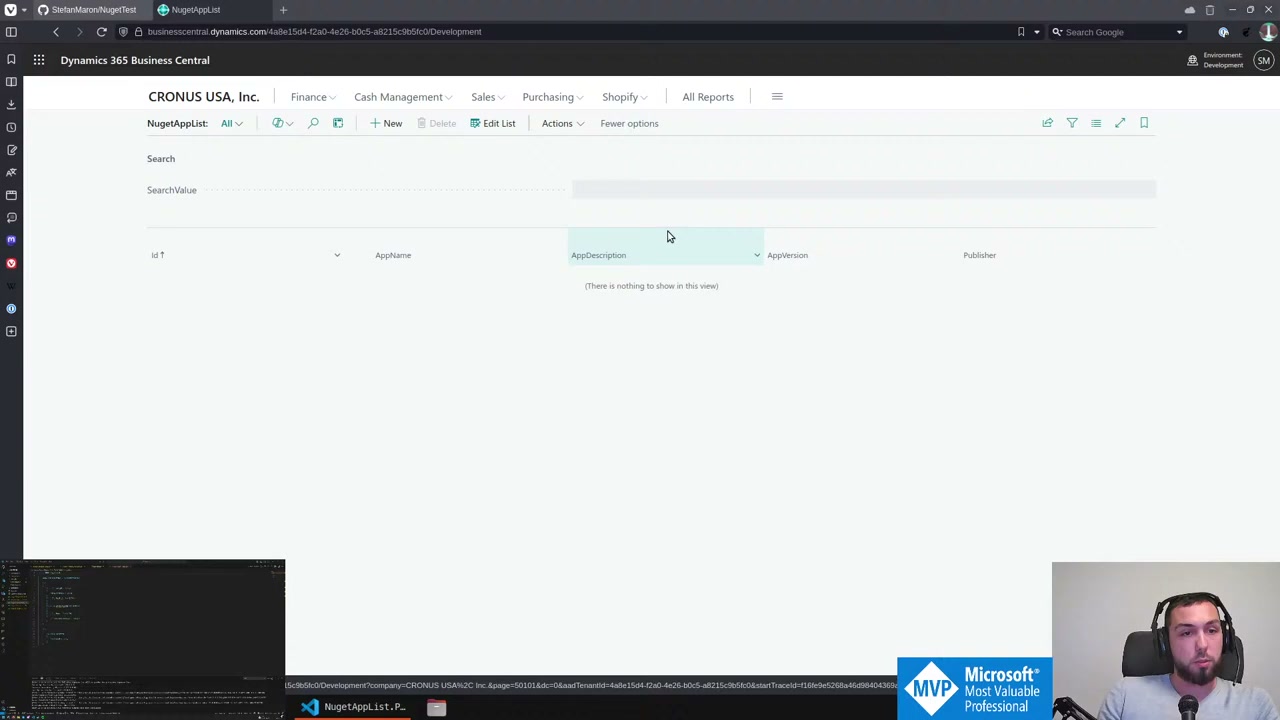
The NuGetAppList page shows the basic structure: a search field, columns for name, description, version, and publisher. At this point it pulls from the nuget.org public feed using the NuGet v3 search query endpoint.
Permission sets and pairing up
Christian started by pointing out the obvious gap: the extension had no permission set. If the whole point of the app is to install other apps, you need Extension Management - Admin permissions at minimum. We added a PermissionSetExtension that includes the built-in Extension Mgt. - Admin permission set — so our permission set is not directly assignable, it just piggybacks on the existing one.
A small but useful discussion: how do you name a repeater control in AL? The name is irrelevant to the runtime but matters if you want to add fields via page extensions. Stefan’s convention: just call it repeater(Main). Christian pointed that out live during review and it was a fair catch.
Refactoring the download and install code
The original ShowDetails action was doing too much — downloading the package, extracting the .app file from the zip, and calling UploadExtension all in one block. We split this across two procedures:
DownloadApp(DownloadUrl: Text; var ListOfApps: List of [Codeunit "Temp Blob"])— fetches the NuGet package, iterates the zip entries, extracts any.appfiles into a list ofTempBlobinstancesInstallApps(DownloadUrl: Text)— callsDownloadApp, then loops through the list and callsExtensionManagement.UploadExtension()for each stream
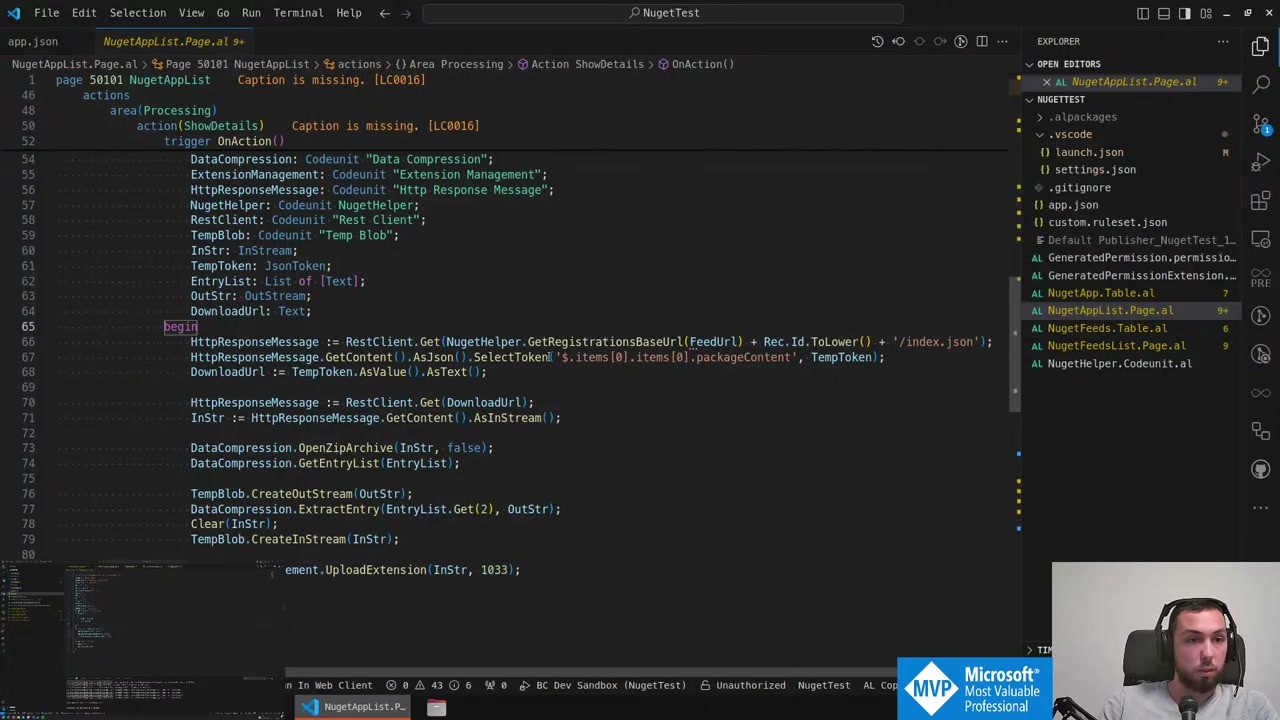
One thing that came up: what if a single NuGet package contains more than one .app file? Probably rare (bundles?), but we handle it anyway by iterating all entries that end with .app. The more pressing issue is installation order. If you queue multiple uploads without waiting, Business Central does not respect the order you submitted them. It does not figure out dependency order automatically either. The conclusion was: you need to wait for each deployment to complete before uploading the next one, using GetAllExtensionDeploymentStatusEntries and polling until the status changes.
Version selection and the AppDetail table
To support selecting a specific version to install, we added an AppDetail table (temporary) and an AppDetailList page. The table holds Version, CommitId, DownloadUrl, and Dependencies — everything that comes back from the NuGet registration index for a given package ID.
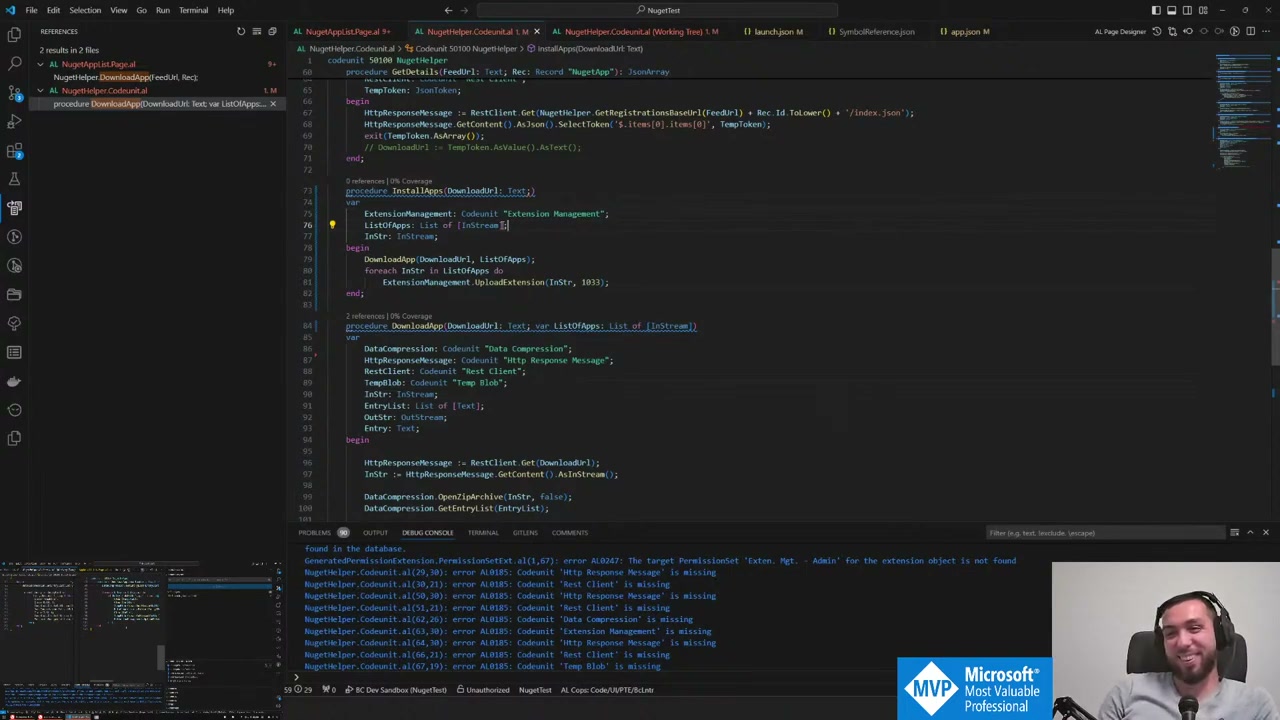
The NuGet v3 registration endpoint returns a nested structure: catalog page → items → catalog entry → actual version details. One complication: when there is only one version of a package, some feeds return the catalog entry as a plain JSON object rather than a one-element array. That inconsistency required some defensive parsing.
📖 Docs: The NuGet v3 API registration endpoint structure is documented in the NuGet API — Registration resource reference .
Sorting versions as text strings is unreliable (9 sorts higher than 10 lexicographically). We did not solve this properly during the stream — it is on the list.
Extracting the NavxManifest from the .app file
To show more details about an app before installing — particularly its ID range — we need to look inside the .app package. A .app file is a zip archive, and inside it is a NavxManifest.xml that contains the App element with Id, Name, Publisher, and IdRanges.
procedure GetPackageDetail(var TempBlob: Codeunit "Temp Blob")
var
    AppAttributesXmlBuffer, IdRangeXmlBuffer, XmlBuffer: Record "XML Buffer" temporary;
    DataCompression: Codeunit "Data Compression";
begin
    DataCompression.OpenZipArchive(TempBlob.CreateInStream(), false);
    DataCompression.ExtractEntry('NavxManifest.xml', TempBlob.CreateOutStream());

    XmlBuffer.LoadFromStream(TempBlob.CreateInStream());
    XmlBuffer.FindNodesByXPath(AppAttributesXmlBuffer, '/Package/App/@*');
    XmlBuffer.FindNodesByXPath(IdRangeXmlBuffer, '/Package/App/@*');
end;
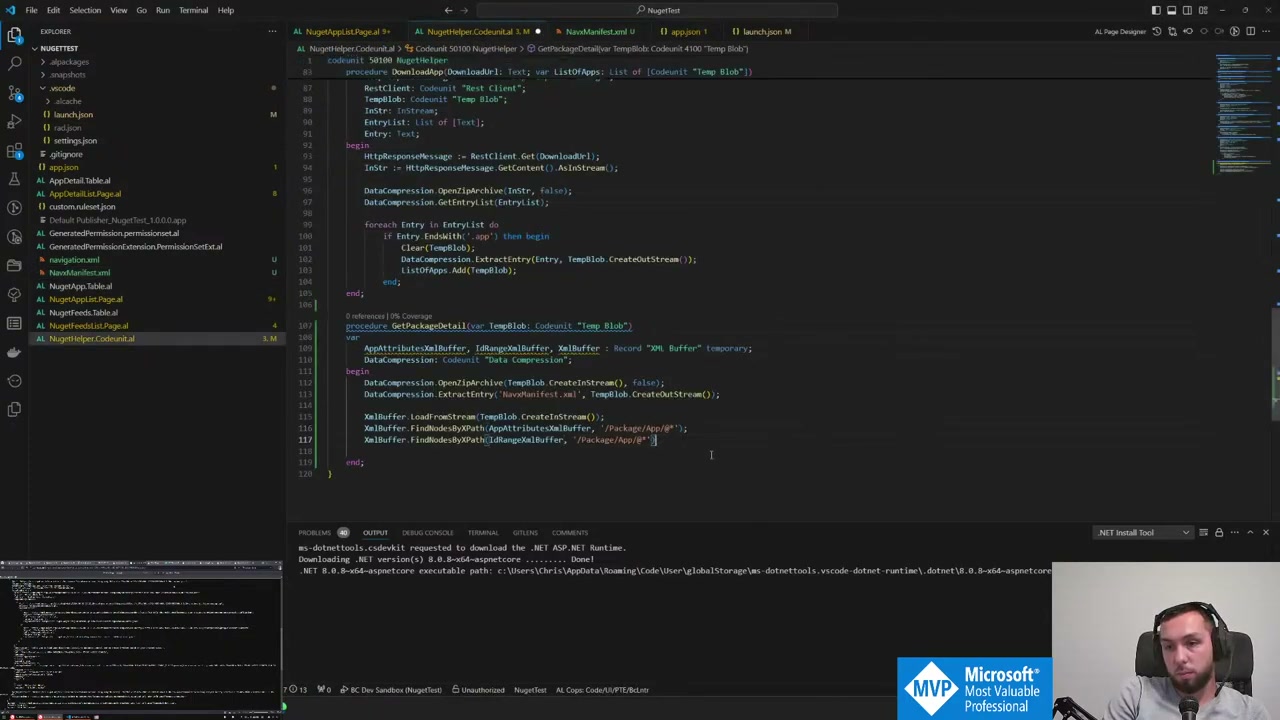
The XmlBuffer approach is fine for grabbing a few attributes. The J-path equivalent for JSON is cleaner, but XML does not have that luxury in AL. One thing we confirmed: TempBlob.CreateInStream() (the newer overload that does not require a separate stream variable) was added relatively recently — still a better pattern than the old CreateInStream(InStr).
The NAVX mystery
This is where the stream hit a wall. When we called DataCompression.OpenZipArchive() on the TempBlob containing the .app file, it failed. The package is not a plain zip — and not a gzip either.
Running xxd on the file revealed the magic bytes: 4E 41 56 58 — which is NAVX in ASCII. This is a Microsoft proprietary container format wrapping the actual zip content. 7-Zip can open it, but the standard DataCompression codeunit in AL cannot.
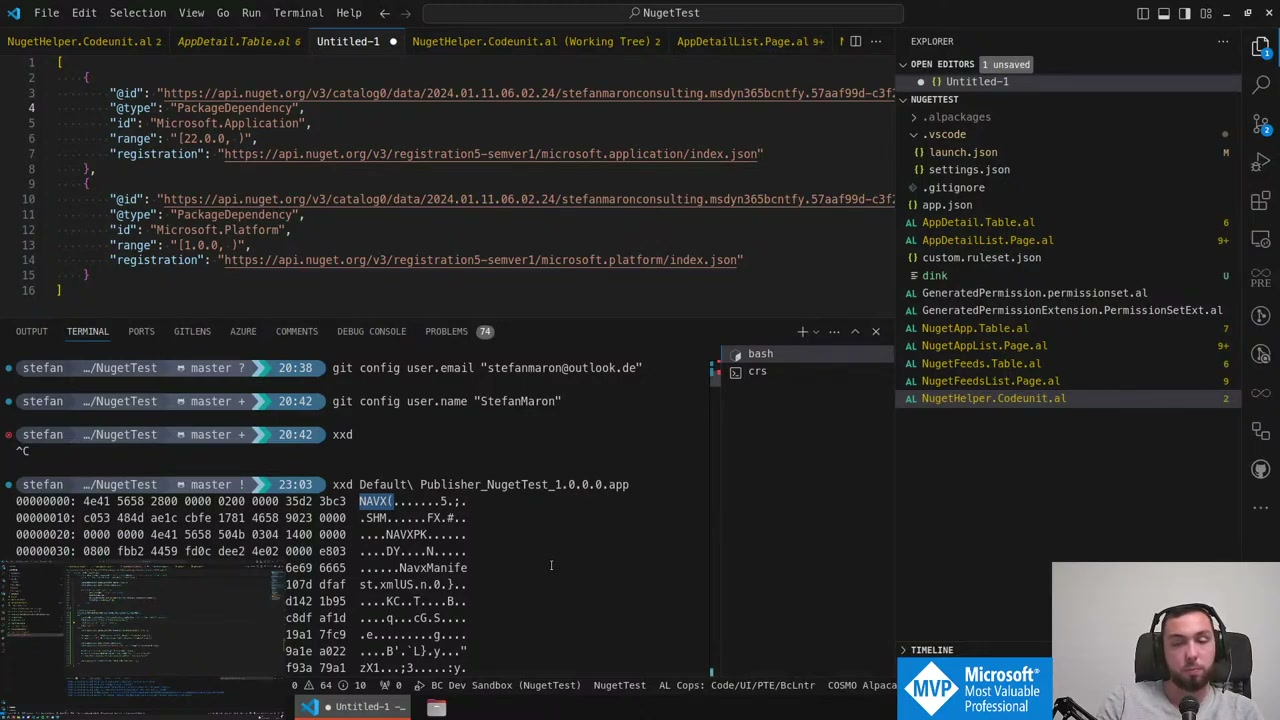
We left it there. The file command just says “data” — not helpful. The theory is that you need to strip some header bytes before you can treat it as a zip. Someone in the BC community is apparently doing wild things with installing AL-generated extensions, so that is probably the next person to ask.
💡 Added context: The
.appfile format used by Business Central is indeed a proprietary container (the NAVX format) and is not a raw zip file. The recommended way to inspect or repackage.appfiles outside BC is through the AL compiler toolchain orBcContainerHelper, not by treating the binary as a standard zip archive directly.
What is next
- Figure out the NAVX header and get
GetPackageDetailactually working against a real.appblob - Implement the dependency resolution loop: walk the dependency tree and install in the right order, waiting for each deployment to complete
- Sort versions properly (parse the version quad instead of comparing as strings)
- Test against a feed that has real BC apps with actual NuGet dependencies
The repo is at github.com/StefanMaron/NuGetTest if you want to follow along or contribute.
This post was drafted by Claude Code from the stream transcript and video frames. The full stream is on YouTube if you want the unfiltered version. (I did read and check the output before posting, obviously 😄)