Building Sentinel: Configurable Telemetry and a Better Alert View
In this coding session I continued work on Sentinel , the open-source BC monitoring app I’m building. The idea is to give you a way to quickly spot problems in your BC environment — performance risks, permission issues, misconfigured technical setup. Eight rules so far, more coming.
You can watch the full stream on YouTube if you want to follow along.
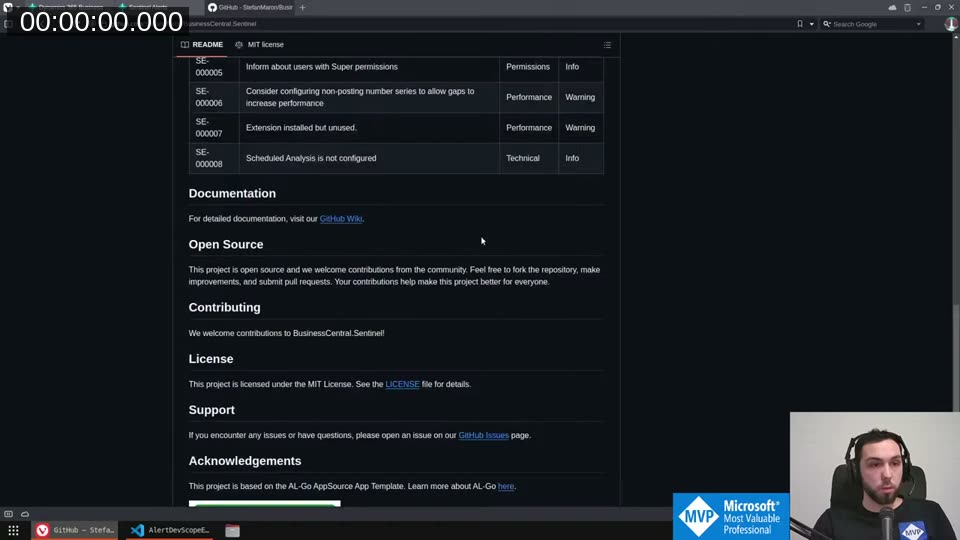
The app is free on AppSource and the source is fully open. This session covered two things: making telemetry configurable, and replacing the cluttered alert list with a proper card page.
Configurable Telemetry
Sentinel already logs alert findings to Azure Application Insights via BC’s standard telemetry stack. What it was missing was any control over how that logging works. I added a setup page with a TelemetryLogging field backed by a new enum: Daily, OnRule, or Off.
The logic lives in a GetTelemetryLoggingSetting procedure on the setup table. It checks the rule set first — if there’s an explicit override for this alert’s rule set line, that wins. Otherwise it falls back to the global setup default.
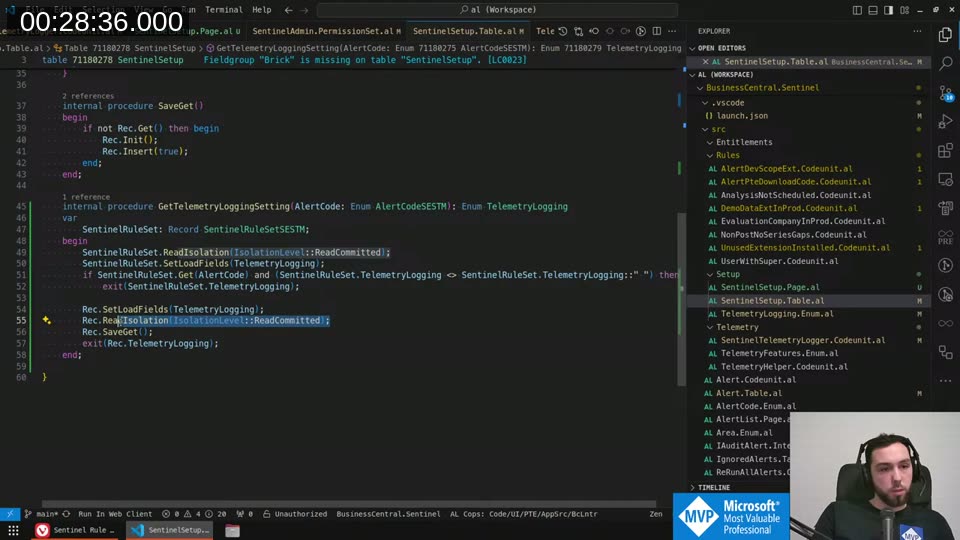
That function gets called from the SentinelTelemetryLogger codeunit, which subscribes to OnSendDailyTelemetry.
📖 Docs: The Telemetry Logger pattern is built on the Telemetry Loggers system interface — your codeunit implements
"Telemetry Logger"and registers itself via theOnRegisterTelemetryLoggerevent. See also Application Insights for extensions for the setup side. When the daily Telemetry Management job runs, it iterates over all alerts and callsAlert.LogUsage()for each one where the setting resolves toDaily.
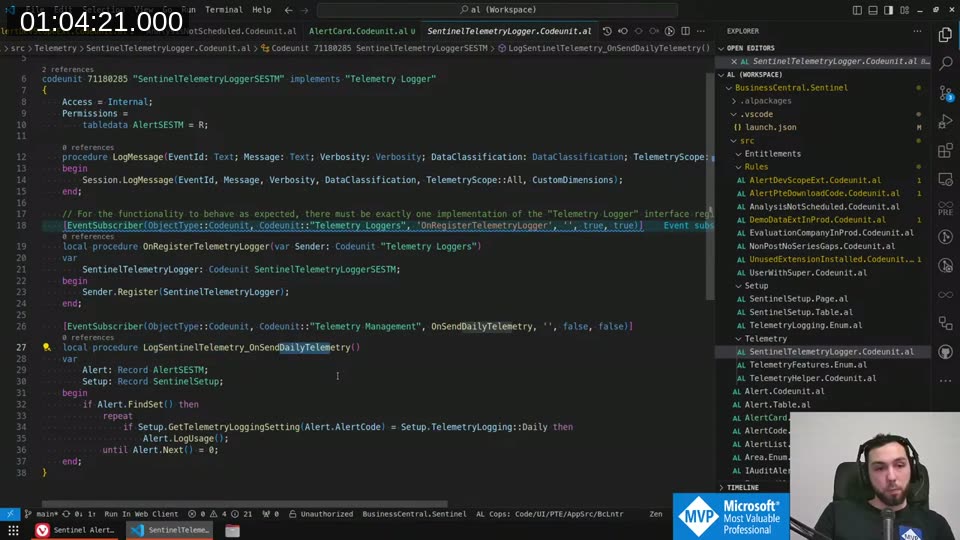
One design decision: the setup record is re-read on every loop iteration via SaveGet. I considered caching the record in a local variable to avoid repeated database reads, but decided against it — if someone changes the setting mid-run, you want the new value to take effect. The service tier handles caching well enough, and correctness matters more here.
The TelemetryLogging enum on the setup table also uses a validation rule to prevent setting it back to empty (since empty breaks the fallback logic). On the rule set line, empty is valid — it means “inherit from setup”.
Fixing the Job Queue Autofix
Sentinel rule SE-000008 fires when the scheduled analysis isn’t configured. There’s an autofix action that should automatically create a Job Queue entry pointing to the ReRunAllAlerts codeunit. It was broken — clicking autofix gave a “record already exists” error.
After stepping through the debugger, I found the issue: a Validate("EarliestStartDateTime", ...) call was internally triggering an Insert() on the Job Queue entry. By the time the code’s explicit Insert(true) ran, the record already had an ID and failed.
Moving the earliest start date validation to after the insert call fixed it. The autofix now creates the Job Queue entry cleanly and schedules it as a recurring daily job.
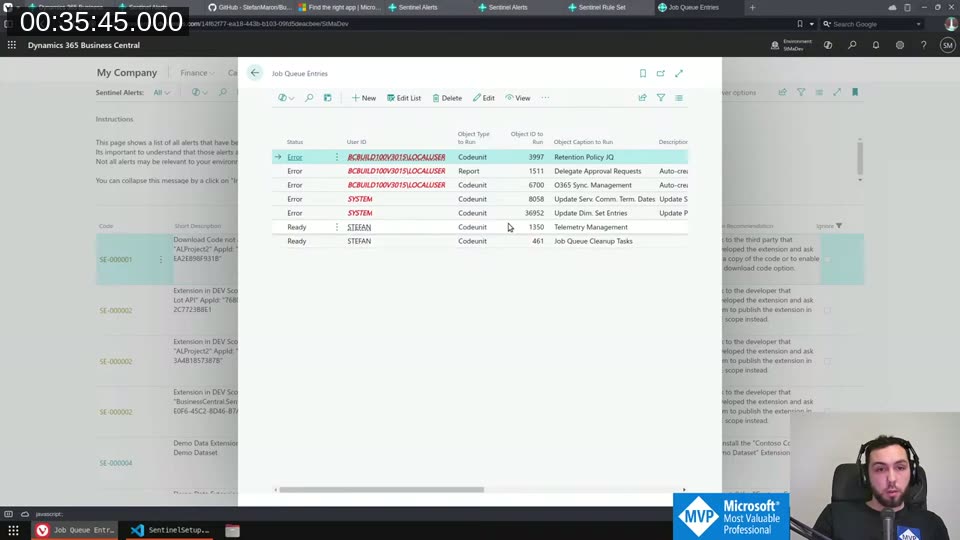
Worth documenting: Validate("EarliestStartDateTime") on a Job Queue Entry record triggers an insert. Not at all obvious from reading the code.
Designing the Alert Card Page
The alert list was getting hard to read. Alerts carry a LongDescription field that explains why a rule fired and what to do about it — valuable, but it made every row tall and the list difficult to scan.
The fix: a dedicated card page. The list keeps only Code, Short Description, Severity, Area, and Ignore. Everything else — long description, action recommendation — lives on the card.
The tricky part was getting line breaks to render correctly in the long description. With a plain multi-line text field, backslash line breaks weren’t rendering. The fix was ExtendedDatatype = RichContent combined with MultiLine = true — the control then treats the content as HTML, so <br/> works as a line break. The OnOpenPage trigger converts stored backslash line breaks to <br/> tags via a replace.
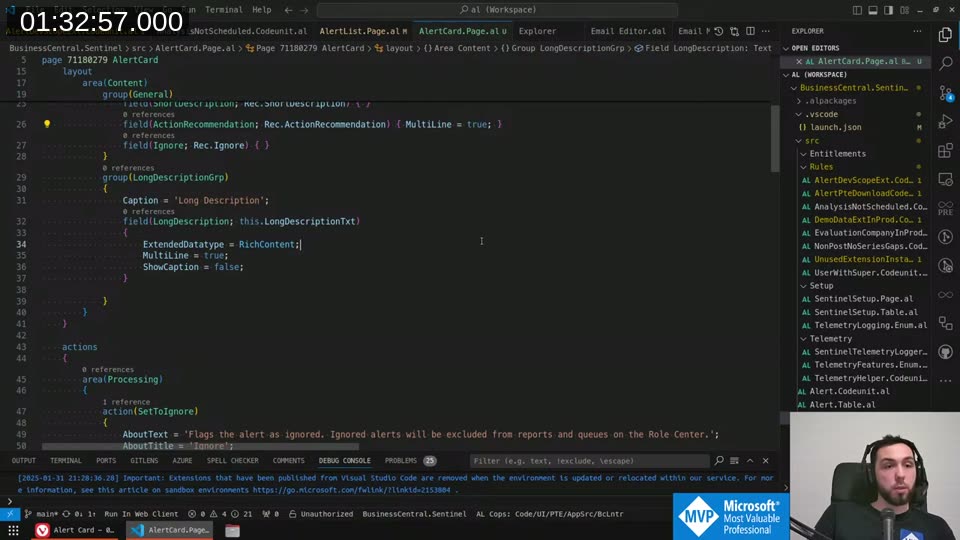
The card also needs UsageCategory = None — otherwise it shows up in Tell Me search results, which doesn’t make sense for a detail page that only opens via drilldown.
📖 Docs: The
UsageCategoryproperty controls whether a page appears in Tell Me search. Even withUsageCategory = None,ApplicationAreamust still be set — otherwise LinterCop warns the page isn’t accessible. Setting both is the correct pattern for pages that should only open via navigation.
Cleaning Up the Alert List
With the card page in place, I removed LongDescription and ActionRecommendation from the list repeater and made ShortDescription single-line. The difference is noticeable.
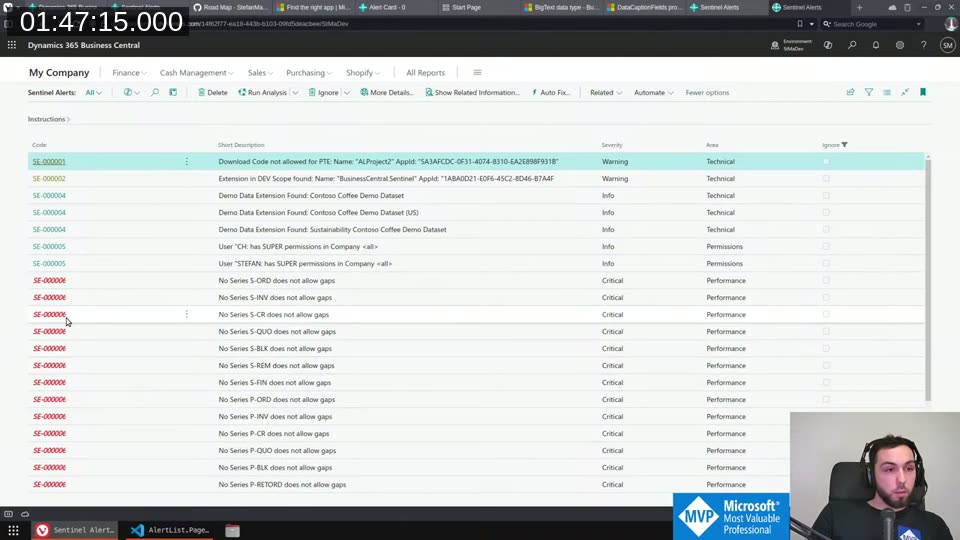
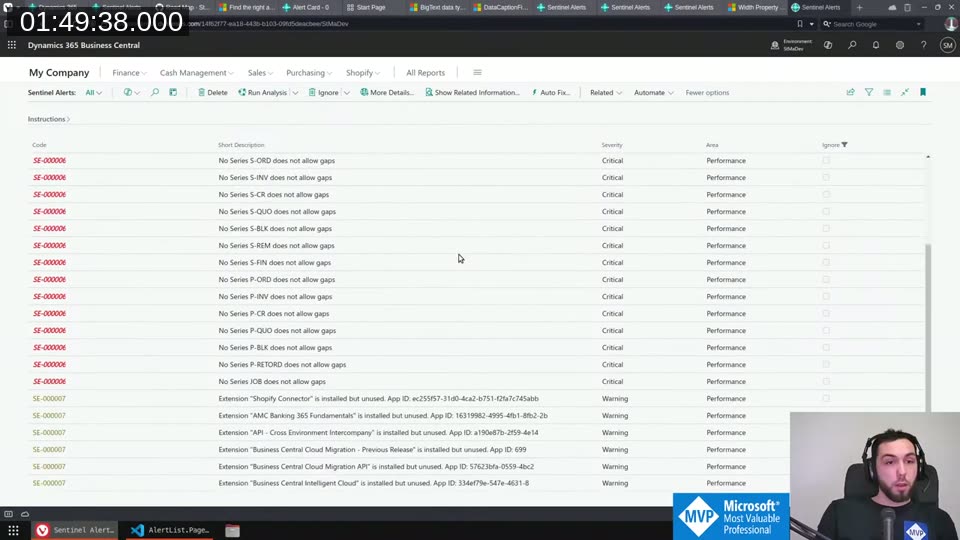
Much easier to get an overview now. The set-to-ignore and clear-ignore actions are promoted on both the list and the new card.
A Few AL Notes
A couple of things came up in stream conversation worth saving:
Naming a single parameter Value: when a function has one input parameter of the same type as a field it operates on, calling it Value is fine. It’s generic but unambiguous — the function name carries the meaning. Only need a descriptive name if you have multiple parameters with different roles.
Underscores in AL: rare, but there are two legitimate places — promoted action suffixes (_Promoted) following Microsoft’s own examples, and event subscriber names where the pattern MyFunction_OnBeforeSomething makes the subscription target readable.
CRS extension from Waldo: if your AppSourceCop.json prefix appears at the start of your namespace, the CRS extension can automatically omit the prefix from object names. Saves a few characters from the 30-character limit.
What’s Next
The Sentinel road map on the GitHub Wiki has a few open items: a Role Center, more rules, and eventually opening up the IAuditAlert interface so external extensions can contribute their own rules. I’m holding off on stabilizing that interface until I’m confident it won’t need immediate breaking changes.
If you want to contribute a rule now, a pull request directly into the repo is the current path.
This post was drafted by Claude Code from the stream transcript and video frames. The full stream is on YouTube if you want the unfiltered version. (I did read and check the output before posting, obviously 😄)