Swappable Claude Profiles: Per-Project Configs via Container Mounting (Part 3)
After Part 2
we had a working standalone container — no VS Code required, no IPC socket surprises. But there was still one problem: a single global ~/.claude folder shared across everything. One set of instructions, one list of skills, one set of agents — regardless of whether you’re doing AL development, debugging telemetry, or investigating something completely different.
That doesn’t scale. So this part introduces profile folders.
You can watch the full stream on YouTube if you want to follow along.
What a profile folder is
A profile folder is just a regular directory on your host machine. It contains everything Claude Code normally stores in ~/.claude:
- A
CLAUDE.mdwith context and instructions specific to this kind of work - A
commands/directory for slash commands - An
agents/directory for custom subagents - A
plugins/directory for marketplace plugins settings.json,history.json, and the rest
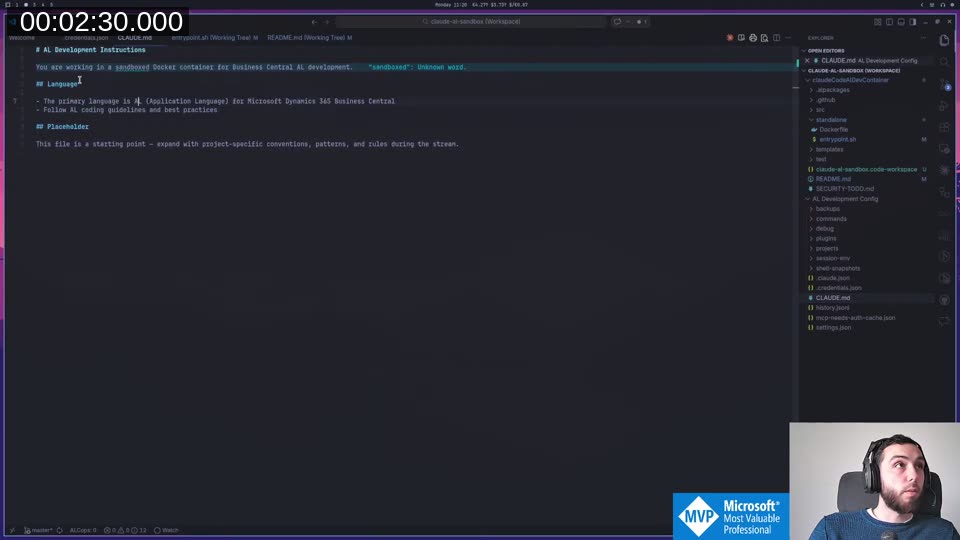
The key difference from the previous setup: I’m no longer persisting the Claude config into a Docker volume. Instead, I keep these profile folders directly in my home directory, wherever I want. One for AL development, one for telemetry investigation, one for whatever else comes up.
Mounting a profile
The container launch command grew one new -v line:
docker run -it --rm \
  --cap-add=NET_ADMIN --cap-add=NET_RAW \
  -v "$HOME/claude-al-development:/home/vscode/.claude" \
  -v "claude-code-data:/home/vscode/.local/share/claude" \
  -v "$(pwd):/workspaces/project" \
  claude-code-sandbox
The first volume mount is the only thing that changed. The AL development profile folder gets mapped to /home/vscode/.claude inside the container. Claude Code inside sees it as its home config. It has no idea it’s one of several swappable configs — it just works.
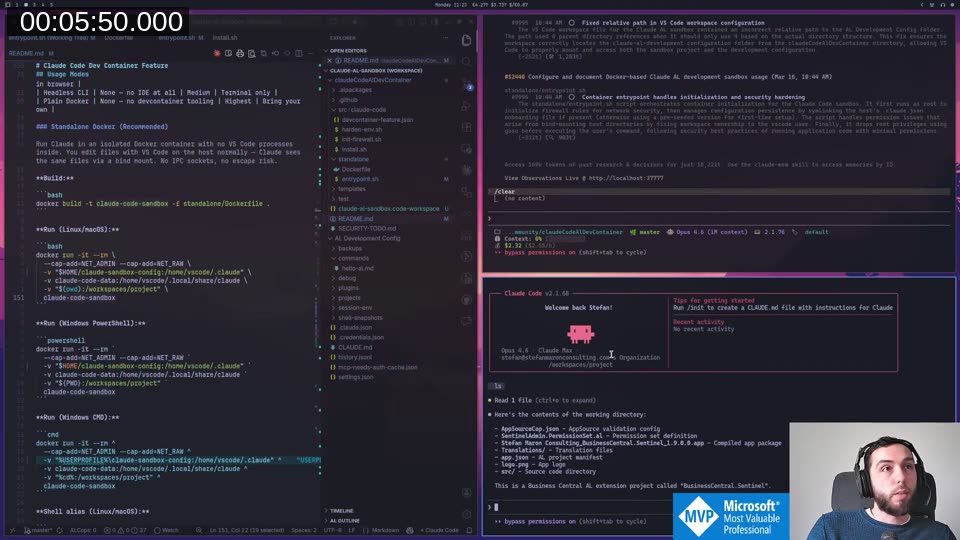
Switch profiles by changing that one -v line. Same container image, completely different Claude.
Verifying it works
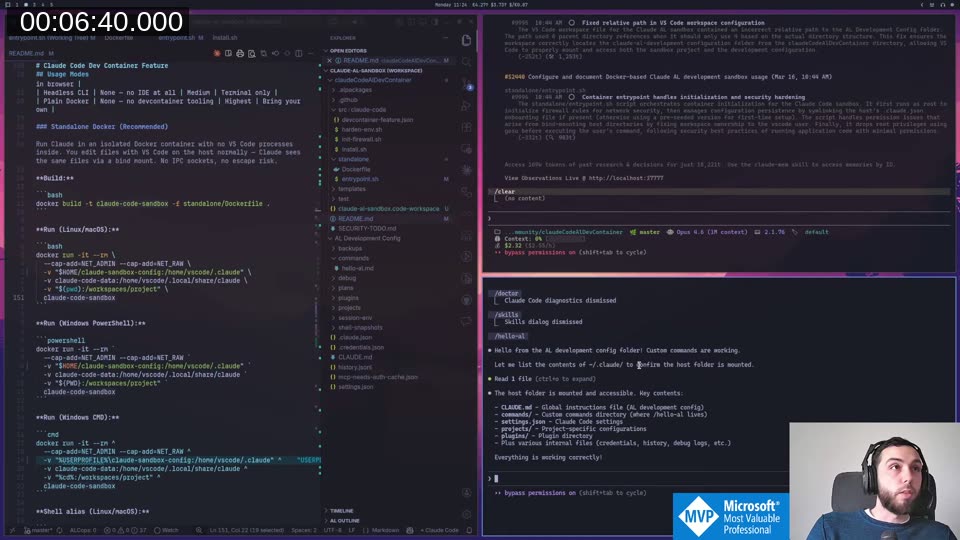
The profile includes a /hello command (a simple markdown file in commands/). Running it inside the container immediately confirmed the mount:
Hello from the AL development config folder! Custom commands are working.

Let me list the contents of ~/.claude/ to confirm the host folder is mounted.

The host folder is mounted and accessible. Key contents:
- CLAUDE.md — Global instructions file (AL development config)
- commands/ — Custom commands directory (where /hello-al lives)
- settings.json — Claude Code settings
- projects/ — Project-specific configurations
- plugins/ — Plugin directory
- Plus various internal files (credentials, history, debug logs, etc.)

Everything is working correctly!
Agents get saved into the profile
This is where it gets interesting. I created a new agent directly inside the running container — an AL repo summarizer, designed to give a human-readable overview of any AL project without having to read every single line of code.
Claude Code offers two scopes when creating an agent: Project (saved to .claude/agents/ in the current project) or Personal (saved to ~/.claude/agents/). Inside the container, ~/.claude is the mounted profile folder. So the “personal” agent goes directly into the AL profile on the host.
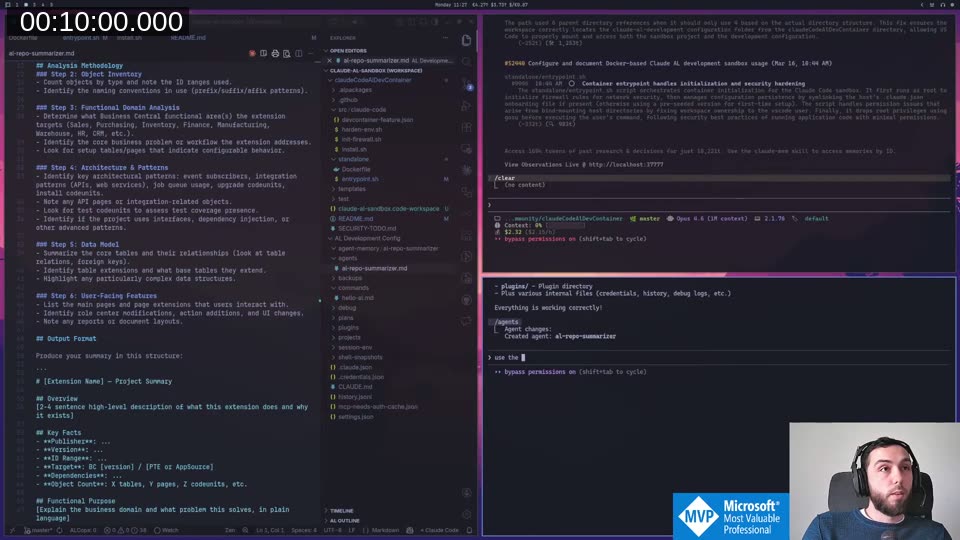
I immediately used it on the Sentinel project. After running for a couple of minutes, the agent produced a structured summary — extension metadata, architecture highlights, notable observations. But the part that surprised me most was that it also wrote its own memory:
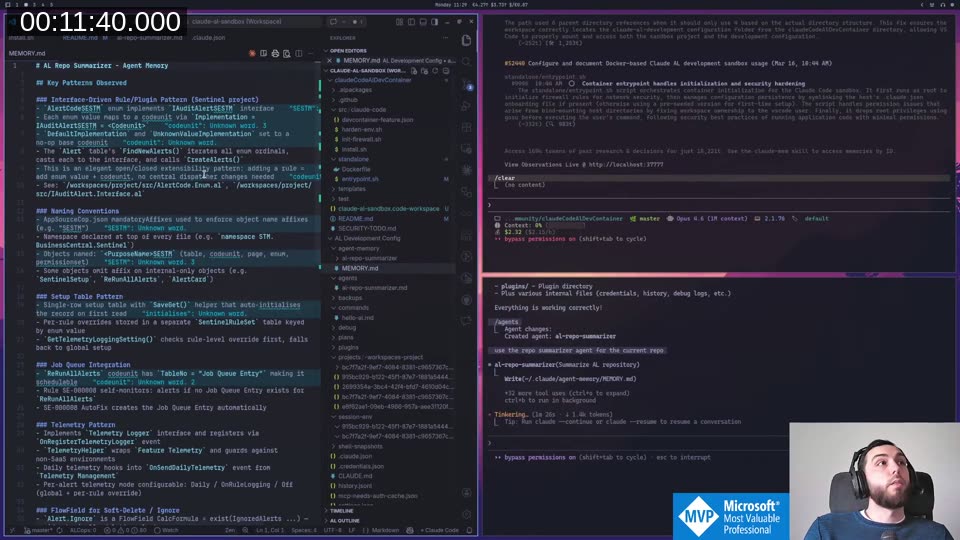
The agent built up a MEMORY.md inside the profile with AL-specific patterns it discovered — telemetry patterns, setup table structure, performance notes. That memory persists in the profile. Next time you point the container at this profile and run that agent on any AL project, it has prior context to draw from.
Switching to a different profile
To show the concept more concretely, I switched to a different project and a different profile — a minimal bc-telemetry folder with almost nothing in it. Same launch command, just two changes: the project directory and the profile mount.
Because credentials are stored inside the profile folder too, switching means Claude Code asks you to log in again. In practice you could carry the same credentials across profiles if you wanted, but separate auth is actually useful if you’re running different accounts or want true isolation.
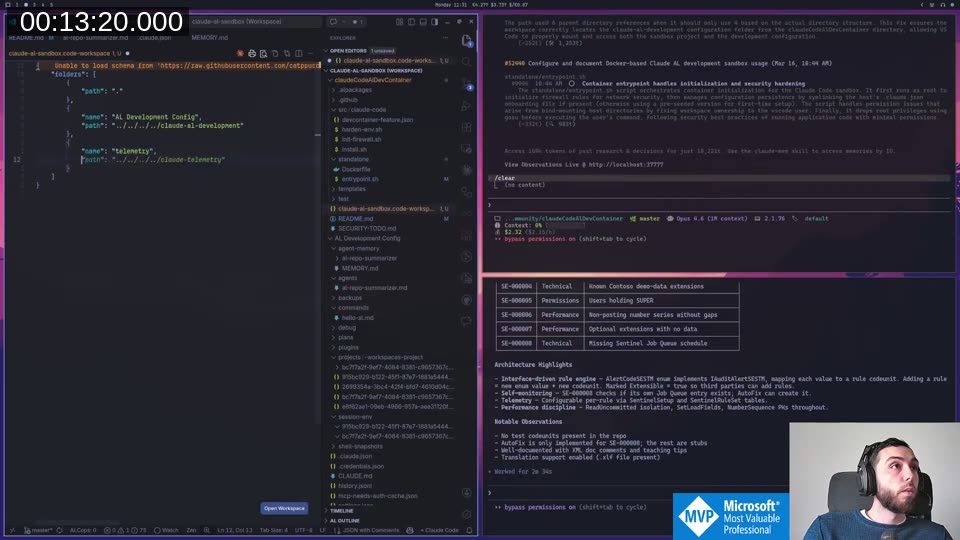
The telemetry profile had a plain CLAUDE.md and nothing else. A blank slate to build context for that specific type of work — connect Waldo’s MCP server, add telemetry-specific instructions, that kind of thing. You build the profile once and then load it into any folder you’re investigating.
Skills vs Commands
Toward the end of the stream I went down a rabbit hole on skills. I’d been using commands (simple .md files invoked with /name) for everything. But Claude Code’s current standard is skills, following the Agent Skills open standard
.
I asked Claude to explain the difference, and it pulled the documentation and produced a clear comparison:
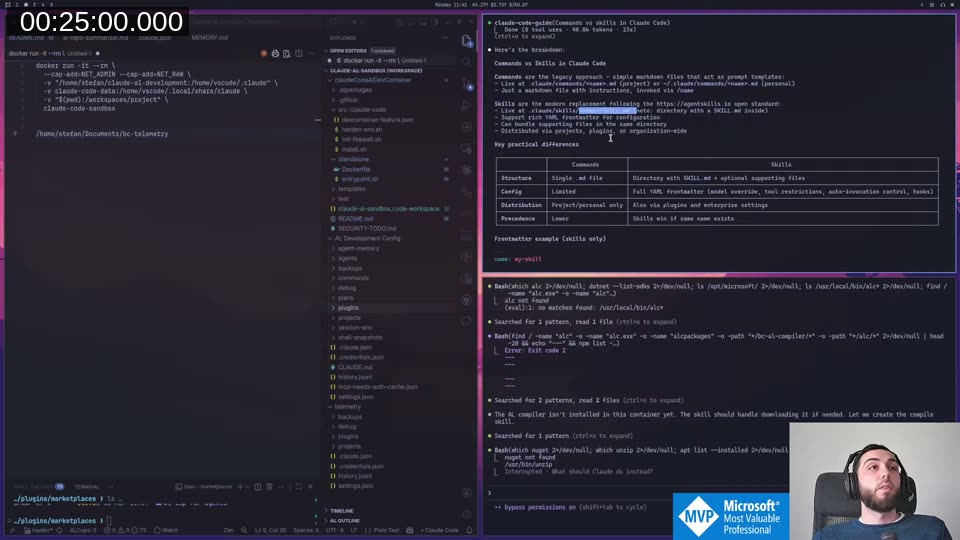
The short version: commands are a single .md file. Skills are a directory with a SKILL.md and optional supporting files. The important additions in the skills frontmatter:
---
name: my-skill
description: Used by Claude to decide when to auto-invoke
disable-model-invocation: true   # manual /slash only
allowed-tools: Read, Grep        # restrict available tools
model: opus                      # override model
context: fork                    # run in isolated subagent
---
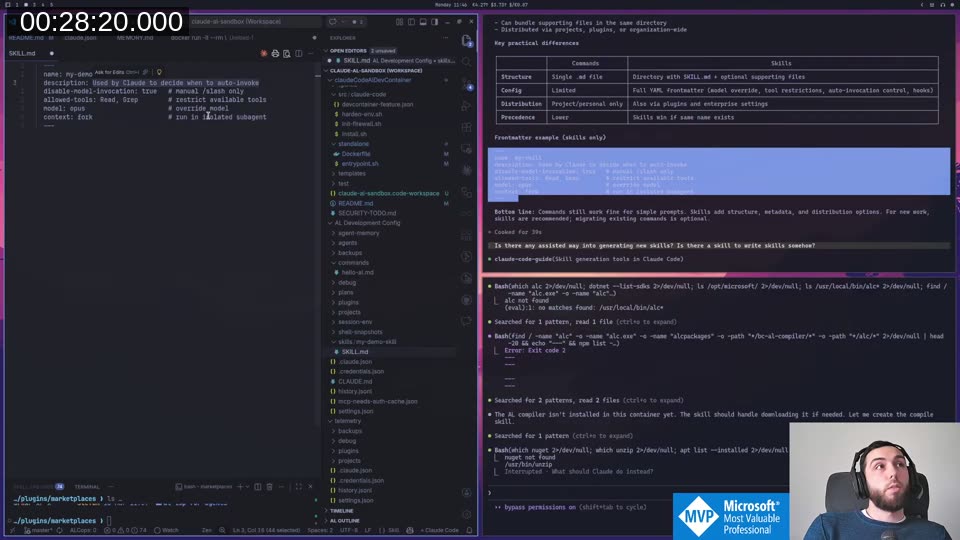
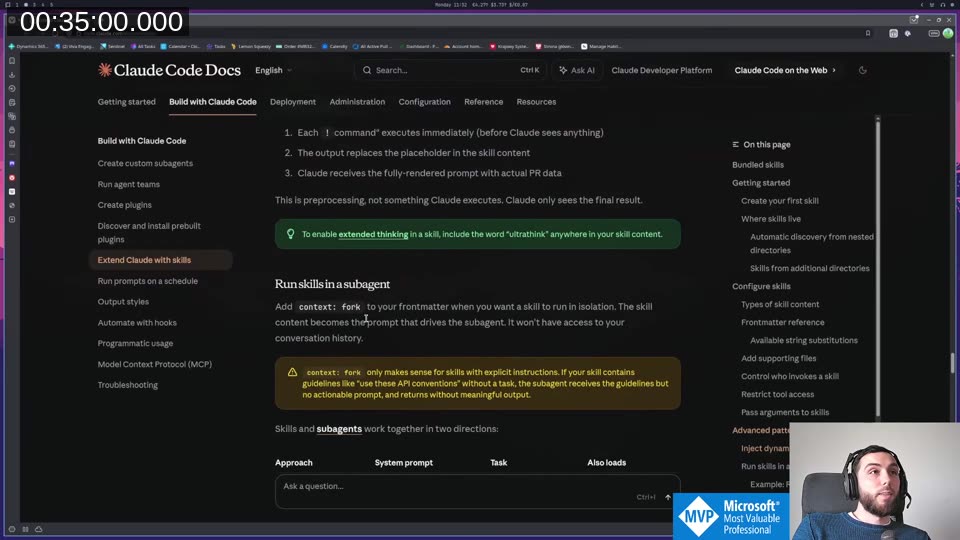
The context: fork option runs the skill in a completely isolated subagent. The skill content becomes the subagent’s system prompt. It won’t have access to the current conversation history — which is exactly what you want for something like a compile or publish step that should behave consistently regardless of conversation state.
📖 Docs: The full skills reference including frontmatter fields, supporting files, and
context: forkbehavior is at code.claude.com/docs/en/skills .
💡 Added context: Agent Skills is an open standard adopted across multiple AI coding tools — Claude Code, Cursor, GitHub Copilot, Gemini CLI, and others. A skill you write for Claude Code will also work in other skills-compatible tools without modification. See agentskills.io for the spec and the full list of adopters.
What’s next
My existing AL development profile was built around commands and subagents configured manually. Migrating it to proper skills — with the right frontmatter, tool restrictions, and context: fork where appropriate — will change how it all fits together. That’s not something I want to do live on stream; it mostly involves having a long conversation with Claude about system design. But the result will be a proper published AL development profile you can use as a starting point.
The container image itself is stable at this point. If you want to start building your own profiles now, the repo is at StefanMaron/claudeCodeAlDevContainer . Issues welcome — I’ll find some of the rough edges myself too.
This post was drafted by Claude Code from the stream transcript and video frames. The full stream is on YouTube if you want the unfiltered version. (I did read and check the output before posting, obviously 😄)