Write-Off App: AppSource Finishing Touches
This stream was about getting the Automatic Write-Off app ready for AppSource — the last round of cleanup before the first publish. No new features, just the unglamorous work that actually matters: Access properties on every object, InherentPermissions, permission sets, enum implementations, and reorganizing the folder structure. If you’ve been building your first AppSource extension, this session is probably where I’d point you.
The full stream is on YouTube if you want to follow along.
Access Properties and InherentPermissions
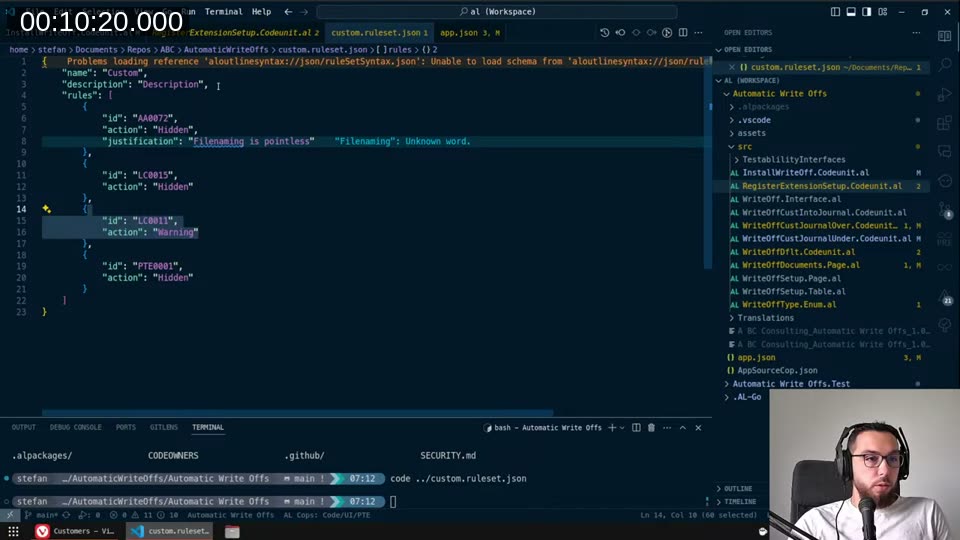
The first thing I worked through was setting the Access property explicitly on every object in the extension. LinterCop rule LC0011 — not enabled by default — warns you whenever an object is missing an explicit Access value. I have it set to Warning in my custom.ruleset.json. The point isn’t just tidiness: for AppSource apps, objects without explicit Internal access become public API by default, which means breaking changes on them are tracked and blocked.
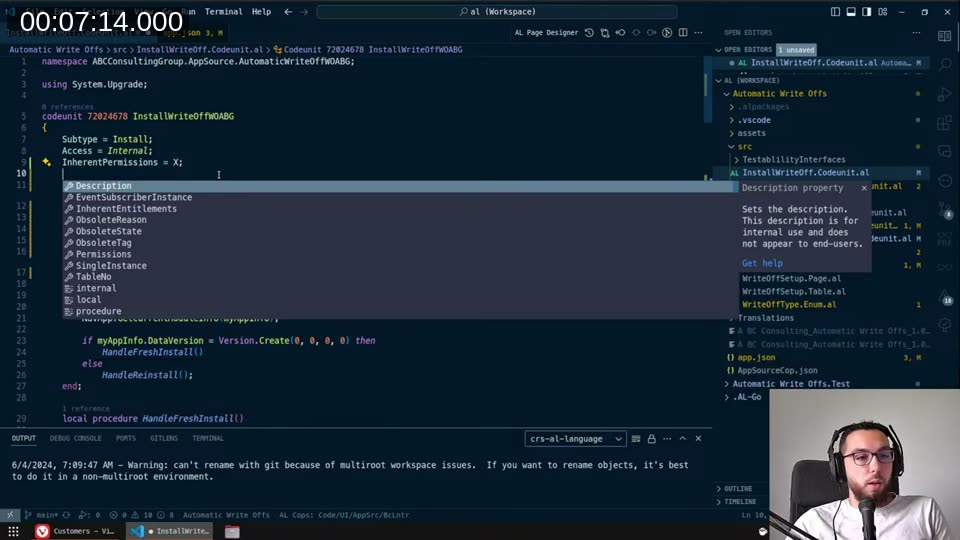
For the install codeunit I set both InherentPermissions = X and InherentEntitlements = X. The X scope means “Execute — for everyone”. The practical effect: this codeunit doesn’t need to be covered by any permission set, and any user can execute it. That’s exactly what you want for install code that runs in the background.
InherentEntitlements is the one I’m less sure about. As far as I understand, it’s primarily needed if you want to do monetisation through AppSource licensing directly. I set it alongside InherentPermissions out of habit — if you know better, leave a comment.
The Permissions property on a codeunit is a different thing: it grants the codeunit itself access to write to specific tables (like ledger entries) regardless of what permissions the calling user has. I skipped setting it on the install codeunit since install runs with sufficient permissions anyway.
custom.ruleset.json and LinterCop
There was a brief detour into VS Code settings. I had words in both workspace settings and folder settings, and the folder settings were overriding the workspace — nothing was being spellchecked. Removing the folder-level settings fixed it. A small thing, but VS Code’s settings hierarchy bites me more often than I’d like.
📖 Docs: LinterCop — GitHub for the full list of rules and how to configure a custom ruleset.
Extension Management Setup Button
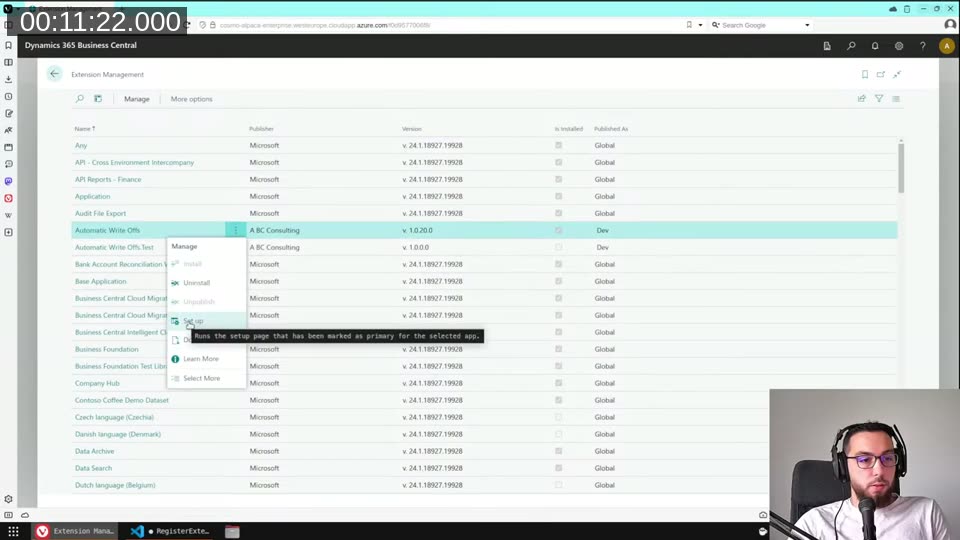
To get the Set Up button to appear on the Extension Management page for the app, you need to register an assisted setup entry via the Guided Experience codeunit. The RegisterExtensionSetup codeunit subscribes to OnRegisterAssistedSetup and calls GuidedExperience.InsertAssistedSetup(...) with the setup page ID, title, description, and so on.
I ended up keeping this approach even though I’m not thrilled about going through the Guided Experience machinery just to wire up a single button. There’s probably a cleaner way to do this — maybe a setting in app.json one day. For now, this is what works.
One thing I did clean up: the event subscriber arguments. The LinterCop was flagging that event subscribers should use identifier syntax instead of string literals. So [EventSubscriber(ObjectType::Codeunit, Codeunit::"Guided Experience", 'OnRegisterAssistedSetup', '', false, false)] replaces the older string-based form. A good example of LinterCop keeping AL code up to date with language changes from Microsoft.
Setup Table: NotBlank Warning
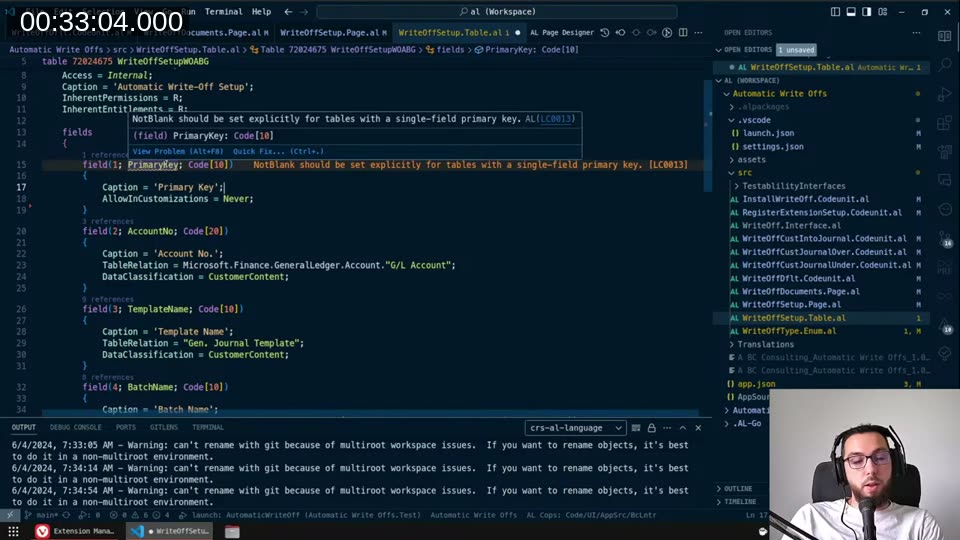
LinterCop rule LC0013 warns when a table with a single-field primary key doesn’t explicitly set NotBlank. The reason: if you have a Customer table and a record with a blank customer number slips in, every field with a TableRelation to Customer would technically link to that blank record.
For a setup table, you want a blank primary key — that’s how a single-row config table works. The fix is simply setting a default value for the field explicitly. That satisfies the rule without changing any behaviour.
Enum: DefaultImplementation and UnknownValueImplementation
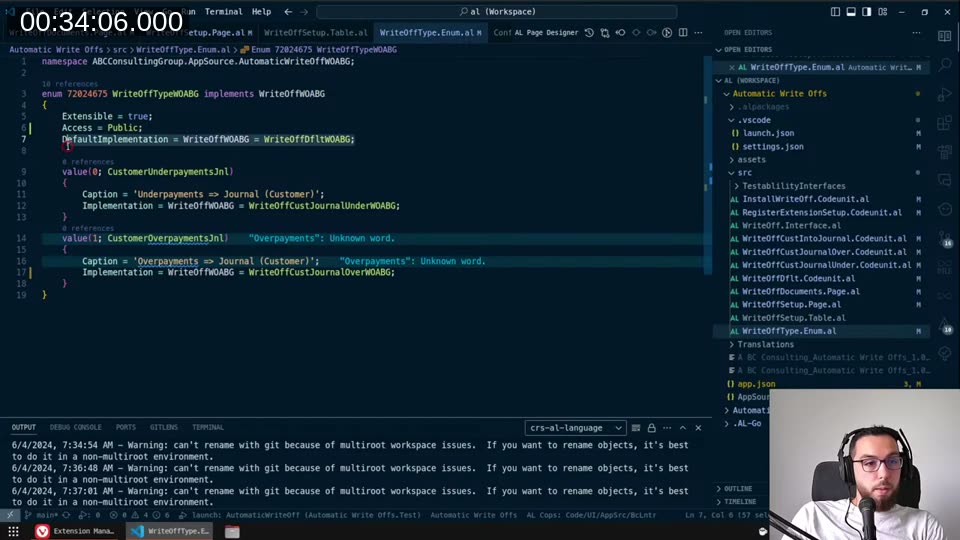
The WriteOffType enum implements the WriteOffWOABG interface. Two properties need to be set:
DefaultImplementation— the implementation used when an enum value doesn’t specify one. Useful if someone extends the enum and forgets to wire up a codeunit.UnknownValueImplementation— the implementation used when a value exists in the database but its implementation is gone (e.g. the extension that added that enum value was uninstalled). This one is critical for data safety.
For both I used the same fallback codeunit (WriteOffDfltWOABG) that just throws a “not implemented” error. That means you’ll know immediately if something’s wrong, rather than getting a silent failure on a posted record.
Permission Sets
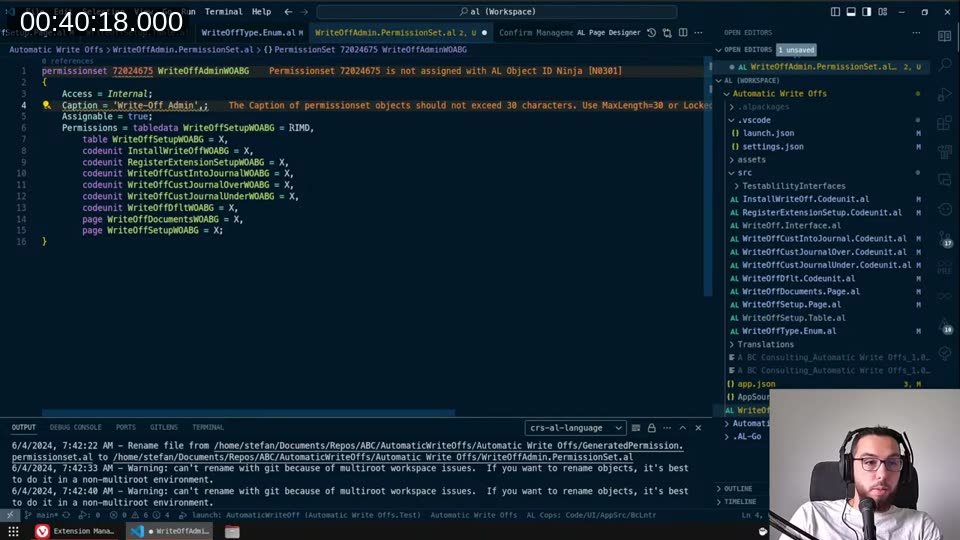
I generated two permission sets from VS Code: WriteOffAdminWOABG and WriteOffUserWOABG. The difference is simple — users only need Execute on the codeunits and Read on the setup table; admins also get Modify and Delete on the setup.
The LinterCop flagged the caption on the permission set for exceeding 30 characters. This limit exists because the caption ends up in a database field with a 30-character constraint. When you have the caption translated, the translator won’t necessarily know about the limit unless you add MaxLength = 30 to the caption explicitly. Small detail, but it would break at runtime.
Permission sets also support Access = Internal, which I didn’t know before — obvious in hindsight.
Folder Structure
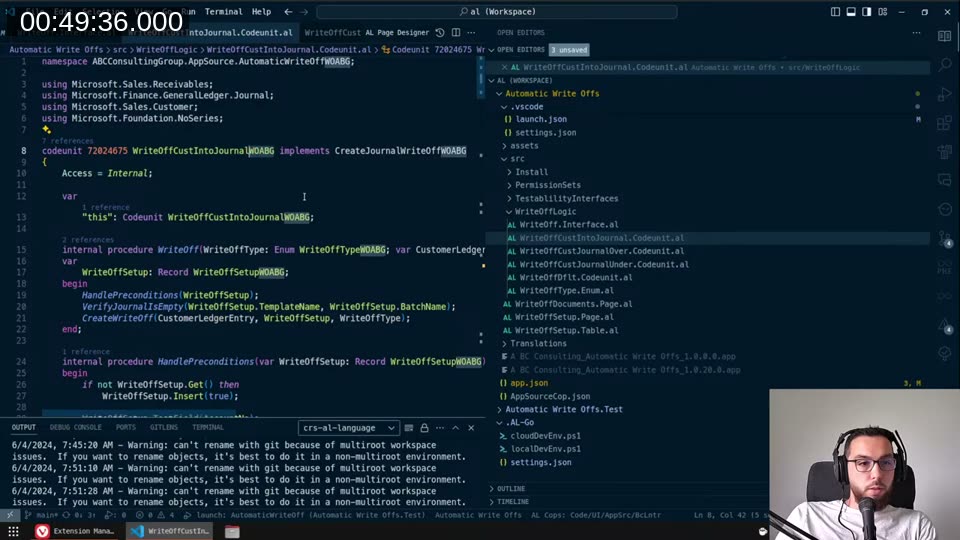
The last thing was reorganising the src/ folder. I committed all the code changes first, then moved files into subfolders — that way Git can track the renames cleanly rather than seeing them as delete + add. The final layout:
src/
  Install/
  PermissionSets/
  TestabilityInterfaces/
  WriteOffLogic/
  WriteOff.Interface.al
  WriteOffDocuments.Page.al
  WriteOffSetup.Page.al
  WriteOffSetup.Table.al
  WriteOffType.Enum.al
The setup page, table, enum, and main documents page stay in the src/ root since there aren’t enough of them to warrant their own folder.
What’s left before publishing: the correct publisher prefix and object IDs. Those are just a search-and-replace once I have them, so the app is essentially ready.
This post was drafted by Claude Code from the stream transcript and video frames. The full stream is on YouTube if you want the unfiltered version. (I did read and check the output before posting, obviously 😄)